




Illusionyary
Members
-
Joined
-
Last visited
Everything posted by Illusionyary
-
I don't run the modification often, but I never bothered to complete the campaign and LSPDFR worked fine. I'd recommend at-least unlocking all the characters though.
-
Unmarked vehicles are very common in Australia with officers usually driving plain Holden Commodores or Ford Falcons (white or black) with minimal lighting, however recently I've seen the WAPOL deploy Ford Territory's with even less lighting (one lightstick facing forward, another facing backwards) that are really hard to spot. A few years ago you could easily spot an unmarked patrol vehicle due to the abundance of antennas on the rear of car, but now they blend in so well it's nearly impossible to spot one unless you can actually see the lighting equipment in the windows.
-
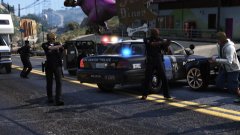 Meanwhile the officer in the background is about to be obliterated by an RV.
 -
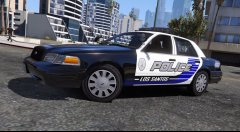
From the album: GTA V Illusions
Another one of my texture conversions from GTA IV. -
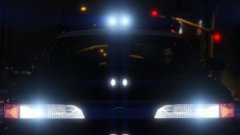 It's actually a heavily modified Stanier :P
 -
It's a Stanier. You can't hide the truth from me Lund!
-
This. I've removed the payment details. I'd love to see these models in the newer games, they've always been a favourite of mine since playing SAMP way back in the day.
-
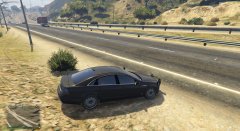 I assume you didn't make it but that is one of the worst Holden Caprice models I've ever seen, sorry.
 -
Please tone down the language when writing up a tutorial next time. Also, moved to the correct section. This topic has been moved to the appropriate forum. Please post in the correct location in the future.
-
Be aware that replacing your current visualsettings with the stock file will make ELS look like shit.
-
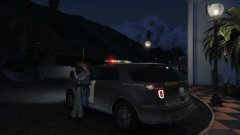 Looks like it needs a wash.
 -
I don't believe he released any of them for GTA IV either, but last I saw of him he was over on GTAPoliceMods. Whether he's still there now I have no idea. It's been at-least a year since I've been in contact with him. Also, please don't bump old threads. If you have a question like this in the future either create a new topic or PM the user you're wanting to ask.
-
They're based off the LVMPD bicycle officer uniform, they're bright yellow so they can be seen easily by traffic. The regular LVMPD doesn't wear them.
-
-
Police AI at it's finest.
-
Yup. And no, I haven't actually invested in any Blu-ray animes yet especially as some of the series I have don't even have Blu-ray releases (I'm looking at you Bakemonogatari). That and the cable to my PS3 (the only Blu-ray player in the house :P) is busted and only works with a HDMI cable, and of course the TV in my room doesn't have HDMI.
-
18, and no, it's not. I knew I didn't like beer anyway but I figured I'd just have one as it was Christmas.
-
Please excuse my shitty 6AM Boxing Day photography... and all my figurines... I also got Star Wars Battlefront but the fucking key didn't work (thanks JB Hi Fi) so I have to return it for a new key. In addition to this, I spent about $180 on Steam games and anime for myself this week and even had my first bottle of beer (it was horrid :D).
-
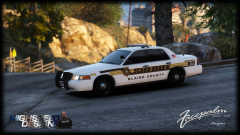 Definitely looks better with the gradient but it does look like something's missing still, I'm not sure what though.
 -
Really nice design, I feel as though the "SHERIFF" text could do with a bit more colour or something though. Something to make it pop, you know? Flat brown just looks a tad... well... flat.
-
My dad found me a copy of it in the op shop one day, the entire game plus all the DLCs for like 4 dollars.
-
Except Driver isn't Grand Theft Auto and plays nothing like it.
-
Poi~
-
More pictures of various things! Highlights include Godzilla attacking Shinjuku, the absolute wacky Robot Restaurant, the Golden Temple in Kyoto and the Tokyo Tower! Oh and more μ's because I, and apparently all of Akiba, love them.
-



