




Illusionyary
Members
-
Joined
-
Last visited
Everything posted by Illusionyary
-
From the album: Assorted Games
-
From the album: Assorted Games
Game of the year 2016 right here. -
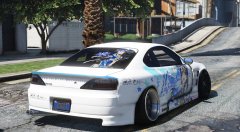
From the album: GTA V Illusions
-
Do you have any other modded cars installed that edit ANY of the configuration files (carvariations.dat, vehicles.meta)? If so, that's what's causing this issue.
-
Lundy's cars are meant to work off of the default vehicles and carvariation files, so if you have modded ones it will not work properly.
-
WhatTheFont? https://www.myfonts.com/WhatTheFont/forum/
-
-
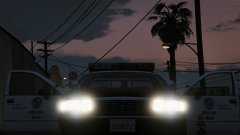 Missed an opportunity there Lund.
 -
Have some artistic freedom. This is San Andreas, not real life, so who cares if the design isn't 100% realistic. Do what you want with it but obviously don't say it's realistic if it's not otherwise the big roleplayers will get mad at you.
-
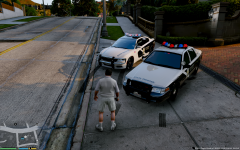 Why are the emergency lights a solid colour (not transparent)? Is that just your ENB? Looks weird.
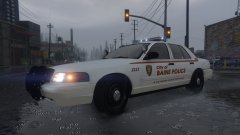 First thing I saw haha.I think this one is climbable.
Baine? Do you mean Blaine?
First thing I saw haha.I think this one is climbable.
Baine? Do you mean Blaine?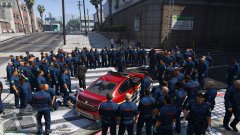 "You came to the wrong neighbourhood motherfucker."
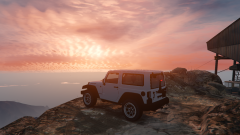 I BOUGHT A JEEEEEEEEP! What colour?!Not unless you post a video, no.
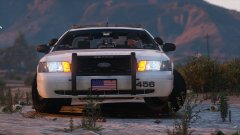 I think it's just the angle/zoom level playing tricks on you.My only suggestion would be to lower your emissive values (I used to run 120), or try darkening/lightening the ELS textures.Because there's a limit on how many blue rotators can be used (I believe it's three), meaning that there is not enough to fill a full blue light-bar. When ELS-V comes out we'll hopefully be able to use more.The town name suits their liveries. Plain.
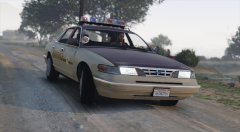 You will, only the doors and bonnet have no collisions lol. The front bumper and entire rear section behind the doors have collisions. Thanks, two tone designs are always cool.
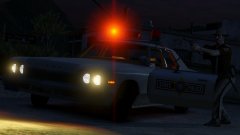 Hmm... I'm not actually sure now that you mention it. I didn't even know the Twinbeacon existed lol, I thought they were just all Skybolts.
That's something that'll likely get changed further down the line. I will agree that they look a bit out of place but hey.
Hmm... I'm not actually sure now that you mention it. I didn't even know the Twinbeacon existed lol, I thought they were just all Skybolts.
That's something that'll likely get changed further down the line. I will agree that they look a bit out of place but hey.



