


We're performing changes on the site and things may be unstable for a few hours. We'll remove this notice when we're done. Thanks for your patience.


Illusionyary
Members
-
Joined
-
Last visited
Everything posted by Illusionyary
-
http://www.lcpdfr.com/page/tutorials/index.action/_/script-data-file-modification-tutorials/how-to-use-a-custom-background-for-the-lcpdfr-police-computer-r22 http://www.lcpdfr.com/page/tutorials/index.action/_/script-data-file-modification-tutorials/detailed-lcpdfr-custom-computer-background-r68
-
MODERATOR NOTICE Moving to GTA IV Discussion.
-
It's very bland, I'd add some stripes or something to it.
-
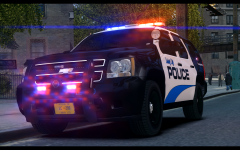 The lights look awesome but I don't like the lens flare, it's a bit overkill IMO.
 -
MODERATOR NOTICE Topic belongs in GTA IV Suggestions and Requests, moving. Would be neat to see, I would do it myself but I don't have the software to rip/record GTA V audio.
-
Sounds pretty cool. I'm down for it provided I have my game back up and running and time zones don't screw me over.
-
You didn't happen to tamper with the handling.dat file did you? That's what usually causes this sort of thing.
-
ELS (Emergency Lighting System) adds pretty lights to cars at the expense of vehicle invincibility.
-
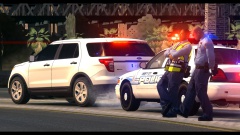 Isn't that PoliceWag's Quebec Police Vic? It has that weird raised lightbar, lol. Nice picture, would of been better if the trees weren't glitched though.
 -
As ineseri said, each person needs to use exactly the same setup as the next to avoid constant crashing, I'd also recommend using low poly mods, as they tend to cause less issues than their high poly counterparts.
-
MODERATOR NOTICE Moving to GTA IV Support, this section is for support regarding the LCPDFR Modification only.
-
Nothing more can come of this topic, therefore I think it's about time to close it. Also, tone down the language next time, there was no need to call him a "cunt". Nothing to see here! This topic has been closed by LCPDFR.com staff. If you feel that this topic has been closed in error, please report this post.
-
-
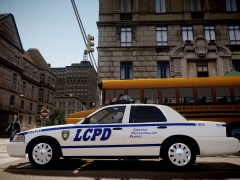 What actually happened:
 -
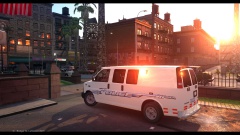 Oh definitely, I love the Explorer! :D
 -
My skin actually looks pretty good on that Van. Once I get my Photoshop back I'll have to make one optimized for it. :)
-
You're one day late. Australia day was yesterday, the 26th. You're not going off Northern Hemisphere time-zones are you? If you are, I guess this topic being posted today (the 27th) makes sense since it's still the 26th there.
-
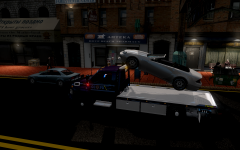 You're doing it wrong.
 -
Yes it is true. It's being made by Reboot23 aka Master Yoda aka Heisenburg. No word on a release date as of yet.
-
MODERATOR NOTICE Moved to General & Miscellaneous Discussion. This:
-
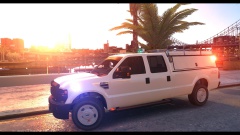 Sexy graphics are sexy.
 -
Thanks. I did originally plan on making a mega pack, but with the summer holidays rapidly fading I don't think I would have time to complete the pack, especially not now since my hard drive is busted.
- 8 comments
- 6 reviews
-
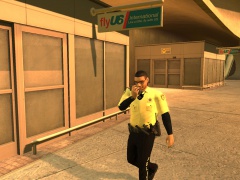 Lovely uniforms.
 -
Thank you everyone. I just noticed that one of the CVPI textures shares the same license plate as one of the FPI textures. Unfortunately, I cannot fix this since I do not have access to Photoshop. Apologises for that!
- 8 comments
- 6 reviews
-
A set of eight (four for each model) Liberty City Police textures for the Ford CVPI and Ford Police Interceptor. Textures have been made on the Bxbugs123 and Cj24 template and therefore will only work on models supporting those templates. Features: Scratch Made Decals Custom Badges and License Plates Multiple Livery Support Special thanks to 1997chevyboy for the lovely screenshots. Please leave any feedback or bug reports below, thanks!
- 8 comments
- 6 reviews


