




Illusionyary
Members
-
Joined
-
Last visited
Everything posted by Illusionyary
-
So it's no longer crashing?
-
You have to buy it, http://www.zmodeler2.com/, make sure you buy Zmodeler 2 because Zmodeler 3 doesn't work with GTA IV's vehicle formats.
-
Try using another ENB. I experienced the same issue and have a more than capable system too, some ENBs just don't like certain systems.
-
MODERATOR NOTICE Wrong section, moving to Tutorials & Questions. Please read the pinned topics before posting: '?do=embed' frameborder='0' data-embedContent>>. You'll have to use and have a basic knowledge of Zmodeler to add lighting equipment, among other things to models.
-
You more than likely don't have to reinstall the game, the RC20 error is caused by corrupt car mods. Replace the modded car(s) with different ones or remove them all together and all should work fine again.
-
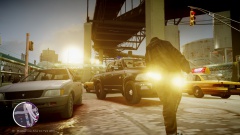 I'd say it looks more like a tactical nuke, lol.
 -
Yeah, try those lines that came with the vehicles. This is definitely a handling line problem so using those should solve it.
-
Your handling line is messed up, try replacing it with your backup copy.
-
-
Try manually installing it and see how that goes.
-
I'm not very computer savvy, but from what I understand timecycs don't hog your system as much as ENBs do so they are perfect for weaker systems.
-
Honestly, most low end ENBs don't look very good. If you have a weak computer you're better off using timecyc mods, such as this one: '?do=embed' frameborder='0' data-embedContent>>.
-
Nothing to see here! This topic has been closed by LCPDFR.com staff. If you feel that this topic has been closed in error, please report this post.
-
MODERATOR NOTICE Topic belongs in LCPDFR Media, moving. Lol, I've never seen that before. Weird.
-
Every other major Grand Theft Auto title has been ported to PC so I don't see why GTA V would be an exception. Of course, I'd rather hear it from Rockstar themselves before drawing any conclusions.
-
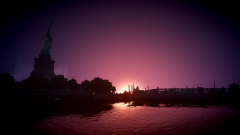 You could even say it's to sharp to handle... *hint hint nudge nudge* lol
 -
"I want to make my own custom police department skin pack". It's going to be neither, he's making textures, not models. I'd have a look through here http://www.policecarwebsite.net/main.html for designs.
-
What links are you talking about? The game should install mostly same way regardless of the operating system. Here's a list of minimum system requirements: http://support.rockstargames.com/hc/en-us/articles/200144866-PC-System-Requirements-for-GTA-IV.
-
Here's the 1920x1080 version: http://www.mediafire.com/view/mqa8ub7s1k5mvh5/GTAIV%202014-01-30%2022-51-17-44.png
-
From the album: Illusions
...or a tactical nuke. No police cars here! Just a beautiful sunset, lol. ENB is Direct Graphics V1 on patch 1.0.4.0, game is maxed out. -
Just another day in Australia.
-
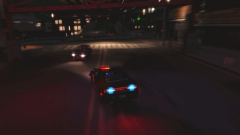 PULL OVER *Rams the crap out of the car*
 -
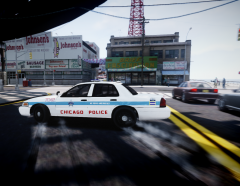 Very nice picture! Love the motion blur!
 -
*shrugs* No idea, maybe a MDC? Who knows.
-
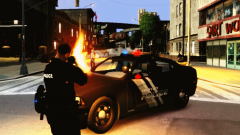 Pretty normal for the LCPD.


