




Illusionyary
Members
-
Joined
-
Last visited
Everything posted by Illusionyary
-
MODERATOR NOTICE Links to pirated software will not be tolerated on LCPDFR. The link has been removed, please do not link to pirated software again. You can BUY Fraps here http://www.fraps.com/, it's a decent software however I'd recommend Dxtory over it http://exkode.com/dxtory-features-en.html, it's the best payware capture software I know of.
-
-
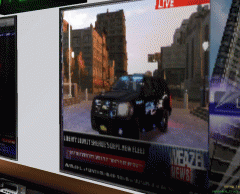 That's a nice picture of a sunset you got there.
 -
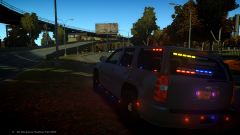 Needs more lights. I mean honestly, where are the LEDs in the rims? Jeez.
 -
You need to provide more information. Post your logs, and system specs. Without those, we can't help you.
-
Edit the "Other emissive lights" section in the visualSettings.dat file, change it to 100 or something. Or, use an ENB optimized for ELS, such as this one: '?do=embed' frameborder='0' data-embedContent>>
-
MODERATOR NOTICE Wrong section, moving to GTA IV Discussion. This section is for WIPs and RELs only: '?do=embed' frameborder='0' data-embedContent>> I believe it's this one, the lights have been re-textured: '?do=embed' frameborder='0' data-embedContent>>
-
I believe that's a compatibility issue with the ENB and your games patch. Which ENB are you using?
-
For what? Gaming? The graphics card is well old now and will struggle to handle newer games, especially at a 1080p resolution. I'd recommend going for a GTX series graphics card, 600 series or higher. The rest should be okay though.
-
MODERATOR NOTICE Moving to GTA IV Discussion, this section is for WIP/RELs only, '?do=embed' frameborder='0' data-embedContent>>.
-
MODERATOR NOTICE Wrong section. Moving to GTA IV Discussion.
-
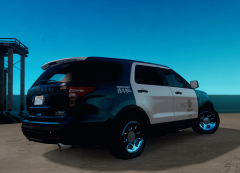 I didn't know the LAPD had Explorers, wow, it looks really good with the Arjent. Nice texture, however the "Emergency 911" text should be upscaled, it's too small.
 -
Works perfectly fine for me.
-
'?do=embed' frameborder='0' data-embedContent>> '?do=embed' frameborder='0' data-embedContent>> '?do=embed' frameborder='0' data-embedContent>>
-
You need a GTX card, 600 series or higher.
-
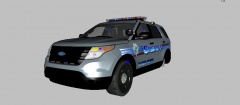 Exterior radars are quite common here in Australia, so it's cool to see them becoming more popular. I think they look really neat!
 -
http://www.youtube.com/watch?v=LMagP52BWG8 This one?
-
MODERATOR NOTICE Moving to GTA IV Suggestions and Requests.
-
What a horrible wreck, the minivan didn't stand a chance. This sounds absolutely horrible but I really do hope the driver died on impact, if I was in that situation I'd rather be killed instantly than slowly succumb to my wounds sustained from the crash.
-
Upgrade your game to patch 1.0.7.0, LCPDFR is not compatible with patch 1.0.4.0. http://support.rockstargames.com/hc/en-us/articles/200145406
-
MODERATOR NOTICE Wrong section, moving to GTA IV Discussion & Media.
-
The label is hard coded into LCPDFR itself, so unfortunately there is no way to remove it. You could try forcing duty as that removes the LCPDFR text, so it might remove the new version text too, but I could be wrong as I haven't tried it. In all honesty, what was the point of this thread though? To complain about how LCPDFR crashes every 15 minutes? LCPDFR has come a long way since the first version, I know it's frustrating but you could at-least try and put up with the crashes instead of complaining about it to the world on a public forum. I fail to see how a productive discussion can come of this, but feel free to prove me wrong.
-
Moving to GTA IV Discussion. These are quite nice: http://www.gta4-mods.com/misc/different-hd-roads-f23499. Have a look through here though: http://www.gta4-mods.com/search/Road%20Textures
-
-
Cool tribute! I don't watch SouthLAnd much, but I'd say it did the show justice.


