


tee
Members
-
Joined
Everything posted by tee
-
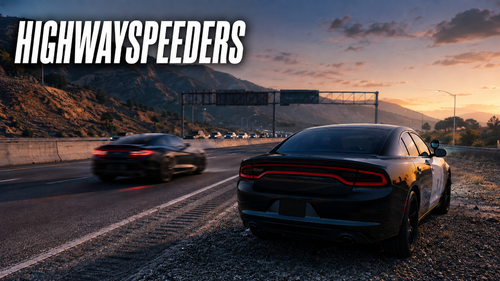 I downloaded it. I tried it out. I think I saw on the radar I was using how they tried to stay at a decent speed as they passed. I had a lot of stuttering issues though in the city. I was just asking for a preview video showcasing how this one looks during gameplay vs. 1803 speeders, but I think I noticed a difference.
- 49 comments
- 3 reviews
-
-

- 2
-
-
-
-
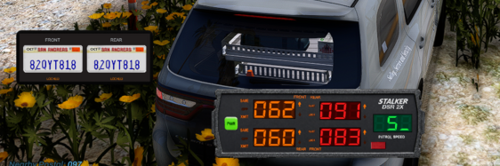 I like the private radar in your pics that you made can't wait for that if you decide to release it, but I have a question, with this version of more speeders does your ai backup have pathing issues? because on my end my ai backup such as the PR/UB backup units like Fire/EMS/Coroner/Tow have issues getting to the scene. The path coordinates fail 75-90% of the time and they dismiss almost as soon as they are dispatched. I can call 10 ambulances and only 1 actually makes it depending on how close it spawns to me. I ran a test by taking out this version of more speeders and my ai backup responded normally. Has that happened to you?
- 29 comments
- 2 reviews
-
-

- 1
-
-
I may have found the issue, do you have 1803's More Speeders Nearby Traffic Edition? I took that out of my scripts folder and it now my backup works properly.
-
Instead of disabling the plugins I took out (deleted) prowler radar and firecallouts and I got the same thing RagePluginHook.log
-
I'll redo my plugins folder and see what happens because I "disabled" firecallouts and it did the same thing.
-
 I downloaded the file and followed the tutorial. I created an account for the API Key for weather sync. I loaded into the game and it shows up with correct time and weather to a point, but it does not update or change naturally. I had to unload and reload the plugin for the forecast to change. What did I do wrong?
- 76 comments
- 12 reviews
-
so its not just me or a Policing Redefined thing because I was just about to test STP and UB next. I have the Patreon version of Fire Callouts and it is happening with them too.
-
Sorry, forgot to say I am using policing Redefined
-
Everytime I call for a backup unit (local,state, fire, ems etc) to the scene. they spawn far away then despawn or dismiss almost immediately, and they pass by the scene with their lights and siren still on. RagePluginHook.log
-
 While I am enjoying this mod, I do have a concern about it disabling the sirens on the non-els vehicles that I have active in game. Is there a way for it not to do that? or maybe update it for it not to affect the non els vehicles unless I want it to?
- 77 comments
- 4 reviews
-
yea because I am so used to using a controller I thought I missed a step in your vid.
- 77 comments
- 4 reviews
-
-
- 1
-
-
Nevermind, I think I get it now I have to use the numeric row keys for the siren. I didn't understand that at first.
- 77 comments
- 4 reviews
-
I followed the tutorial, set it up i think and got my backup units to respond with the Custom siren but I cant get the custom siren to work on the vehicle I'm driving and yes I am driving the same vehicle the backup units have, and yes the sirens are continuing to play on the backup units after setting AutomaticAiSirenCutoff=False so i am kind of at a loss as I really want to use this mod
- 77 comments
- 4 reviews
-
-
 hey its me again, I have the latest version of scripthookvdotnet by nightly and now this script is not loading. the logs says this [12:23:14] [DEBUG] Instantiating script Speeders1803 ... [12:23:14] [ERROR] Failed to instantiate script Speeders1803 because constructor threw an exception: System.MissingMethodException: Method not found: 'GTA.FeedPost GTA.UI.Notification.PostTicker(System.String, Boolean, Boolean)'. at Speeders1803..ctor()
- 90 comments
- 2 reviews
-
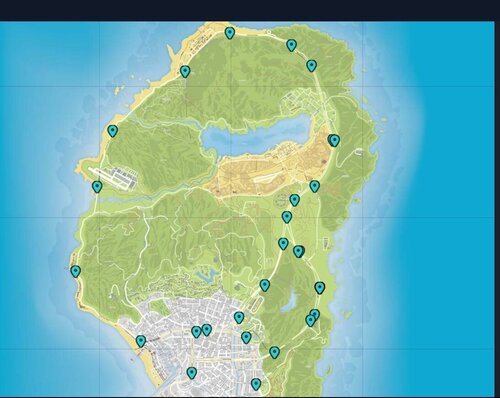
Do the speeders normally supposed to spawn on the train tracks on the bridge in San Chikaski Mountain because they did for me last night. As several of them that spawned, and ran right into the train and exploded. Also, the spawn point north of Fort Zancudo has an issue where they spawn on the side of the hill and can't make it the road because the barricades are in the way.
- 90 comments
- 2 reviews
-
ok so after further testing, with SirenLimitAdjuster being down. I am now able to go into Paleto Bay.
-
I'm doing a clean install and yes I get the same results with no mods at all
-
In the Paleto Bay Area? Yes I have Coastal Callouts installed so the Paleto Bay USCG Station is near I will continue to test, but so far I am still seeing ELS as the reason I'm still missing hill textures as shown in my above photo.
-
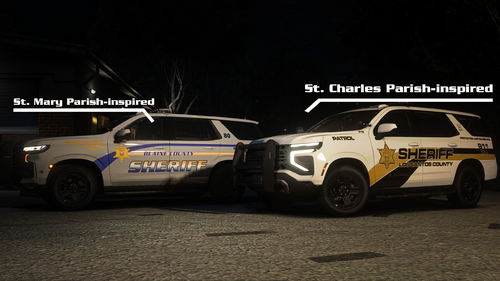 ok thanks are they a part of a specific pack?
 -
Yes, unfortunately ScripthookV still crashes when I enter/Exit Paleto Bay at the intersection next to the gas station.
-
I'm sorry I'm having a hard time searching, but where do I go to find all of RAZ3R vehicles specifically with massman edits? is it discord?
-

