Will
Management Team
-
Joined
-
Last visited
Everything posted by Will
-
Go to your display options and turn the HUD on.
-
-
Try installing this: http://www.microsoft.com/en-us/download/details.aspx?id=30653
-
Then make sure you never replaced it - if you installed ELS, then you may have installed an old version of AdvancedHook.
-
Please post a screenshot of your directory.
-
'?do=embed' frameborder='0' data-embedContent>>
-
Try installing this: http://www.microsoft.com/en-us/download/details.aspx?id=35
-
MODERATOR NOTICE Your thread has been moved to GTA IV Discussion and Media. Please read the "Showroom Style Forums" announcement before posting in the showroom forums: https://www.lcpdfr.com/forum-792/announcement-11-showroom-style-forums/
-
Are you pressing Alt-P to start the mod?
-
Stuffs
-
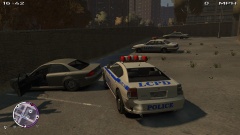
From the album: LCPDFR
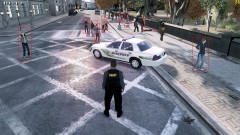
This guy decided it was best to just drive straight to the police station. -
AdvancedHook is outdated based on this: [INFO - 21:25:3] AdvancedHook 0.34 (C) 2010-2014 LMS - Initialized Please download the manual installation package and make sure to drag AdvancedHook.dll into the GTA IV/EFLC folder.
-
'?do=embed' frameborder='0' data-embedContent>>
-
Install all of these, choose x86 if given an option: http://www.microsoft.com/en-us/download/details.aspx?id=30679 http://www.microsoft.com/en-us/download/details.aspx?id=5555 http://www.microsoft.com/en-us/download/details.aspx?id=35 http://www.microsoft.com/en-us/download/details.aspx?id=30653
-
Reinstall LCPDFR using the manual installation - just copy all of the files/folders to your main GTA IV directory (where GTAIV.exe is), copy and replace if asked.
-
Please run the diagnostic tool and post the log it creates.
-
MODERATOR NOTICE Please only press the post button once - if you spam it you will make multiple of the same post. You need to address all of the points in ineseri's post.
-
I think it's something with GTA IV. If the officer making the arrest doesn't "own" a car, he will find the closest police vehicle and use that.
-
MODERATOR NOTICE Moving to LCPDFR Suggestions as this is not a LCPDFR Support Request.
-
'?do=embed' frameborder='0' data-embedContent>>
-
If a mod comes with it's own version of ScriptHook, dsound, AdvancedHook, etc. this is the general rule: On the "There is already a file with the same name in this location" screen, if it says "newer" next to "Date modified" under "Copy and Replace," then choose that option. If not, don't copy.
-
Reinstall using the manual installation. Replace all of the current files. After LCPDFR is installed, never EVER replace AdvancedHook.dll again, unless you are installing LCPDFR again.
-
Reinstall LCPDFR using the manual installation.
-
MODERATOR NOTICE Moving to GTA IV Discussion & Media as this is not a support request for LCPDFR.
-
Try reinstalling LCPDFR with the manual installation.