




Will
Management Team
-
Joined
-
Last visited
Everything posted by Will
-
Download LSPDFR Manual Install. Drag the contents to your GTA V directory, replacing anything when it asks you. Then download RagePluginHook and do the same. There's no reason it won't work after that. If it still crashes, you probably do have other mods installed causing it. You wouldn't believe the amount of people who say "but i don't have any other mods" to then see their directory and see 100 other mods installed.
-
You don't. Naming it _mods disables it. It crashes when it's called mods because you messed something up in there. You'll need to redo your mods folder, installing mods one-by-one and making sure each works.
-
This crash is because of LS Protection Squad. Remove that if it causing constant issues.
-
Did....Did you try reading the full message? It's because you have Arrest Manager installed...
-
McAffee might as well be a virus itself. Get rid of it.
-
GTA already satirizes police in a way that's only all the more relevant now. There's no reason the current events would lead to them changing their stance on anything.
-
 There is no such thing as a "fivem only vehicle." The only difference is the file structure in the archive you download. LML Mod Manager can automatically convert these if downloaded from our site, using the "Download with Mod Manager" button.
- 338 comments
- 17 reviews
-
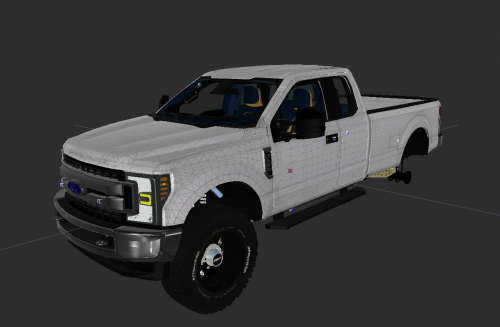 If there's an issue with permissions, the original author can report the file. The comments section is no place to air your dirty laundry.
 -
 Same place as the dll, although the pdb is optional and is only there to help with debugging crashes.
- 264 comments
- 22 reviews
-
-

- 1
-
-
EUP Menu has a character creator. Not sure if it requires EUP be installed to run though as I haven't used it in a long time. Edit: It does require EUP to be installed.
-
Sounds like an issue with the color settings on your screen? Post a screenshot - if the rest of us can see it but not you, you need t adjust your settings (likely contrast and/or brightness).
-
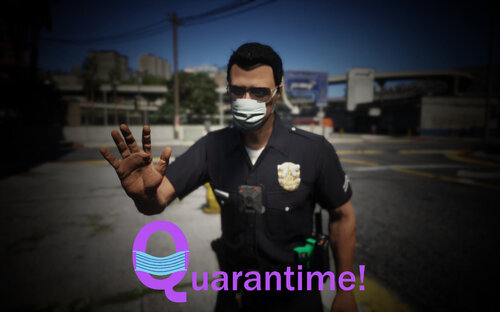 Moderator Notice: This is a mod for GTA V. The comments here are no place for a political discussion. Sit back, relax, and just enjoy the game.
 -
The way I would do it is make a List<Ped> of your guards. Then check in your Process() for any dead guards in the list and remove them, for example: foreach(var guard in guards.ToArray()) { if(guard.IsDead) { guards.Remove(guard); } } You could then check for when your List is empty to end the process. Also, make sure you check your CallTheCops variable in the first if statement so you are not creating blips for eternity while the player is in range. Basically, your Process() would look like this: if (!CallTheCops && Game.LocalPlayer.Character.DistanceTo(Soldier1.Position) < 200f) { //dostuff CallTheCops = true; //this should be a class variable } foreach(var guard in guards.ToArray()) { if(guard.IsDead) { guards.Remove(guard); //guards should be a List<Ped> created whenever you create your guards } } if(guards.Count() == 0) { //end } There are other ways to go about this that are cleaner if your callout becomes more complicated, but this should work for your case.
-
Your native call is wrong. It should be NativeFunction.Natives.TASK_STAY_IN_COVER(Guard1); or NativeFunction.Natives.TaskStayInCover(Guard1);
-
Someone who actually knows what they're doing would probably be appalled by my code, but I've created a GitHub repository for it: https://github.com/willpv23/BackWeapon
- 264 comments
- 22 reviews
-
-
- 2
-
-
Fixed in the new version. The luxury finishes are considered components - I have to check each component individually to see if it exists on the weapon, therefore there is the possibility of missing some. Please let me know if any others are missing, thanks!
- 264 comments
- 22 reviews
-
Open BackWeapon.ini and change the values for OffsetPosition and Rotation in both the [Main] and [AI] sections. Supposedly this works fine, but is untested by myself: OffsetPosition = -0.1,0.22,-0.02 Rotation = 165,165,0.0 You basically just need to test values until you find a good spot.
- 264 comments
- 22 reviews
-
Change the offset positions in the ini file to suit your peds/armor What do you mean?
- 264 comments
- 22 reviews
-
-
I don't understand what you're asking. It sounds like you want LSPDFR to add better compatibility with certain plugins? That's backwards. Those plugins are addons to LSPDFR, they should be the ones being made compatible with the mod they are made to work with. Asking for LSPDFR to be more compatible with them is like asking Rockstar to make GTA V more compatible with LSPDFR. LSPDFR is designed to work and play on it's own, without the need for any extra mods. If the backup menu was removed, and we said "you need to download Ultimate Backup to request assistance," that defeats the purpose of the mod. If you want to add more depth and interaction, you are free to do so with those other mods. If your only real issue is with the way arrested peds behave, then just arrest them with the built in LSPDFR method instead of using 3rd party plugins to do so. In my opinion, LSPDFR handles arrests way better than those plugins. You can still use those other plugins for whatever you need, just use default LSPDFR functions to actually arrest and transport.
-
These are probably both related to Simple Trainer. You need to copy your trainer.ini file to the ASIPlugins folder.
-
You need to remove ScriptHook from your game.
-
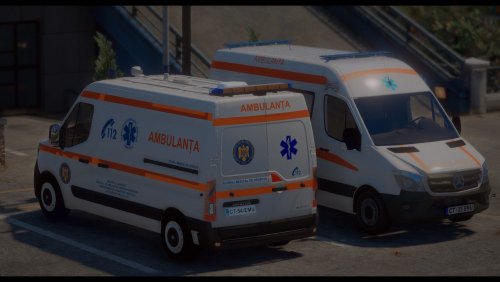 To add on to Original Light's warning - users are not required to provide full model credits when uploading textures. Any continuation of this will result in sanctions.
- 25 comments
- 1 review
-
This topic has been moved to the appropriate forum. Please post in the correct location in the future.
-
Hm, might be related to the K9 stuff just above in the log. Should probably exclude animals...will update soon.
- 264 comments
- 22 reviews

