




Will
Management Team
-
Joined
-
Last visited
Everything posted by Will
-
This happens sometimes, I don't know if it's a script conflict between LCPDFR and something else (possibly ELS or Braveheart's Policing Script or vdH Police Helper) or what, but you could always try pressing F12 after it disappears to call another unit.
-
If by "murder" you mean "mugging," then I always had the same thing in LCPDFR. It was very rare that I would actually get a mugging call and it not be code 4. I've been using only Braveheart's Policing Script for callouts.
-
And PC and Wii U. Watchdogs will be out for everything, really. And about graphics, I think it was IGN or Machinima that said GTA V will have pretty much the same graphics as GTA IV - even the same problems with textures popping in and out. Regardless of that, millions of people will still buy it, right? Not because of its graphics, but because of its gameplay.
-
I noticed that too, thanks for the fix :). I love these cars! The ELS setup is perfect
- 31 comments
- 17 reviews
-
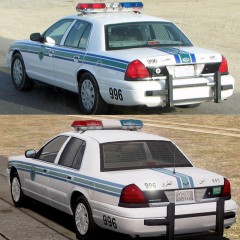 Very much the same!
 -
Lol, apparently. None of the videos are(as of just now)/will be monetized though. (or maybe they will - not that anyone will see this update - but only the banner ad thing. Really just to see how it works.)
-
-Topic can be archived or hidden or whatever-
-
Only if you use some sort of mobile radio mod - there's one included with Simple Native Trainer, but I use this radio mod because I think the key to skip songs in the SNT one is coded as N and not changeable.
-
If you have xlive.dll in your GTA IV directory, delete it and keep dsound.dll
-
Thanks, I have EVGA for my current GeForce GTX 650, and just bought an ASUS GeForce GTX 660 Ti, and the ASUS was actually a lot cheaper than I normally see for the 660 Ti.
-
Well you could actually try it on that laptop - I know it would suck if you buy windows and the game for it then it doesn't work, but it may be possible. My old computer has an Intel Pentium processor, 4 GB ram, and Intel HD Graphics like 1000 (with 56 MB dedicated memory). It ran GTA IV on the lowest settings with a command line.
-
I don't know if I'll get an answer here, but can anyone tell me what a good brand of nvidia GPU is? Like EVGA, Asus, MSI, etc?
-
You need AdvancedHook.dll for the indicator script too, without it the script just crashes when you try to use it. You also still need ScriptHookDotNet for it.
-
AdvancedHook.dll (for some scripts, not sure what it's really for) and ScriptHookDotNet.asi are required to run any script mod in the "Scripts" folder. ScriptHook.dll and Dsound.dll (or xlive.dll) are needed to run .asi scripts in the GTA IV directory. I think at least. You should pretty much keep anything that installs with LCPDFR.
-
-
-
Notepad++, Gimp2, Audacity, IVNeedle, X GXT Editor. Probably won't use all of them anytime soon, but are nice to have!
-
Thanks a lot! Just downloaded 5 of those!
-
Here's a Mediafire link for the time being: http://www.mediafire.com/?ux9c8a5tgnacqlz Uploaded to this database (awaiting approval) Approved ~Break -
-
Yeah, happened to me too
-
 I had that too, lol
 -
-
-
Delete asilog.txt in your directory. It will make a new one the next time you start the game.
-
No offense, but I don't see how this is optimized for ELS 7. It doesn't look like it utilizes any of the new features ELS 7 has to offer. The only thing you did with the configuration file was change the colors and set patterns for each siren tone; you didn't even set it to slicktop. It doesn't really matter which version of ELS you use with this car.
- 21 comments
- 14 reviews

