



spreilly
Members
-
Joined
-
Last visited
Everything posted by spreilly
-
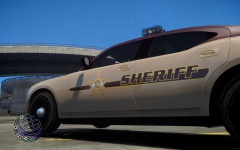
From the album: Tippecanoe County Sheriff, IN
-
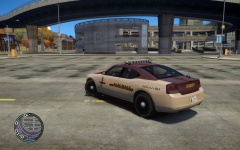
From the album: Tippecanoe County Sheriff, IN
-
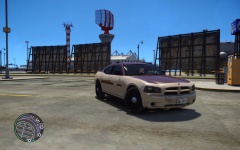
From the album: Tippecanoe County Sheriff, IN
-
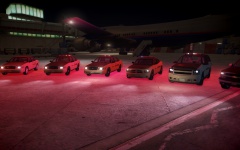
From the album: Tippecanoe County Sheriff, IN
-
This is amazing.
-
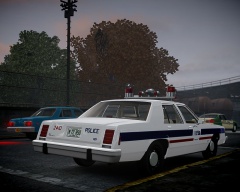 You have a link to the model?
 -
Glad you could fix it. You might want to post your fix so that others can refer to this if they have issues IMHO
-
-
-
![International JERR-DAN Wrecker / LCPD [WIP]](//s3-gallery.int-cdn.lcpdfrusercontent.com/gallery/album_657/sml_gallery_8683_657_259851.jpg) Anything on a release?
Anything on a release? -
That's SkylineGTR's, not BPM's
-
Right, but this guy had fled without any concern for the public. He was a danger to society, with his car being as lethal as a loaded weapon. Even though he crashed, and got out of the car, he appeared to run towards the passenger side/trunk in a manner that indicated he was going to get something (why did he run around the trunk instead of straight out of the car).
-
-
It's a Firefighter's tribute, complete with logos, decals, and the traditional paint. IMHO, to fully show that "This is a plane for the FDNY, not just a promotion", it should be painted red, despite the fact that it's the heaviest. Also, JetBlue can support something like this financially.
-
![[WIP] Ford E-450 Ambulance](//s3-gallery.int-cdn.lcpdfrusercontent.com/gallery/album_1565/sml_gallery_65185_1565_40138.jpg) Did this ever get released?
Did this ever get released? -
Well, who's to say that the police aren't using that footage too? I mean, why have a separate police helicopter actively following the suspect when the news can follow it for them? Win for the news, higher ratings, and win for the police, suspect caught.
-
-
May be a little late, but would it be possible to be able to change the "LCPD" references in the script? For example (one of a few), if I'm in a clan (called XXPD), can you make it so that I can change all of the LCPDFR messages, such as "Get back in your car and use the LCPD Database" to "Get back in your car and use the XXPD Database"?
-
Maybe an LCPDFR sort of thing would be nice... Panau Military Police First Response.. PMPFR Or even a policing clan
-
25 NOV 13 spreilly MODEL OVERVIEW - NAME: 2003 CHEVROLET SUBURBAN TOMAR 930 v1.0 - VERSION: 1.0 __________________________________________________________________________________ CREDITS - Model is original Chevrolet Suburban by nik287, converted to GTA IV by Chasez & Bxbugs123 - modified and converted in to a Police vehicle by Bxbugs123 - Emergency Lighting Equipment and Skins added by spreilly - Axixtech Commander by Corleone - Tomar 930 by GFXLE - Awesomness by Fartknocker __________________________________________________________________________________ Suggested ELSv7 Settings: [ WRNL ] Type = strb UseScnNotTkd = off ForcePatForLstg = on PatId_Lstg2 = 12 PatId_Lstg3 = 12 [ PRML ] Type = leds ForceDfltPat = on DfltPatId = 01 ExpressModeRandPat = off ForcePatForSrnTones = off PatId_Yelp = 16 PatId_Alt1 = 16 PatId_Alt2 = 16 [ SECL ] Type = drct DisableAtLstg3 = off ForcePatForLstg = on PatId_Lstg1 = 03 PatId_Lstg2 = 03 PatId_Lstg3 = 03 [ ENV_LIGHT_COLORS ] Extra_1 = red Extra_2 = red Extra_3 = red Extra_4 = red Extra_5 = white Extra_6 = white Extra_7 = amber Extra_8 = amber Extra_9 = amber
- 8 comments
- 4 reviews
I'm working on my first model release! Vehicle is a 2003 Chevrolet Suburban, made by BxBugs123. Lightbar is a Tomar 930HL, made by gfxle. Will contain various emergency equipment. Intended to be a fire vehicle I've gotten it working in IV perfectly, just haven't uploaded pictures yet. Will do when I get home.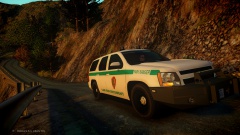 rambar.dat

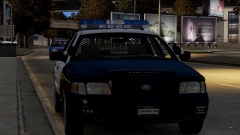
![International JERR-DAN Wrecker / LCPD [WIP]](http://s3-gallery.int-cdn.lcpdfrusercontent.com/gallery/album_657/sml_gallery_8683_657_259851.jpg)

![[WIP] Ford E-450 Ambulance](http://s3-gallery.int-cdn.lcpdfrusercontent.com/gallery/album_1565/sml_gallery_65185_1565_40138.jpg)
