
spreilly
Members
-
Joined
-
Last visited
Everything posted by spreilly
-
We all know that it means Awesome Van. (Or Awesomeness Van).
-
Do want
-
-
-
-
Well, take two shots to the chest and see if you can call me in the morning...
-
EDIT: Sorry, not a liberty. But still, if you want: '?do=embed' frameborder='0' data-embedContent>> Also:
-
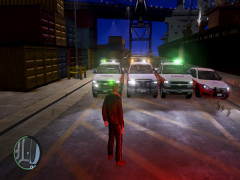 What about the other models, one with the LED lightbar and the middle one?
 -
Is that all the same silverado model? Could you send a link to them?
-
You should see if you can get the ELS/Non-ELS Streethawk from accuratestudio's 94' Vic. Good combo.
-
NYPD Skins by spreilly: '> '> '>
-
Here's what you should make: CHP w/ Vector Lightbar (like you already have) LCPD/NYPD w/ Vector Lightbar (similar to you what you have, just all red) (insert paint style here) w/ LED Lightbar Unmarked/slicktop version FDNY/generic Fire Department version If you want, I'll help you with skins.
-
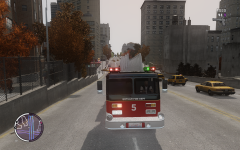 License plate has been fixed in the final version.
 -
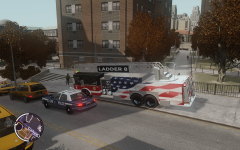
From the album: spreilly's Mods
-
From the album: spreilly's Mods
-
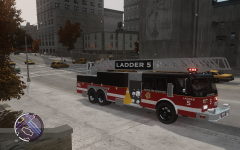
From the album: spreilly's Mods
-
-
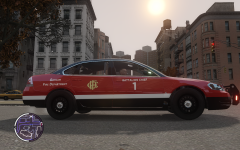
From the album: spreilly's Mods
-
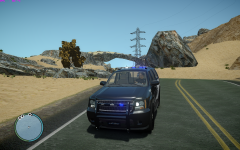
From the album: HCDPS
Route 66 HCDPS Patrol By spreilly "Route 66" Map by nine30 http://www.gta4-mods...route-66-f22138 Vehicle by "UNKNOWN" Skin by Harbor County DPS OUR GROUP DOES NOT USE THIS MAP AT THE PRESENT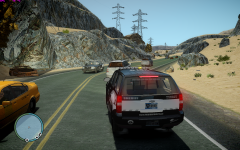
From the album: HCDPS
Route 66 HCDPS Patrol By spreilly "Route 66" Map by nine30 http://www.gta4-mods...route-66-f22138 Vehicle by "UNKNOWN" Skin by Harbor County DPS OUR GROUP DOES NOT USE THIS MAP AT THE PRESENTI used to use Fraps, but Bandicam seems like the better product to me.I tried, doesn't get enabled, even with it in the ini flileWould it be possible to have the Predator boat enabled? I see that the lights on the cars no longer dim when the engine turns off, so this might work for the ELS Enabled boat released here...