



spreilly
Members
-
Joined
-
Last visited
Everything posted by spreilly
-
Looks like it might be a Touchmaster Delta http://www.gta4-mods.com/misc/federal-signal-touchmaster-delta-siren-v3-f22425 Starts at 0:37 https://www.youtube.com/watch?v=1n313MZiQlg
-
Do you have a link? (Or are you talking about TrafficLoad-esque type scripts)As far as the LCPD pack goes, maybe (if it's not too late) you could actually make precinct numbers that make sense. What I mean is: 01 PCT - Algonquin 02 PCT - Dukes/Broker 03 PCT - Bohan 04 PCT - Charge Island/Colony Island 05 PCT (if not using NLSP) - Alderney Or even further: Cars 0001-0010: Algonquin Declasse Patrol Cars 0011-0020: Dukes/Broker Declasse Patrol Cars 0021-0030: Bohan Declasse Patrol Cars 0031-0040: Charge/Colony Island Declasse Patrol Cars 0041-0050: Algonquin Vapid Stanier so on and so forth.You can do that, however all instances of that car will be used by civilians.No. Unfortunately, the game is hardcoded to only have police and police2 patrol (same with GTA V, it seems, assuming that the MX7000-based cruisers and the Liberty-based cruisers are the same model).Also, all of Packie Mcreary in a nutshell.What about Merryweather? They have marked vehicles that I'm sure aren't high budget/priority. Just the stuff that backs them up.How about keeping in the same tune as LCPDFR in "LCPD:CO" (LCPD: Corrections Officer)
- 54 comments
- 7 reviews
Pics from where I'm coming from: City: Highway Patrol: Pics from where I'm going to: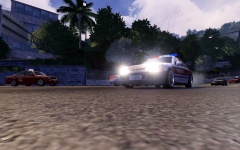 It's a Hong-Kong Based map. Comes with HK-themed vehicles, peds, the works. If you wanna take a look at it, it's here: http://www.sleepingdogs.com/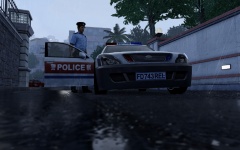
From the album: Sleeping Dogs
From the album: Sleeping Dogs
It could have a ranking system, but instead of "levels" it has actual LSPD ranks (that could be toggled in the models. You rank up to Sergeant, your ped will have sergeant stripes if applicable). As far as what each rank would get, it could either be monetary increases or you could get access to new vehicles. For example, you make Sergeant, you now get access to the Buffalo. You make Lieutenant, you can now drive the Motorcycle.This is the SFPD pack I'm working on. Was part of another topic, but I decided to make it a separate thread and put it in the right forum. Badge is similar to real SFPD badge, but says "San Fierro Police" and has the quote "Oro en banco, Fuego en calle". This is rough Spanish for "Gold in bank, fire in street". SFPD: Police - Vapid Stanier (CVPI), SFPD Police2 - Vapid Stanier (FPI), SFPD - Complete, 10 Liveries (may add more, though) PolPatriot - Cheval Bigler, SFPD Noose - Vapid Stanier, (IV CVPI), SFPD Nstockade - Vapid Stanier (CVPI), SFSD Pstockade - Declasse Rancher, SFSD FireTruck - MTL, SFFD Ambulance - Vapid Steed, SFFD Police3 - Police4 - Policeb - IV Police Bike, SFPDUpdatedCouldn't it also be used to replace the license plates in vehshare.wtd? Just create a bunch of duplicate texture files (the ones with the plates), attach "sign_1" to the end, and you should be able to have changing license plates.- 38 comments
- 8 reviews
-
-

- 1
-
Amazing as always, Doppler! Although, just in case you're missing some names, you might want to add 'em in so that people don't get butthurt- 30 comments
- 3 reviews
-
-
- 1
-
Topic has been moved to:Sam Francisco has its own Sheriff (San Francisco Sheriff's Department) Also I could start working on a San Fierro Pack.


