
IceGuy221
Members
-
Joined
-
Last visited
Everything posted by IceGuy221
-
From the album: LSPDFR Captured Moments
-
yes you should download resource adjuster, it allows your game to uses more GPU while running. If that doesn't work, increase the heap
-
do you have SHVDN and if so, do you have the most updated version, and is it the nightly version? If it worked after naming mods to _mods, then most likely the issue lies within the mods folder itself. meaning a mods is either installed wrong or is outdated. It could also be that you haven't updated SHV itself yet. Can you send your log please?

-
can you send your log please?

-
What instructions were given? Did you install addon, replace or both? Did you edit dlclidt properly? If you installed Replace files, where did you install them? If you installed addons, what directory did you install them too? Do you have Packfile limit adjuster, heap adjuster, and resource adjuster, and gameconfig?
-
what do you have your heap adjuster set too? Also What crash error are you getting if any also did you install resource adjuster
-
try renaming the mods folder to _mods and see if the game runs. if that solves it, then that mean the issue is something in the mods folder
-
did you updated scripthookv as well?
-
It's more or less dependent on what version of EUP you are using. if you are using the free version (available on lcpdfr.com) then it is most likely an installation error. install the following files in order for EUP 9.3 (free version) - EUP Menu - L&O - S&R - EUP Badges (OPTIONAL) - EUPFR or EUPFR-UE - 9.3 Configurations This is the most stable way to install the mod. If you are using 9.10, install the OIV, then the provided folders. then install 9.10 configs If you are reporting a bug for EUP, you will need to report it to the EUP discord, as that is the only place bug reports are received by the author
-
Do you have a log? Also, If you also have ELS, it is Important to note that ELS & DLS conflict, and do not function when installed together
-
then it is definitely one of two things, either something in your mods folder is outdated or installed incorrectly; OR one of your .asi loaders is no up to date or you are missing a required one. However, I would recommend waiting to do anymore changes until we get all of the LSPDFR updateds for the new GTA updated that just happened. (to include RPH and SHV)
-
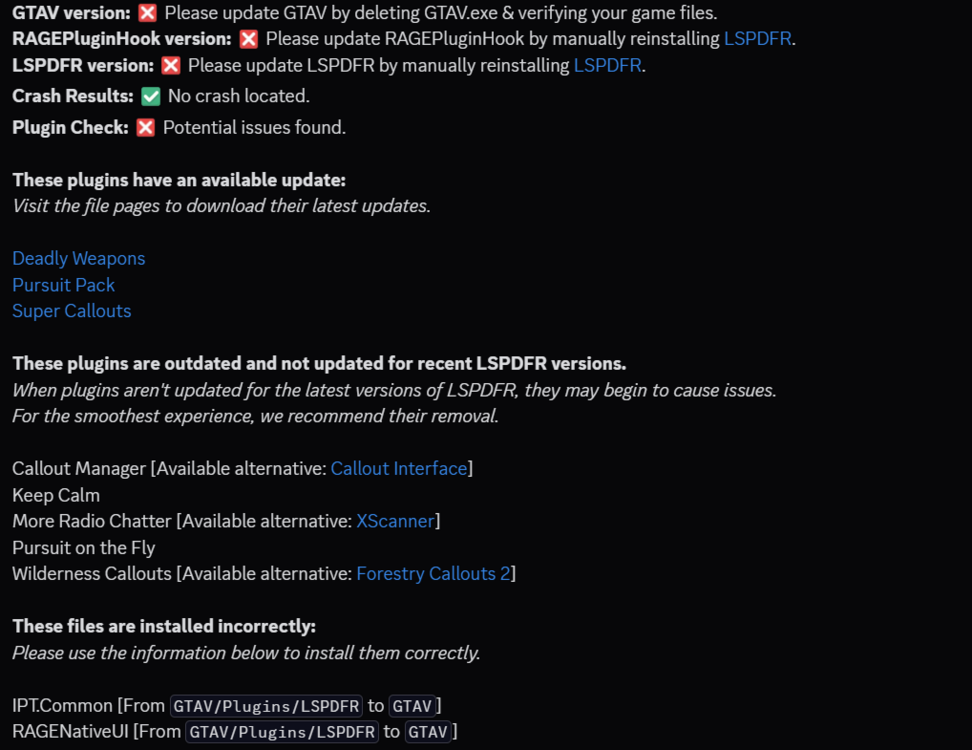
while none of these appear to be related to grammar police, i did find a lot of issues in the log, which is shown below. I recommend that when using grammar police, try using the brevity codes that it is designed to recognize, instead of sentences, and see if that helps resolve the issue. Unfortunately, this is a very common issue with the mod
-
hi, this isn't the log we need to help you! the log we need is in the main directory below the ragepluginhook.exe it will be a .txt file named RagePluginHook or RagePluginHook.log it is NOT located in the logs folder

-
could you please attach the actual rph log file, this will make it a lot easier to go through

-
Hey there! this is not the log we need to locate the crash. the log needed is in your main game directory, not the logs folder. it's a txt file located just under you RPH.exe named RagePluginHook or RagePluginHook.log

-
It looks like LSPDFR is outdated, while this may not be causing your issue, it could be an underlying one. I would also try deleting the GTAV.exe file and then verify your game files, as this may also resolve the issue.

-
Have you tried deleting the GTAV.exe and then verifying game files? Can you also send a log

-
1. When downloading the file, ensure you down load: - ELS V1.05.rar - AdvancedHookV_b3258 2. Install this to you main game directory, in order: - ELS V1.05 - AdvancedHookV_b3258 3. Ensure you also have SHV 4. (Optional But Recommended); Install SHVDN (Nightly Version) 5. Ensure that Heap Adjuster, Gameconfig.xml, Resource Adjuster, and Packfile Limit adjuster are installed correctly, and set to the desired .ini settings. 6. When installing the VCF files for your vehicle, ensure they are install in the directory: - GTA V > ELS > Pack_Default 7. In ELS.ini, make sure you controls are set properly. 8. In-game, make sure that toggle keys lock is disabled (otherwise all controls will be locked and key binds won't work. The key-bind to disable the lock can be located in the .ini 9. Done ELS Should Now Work. However, Please Note That If You Have DLS Installed, ELS Will Not Work, As DLS Conflicts With ELS Functions.
-
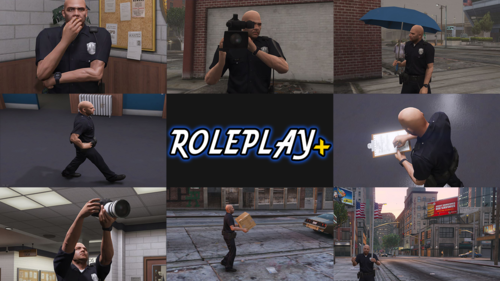 Is there a way to keep the game from breaking the animation when my character stands still for more than .2 seconds?
- 71 comments
- 14 reviews
-
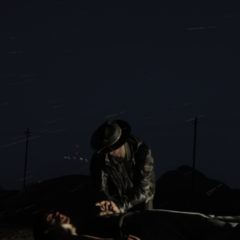
From the album: LSPDFR Captured Moments
-
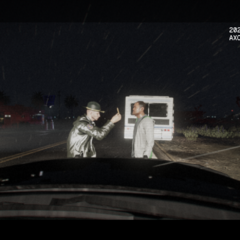
From the album: LSPDFR Captured Moments
-
No as in they weren't installed correctly, or no as in you don't have the files I asked about?
-
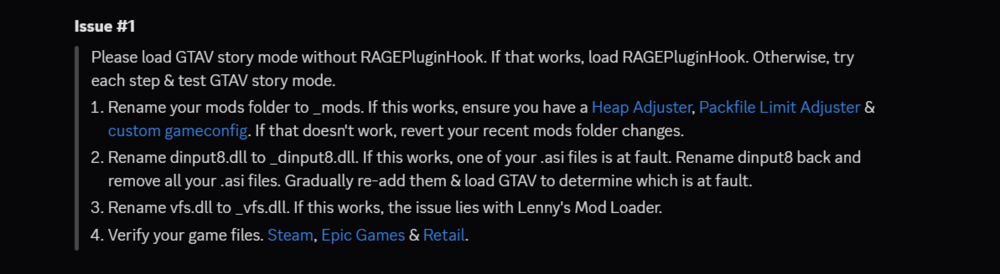
Are you sure they were installed correctly? Also, do you have PackfileLimitAduster, HeapAdjuster and/or Resource Adjuster, and a custom GameConfig.xml? (As these can sometimes resolve this issue) If these are installed, try the following steps to help diagnose where the issue is coming from, this will make it a lot easier to source the exact problem.
-
-
Are you runnning ScriptHookV? Also, Try installing the vehicle into "Patch2024_02" Instead of "Patchday28"