



Pipeline
Members
-
Joined
-
Last visited
Everything posted by Pipeline
-
Would you like them as a texture dictionary, or do you mind me sending them as .dds, and you add them to your texture dictionary manually?
-
I made my own custom textures that say "to protect and to serve" for default vehicles, the Chevrolet Impala and BxBugs' marked CVPI (which I use in the sheriff slot). Would you like me to provide you them as a download?
-
-
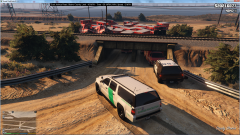
From the album: Pipeline's Misc Image Gallery
Well, at least the patient will have a lot of treatment! If... they ever get unstuck from under that bridge, that is. -
I think you need to edit carcols, or something.
-
 Hello. I have attempted to install just the new vehicles that this adds, but now my game is crashing on "Loading and Populating Game World". Clearly, I have done something wrong in the installation. I changed a lot of the textures for the police vehicles, but that shouldn't be it. I also deleted some vehicles which I didn't want and edited out their entries in carvariations.meta and vehicles.meta. I can provide screenshots of those files if required, but I don't know what else to add right now.
- 1,509 comments
- 85 reviews
-
Oh, alright. Perhaps I'll try again. I have a monotone voice though, I can't really express emotion when speaking unless that emotion is very prevalent.
-
-
-
.thumb.png.f2cf22c7113a99a590d937c0ab1ac6dd.png) Because this is tagged [NON-ELS] I assume we'll be getting an ELS version? Supposedly when ELS V releases?
Because this is tagged [NON-ELS] I assume we'll be getting an ELS version? Supposedly when ELS V releases?- 45 comments
- 5 reviews
-
 Yeah, of course it should be optional. But it needs to be solid to be effective. I can't read the text when it's a sunny day and my camera is in the default position when driving vehicles, I have to look at the floor to check my speed, the speed limit and the road name.
- 200 comments
- 22 reviews
-
 Is the fact that vehicles ram the barriers and cones you can place down something that can be fixed? If I try to block off a section of road it usually ends with a car blowing up because it kept ramming the barriers over and over, or it just drives around and runs me over, or crashes into my patrol car, or runs over a body in the road.
- 3,646 comments
- 306 reviews
-
I see this just got updated again. Changelog doesn't mention a black box around the text. Is that coming in another update or something you forgot to mention? It's quite important. (I haven't tried it yet so if it is in I'll get this comment removed)
- 200 comments
- 22 reviews
-
 Do you think that Ragehook at some point will update, adding something that was required to make a proper flair from origin that it didn't have before? Or is it already something you can do but you can't figure it out?
- 473 comments
- 73 reviews
-
Is this going to be updated at some point? It works with RPH 0.34 obviously but are there any new features you plan to add, or are you still attempting to get a working flare from origin?
- 473 comments
- 73 reviews
-
Nice update. Some more suggested features for the next one: Optional black background to the text so that it's more easily visible. 12-hour time option?
- 200 comments
- 22 reviews
-
-

- 3
-
-
Well, I tried to record some lines about twenty times and couldn't get it right. I guess I'm just not cut out to be a voice actor.
-
 For some reason, I don't want to know.
 -
God dammit Alex. You're dead to me.
-
I could try doing that. My accent is British though and I'll probably need to record the line over and over until I feel it's perfect. Are there any lines specifically for a character with a British accent you need?
-
NOOOOOOOOOOOOoooooooooOOOOOOOOOOooooooooooOOOOO! Game Over. Return of Nudity.
-
You see? This is what happens when topless women from the game are allowed on this site's gallery. People start talking about a woman's butt. Terrible.
-
However it's recommended you pull over to the side first, remaining behind them, then press CTRL + Q. That way you won't have to awkwardly guide them. When they stop, just drive forward until they're properly on the verge and hold Q to stop them.
-
-
Oh, I didn't realise we were in GTA IV discussion. Just shift works for the pulling over part.

.thumb.png.f2cf22c7113a99a590d937c0ab1ac6dd.png)
