



Pipeline
Members
-
Joined
-
Last visited
Everything posted by Pipeline
-
The topic title may seem vague but I wasn't entirely sure how to word it. I will attempt to explain. Currently we have two "immersion" issues with GTA V. Issue one is voice lines. Many of the lines we had to pick from in GTA IV don't exist in V, one of the police officer models saying "I pulled you over because you were a danger to yourself and others". Issue two is animations. We don't appear to (or have not yet found) a suitable animation for frisking or searching vehicles. So, are we able to replace these things? With voice lines, I suppose their entire dialogue set would have to be replaced with some talented voice from the community. So instead of saying things like "Killing makes my d*** hard!" they could instead say... well, something more sensible and reasonable for a NOoSE officer. With animations, we could just find some unused or very rarely used animations and replace them with proper frisking and vehicle searching animations, among other things. Is what I'm talking about even possible? I'm not sure. It's just a suggestion. Please let me know what you think.
-
 ELS isn't developed by G17, so time isn't being taken away to develop LSPDFR 0.3. I think that ELS is a nice "enthusiast" level mod. Some might not feel the need for so much control over their lightbar, others (like me) do.
 -
Who needs ELS? Me needs ELS.
-
So I guess this is dead, then? Unfortunate. Looked nice.
-
As I said, get Paint dot Net. When I open textures with it I can see the transparency as a chequerboard.
-
Just export whichever texture you need as a .dds, open it in an image editing program, make the required change, save it as a .dds and import it back into the .ytd in OpenIV.
-
Open an image-editing tool and use the "fill" or "paint bucket" tool to colour in all of the transparency. I recommend Paint Dot Net, which is free. You can get it from getpaint.net
-
Do you mean December of this year (2016)? Because that would be a very long time.
-
Has the texture got transparency? Because if so, you need to edit it and remove all transparency present. Otherwise it will get a random colour from V's engine.
-
.thumb.jpg.4066677156985e22489bfecddc2f6c45.jpg) I just started using this and I have two issues: 1. If the front bumper comes off the vehicle, it will start spasming around, embedded in the ground slightly, sliding in random directions. 2. Attached bullbars don't have collisions and are therefore ineffective. Other than that, good model! I edited the text on all the skins so they would say they were serving Los Santos & Blaine County, because I don't just patrol in one area.
I just started using this and I have two issues: 1. If the front bumper comes off the vehicle, it will start spasming around, embedded in the ground slightly, sliding in random directions. 2. Attached bullbars don't have collisions and are therefore ineffective. Other than that, good model! I edited the text on all the skins so they would say they were serving Los Santos & Blaine County, because I don't just patrol in one area.- 376 comments
- 81 reviews
-
I searched around for this kind of question and couldn't seem to find anything about it. I'm using Paint dot Net to edit the textures of default vehicles and modded vehicles. The mipmap number that seems to be most common is "8", but when I import the textures back in, it's either "1" because I didn't check the generate mipmaps box in Paint dot Net or "11" with any of the mipmap options selected. With mipmaps at either 1 or 11, the textures become blurry when zoomed out. So my question is, how do I set the mipmaps level as "8"? There is also the checkbox "Weight colour by alpha", but I'm not sure if that has anything to do with it. Any help is appreciated. How many times will the problems I have be caused by my own ineptitude? SOLUTION: Do all the mipmap related stuff in Paint dot Net to set the level to 12, then when importing into a .ytd click properties on the image in OpenIV and change the mipmap level to 8.
-
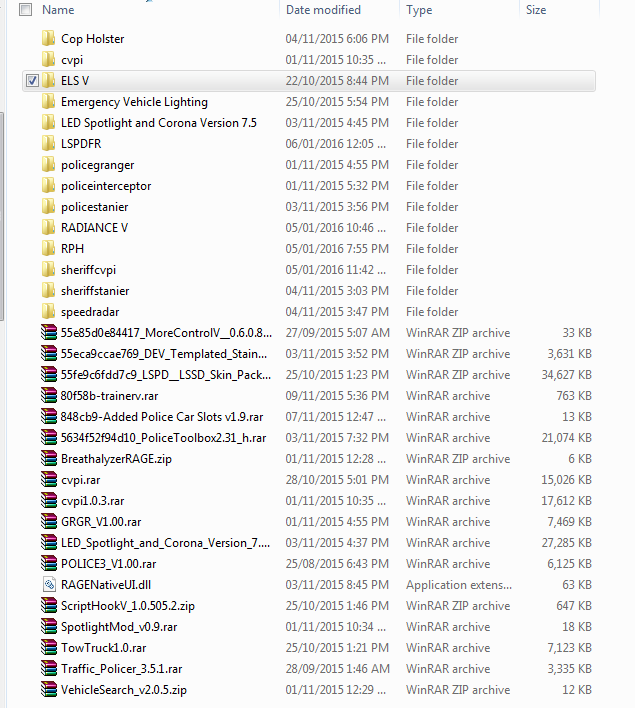
How excited am I for ELS V? Well... Just a little excited.

-
Thank you for providing a response, at least. I Appreciate it.
-
@GravelRoadCop I have a question about ELS, if you're able to answer it. Is it going to support LSPDFR's traffic stops natively? For example, if I indicate for a suspect to pull over, instead of holding the horn button if they don't stop, can I blip my sirens at them to make them stop? I feel this would be better in some ways.
-
If this is in the wrong section, I'm sorry. This seems like it should be the correct one to me, though. I use some reskinned default vehicles in GTA V, specifically a reskinned Interceptor, Stanier and Granger (with LSPD, Highway Patrol and LSSD liveries). ELS is one of the mods I can't really do without, but I'd like to be able to use the default cars from GTA V with the custom liveries I have. Is someone able to add ELS compatible lightbars to those vehicles for me? I would appreciate that if it's possible. Please contact me via private message or comment in this thread if you're willing to do that. I will provide you with the models (and textures if they're needed for whatever reason).
-
Why? Scripthook doesn't play very nice with RAGEHook for some people. I, for one, wouldn't be able to use this if you use Scripthook.
-
It also appears to be a general bug with LSPDFR at the moment. I have no trainer and was playing the game one day, called in backup, zoomed past it and noticed it not moving at all. So I spammed the backup button and went around the map looking for all the blips, they were all completely frozen.
-
 That's unfortunate. Maybe I should separate the skins so that the LSPD and Highway Patrol skins are custom vehicles and the LSSD skins is Sheriff2?
- 1,915 comments
- 242 reviews
-
-

- 1
-
-
Yeah. That's what I mean. Can I add something to the end of "SHERIFF2" to make it spawn with a specific skin(s)?
- 1,915 comments
- 242 reviews
-
Good mod. Is it possible to have a specific skin on the spawned transporter? For instance, I have some Sheriff2 retextures and the one that usually shows up is an LSPD skin. Is there something I can add in the .ini to make sure only the skins for Blaine County spawn?
- 1,915 comments
- 242 reviews
-
I've replaced all of the files required (using OpenIV's mods folder) with the corrected light versions, but it isn't working. When I open the game they're still washed out blue and yellow. What am I doing wrong? I've used OpenIV's search function to make sure I'm not missing any required files, but there only seems to be the ones I already have in my mods folder. Is there some other file other than sheriff.ytd I need to edit? Update: Oddly enough, I called in a backup unit while in a pursuit just now and when the unit turned up we were in LSSD jurisdiction, so they were a Sheriff cruiser... and their lights were fine. But then, when I turned away from them for a few seconds and looked back, the lights had become washed out again. How did that happen? Update 2: Woops. User error, unsurprisingly. I forgot to also replace the sheriff_lights in sheriff+hi.ytd.
-
Appreciate the post, even if at times it was a bit "broken English". But I understood it enough. Keep up the good work with ELS! I'm sure many would echo what I'm feeling - that while we may be excited for its release we'd prefer to wait and have an excellent mod than it release now or soon and not be what was envisioned of it (even though the preview videos I've been drooling over look amazing and beautiful already).
-
 Hm. Okay. Well, hopefully you can figure out a way to make flare from origin, anyway.
- 473 comments
- 73 reviews
-
Oh, really? Can't you use one of the headlight flares that are in graphics.ytd? They would work, no?
- 473 comments
- 73 reviews
-
When might we expect to see a flare from origin for this mod? It's already really good, but flare from origin just adds some more realism. Plus, if your spotlight is on and you're not looking in the direction it's switched on in, you can't really tell whether it's on or off by looking at the spotlight itself.
- 473 comments
- 73 reviews

.thumb.jpg.4066677156985e22489bfecddc2f6c45.jpg)
