


Jeffdadawg
Members
-
Joined
Everything posted by Jeffdadawg
-
So you're telling me you deleted the handling.meta You might want to add that back from the default update folder. Also, you don't update callouts using the mods folder.
-
Can you disable GrammarPolice and see if it works then?
-
It worked? That means the problem is in your mods folder. Have you made any changes to the mods folder recently?
-
Hello, It is not normal for you to switch back to Michael when you die. You might want to look for any scripts or mods that can cause this issue. Can you send over your RPH log?
-
What. Did that translate incorrectly?
-
You are not pointing out the thing that caused the crash. Remove Assorted Callouts. It caused the crash.
-
I can't believe I haven't noticed that. [11/4/2020 10:56:23 PM.655] LSPD First Response: [INFO] Running LSPD First Response 0.4.3 (0.4.7148.42495)
-
Have you added a custom gun or installed an inventory mod?
-
As I said, you can go on duty as another agency but you can put on the sheriff uniform. No difference. Can you send another log?
-
Please specify your issue. Is ScriptHookV causing lag? Is it crashing? What?
-
Perfectly said. I did a test run as well with all the essential mods and with Traffic Policer and STP. In the game where there was Traffic Policer, the game went on for a solid 2 hours 18 minutes before a crash. In the game where there was STP, the game went on for a solid 7 hours 43 minutes before a crash. (This study tired me out, it was worth it though)
-
Mind sending a screenshot of the problem? < It's still there for me as well.
-
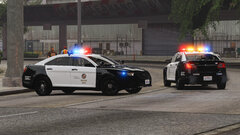 Will the FPIS have a LASD skin? If not, don't worry. I'll make my own 🙂
 -
Do you have any software that is related to gaming? (Game Boosters, Gaming Software etc.) If so temporarily disable it.
-
This crash is related to weapons. Have you edited/added any weapon/weapon skins?
-
That video is old. You can notice from the Vic. The Taurus is very hard to find, though. It's not even listed in the LAPD website.
-
-
Hello, This topic is over 10 months old. If you have a problem, please post your own topic.
-
I don't know what it is or where you installed it. I assume it's a plugin but I'm not sure.
-
May I suggest the FedSig Valor Lightbar as an extra? Might not be realistic though.
-
Ah, that was a typo. I'll change it.
-
Restart your computer and see if it works then.
-
Do you have Overwolf by any chance?
-
The LSPDFR TroubleShooter by Albo is VERY out of date. It is for 0.3 only as specified in the title. It shouldn't be downloaded in the first place. @unitedOrange66, Coastal Callouts is fine. There is no need to remove it. Please delete Redux, Callouts Manager and Crazy Callouts. As we say, it is Crazy old.
-
Hello, The error code in your title doesn't appear in the log. Can you send another log?



