Jeffdadawg
Members
-
Joined
Everything posted by Jeffdadawg
-
Install the Packfile Limit Adjuster too: https://www.gta5-mods.com/tools/packfile-limit-adjuster
-
Download it here: https://www.microsoft.com/en-gb/download/details.aspx?id=26999
-
A few things: - CalloutsZ looks to be installed in the wrong place. Move it from GTAV/Plugins to GTA/Plugins/LSPDFR - Your Compulite xml is throwing an exception, looks like it's missing a ">" at Line 164 position 37 (LSPD First Response: CompuLite: Problem on Loading Citations.xml: System.Xml.XmlException: '' is an unexpected token. The expected token is '>'. Line 164, position 37.) - Your LSPDFR crashed due to a System.Exception, which is usually indicative of a random crash. Shouldn't be an issue in the long run, however I would recommend getting in touch with the developers of DynamicCallouts and send your log their way and let them have a look at it.
-
You're looking for a mod that removes coronas from a vehicle. https://www.gta5-mods.com/misc/removecorana
-
-

From the album: Jeff's Gameplay
-
From the album: Jeff's Gameplay
-
 Don't make me disable image comments too
 -
-
-
-
-
-
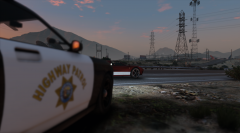
From the album: Jeff's Gameplay
-
From the album: Jeff's Gameplay
-
This was longer than most of my essays Anyway. The log only seems to pick up 5 LSPDFR plugins: I would check where you installed the rest, if you do have more. Sounds like your notifications also aren't coming through, I believe there's a setting for phone notifications, though I'm not sure why it's disabled. I would remove all Bejo's files and do a clean reinstall of them if you have any more problems with them. As for your audio, this is a wild guess, but check your audio sources and try one at a time; I've had something where some audio would output to speaker and others would output to headphone...
-
A well-executed domestic disturbance is something I've been looking into. Existing calls are lacking in variety and realism.
-
-
 Beta testing 686Callouts: https://imgur.com/mwhYFxM Courtesy of @Mitsubishi Outlander 2015 Good work on them calls though, we had a great time laughing at how bad good the final product was
- 311 comments
- 60 reviews
-
-

-

- 4
-
-
-
-
PSR and AR aren't required for STP, so you can go ahead and remove those. Here are some steps you can try: - Ensure RageNativeUI is installed in the main directory. - Ensure the files are in plugins/LSPDFR Send me your RagePluginHook.log so I identify the exact cause of the issue.
-
Go ahead and attach your RagePluginHook.log here.
-
If you're using Ultimate Backup to spawn backup, it could be that UB still thinks you have a partner which is sitting in the front seat, so the current partner goes to the next available seat, which is the back. If you're using some other partner system, I'm not sure, but it could be what I mentioned above. Should be a one-time thing, as you've observed.
-
I believe you're looking for: FiringPattern.FullAutomatic