




brenden.iannetta
Members
-
Joined
-
Last visited
Everything posted by brenden.iannetta
-
darkvyprNo, this is a very old version of RAGE.This is actually an issue with some VS code clients. I'm not sure why, but on some computers it has trouble with paths that use './' to move to the parent directory. As you can see in the above, both of these lines of code would do the same thing. The difference lies in the path of "config.json". The first one uses "./config.json" whereas the second uses the full path to the file. To fix your issue, you would need to change every instance of "./<FILENAME>" to "<FULL PATH TO FILE>\<FILENAME>". Sorry if this is unclear, it's tricky to word.
 No problem. The program you see was made by me, it's tricky to get running but others have figured it out after a few minutes. See the project here: https://darkvypr.com/checkerThis is a random crash. There is no real fix for it. Please follow this: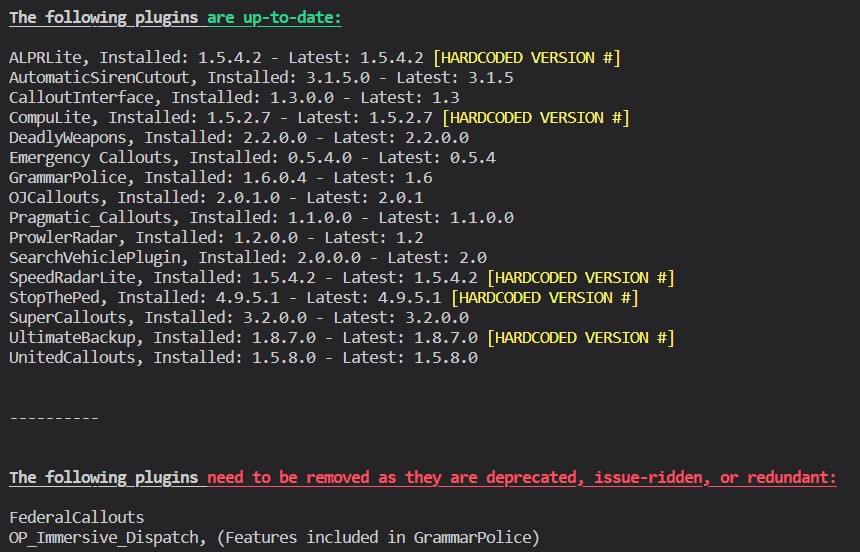
 You can't pinpoint any mods really. Revert any of the recent changes you made.brenden.iannetta replied to lspdfr.game.dispatching's topic in LSPDFR 0.4 for Legacy Edition SupportRe-install CompuLite.
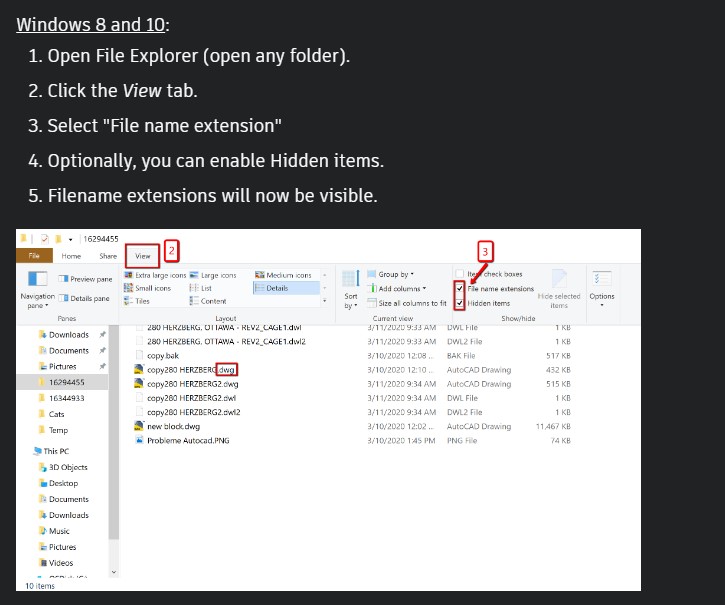
 Send the RAGEPluginHook.log file from your GTAV root folder please.Download this zip, open it, then install RAGENativeUI.dll into your root GTAV folder. https://github.com/alexguirre/RAGENativeUI/releases/download/1.9/RAGENativeUI.zipNope, it can only help. Good luck!That would be a good idea.This is just a random crash. Looks like you played for nearly an hour, which is pretty normal with LSPDFR.This isn't the right log. Send the one from your root folder, not your logs folder. If you cannot see the ".log", follow this: (Credit: Autodesk)
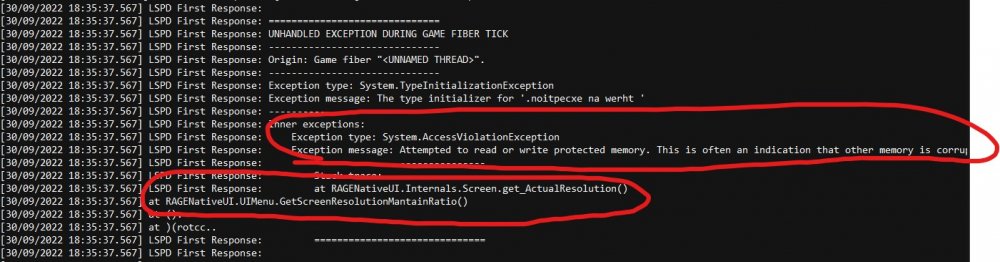
 No. The file called RAGEPluginHook.log...From your GTAV root folder. The folder gta5.exe is located in.Send the RAGEPluginHook.log file from your GTAV root folder please.Looks random to me. No apparent fix.You have a old version of GTAV. Update everything.Uh... I'm not sure how I would know that. Do you have its files?I can't tell you for sure. If you want to test if something is causing a crash, the easiest way is removing it, then playing.You won't be able to. Try reverting some of your recent changes. Mods folder issues are unfortunately the bane of LSPDFR problems.Nothing sticks out too much in this log. You can try diagnosing that "is there a way that a siren is somehow crashing it or a car mod?" question by renaming your mods folder to "_mods", temporarily disabling it.Good to hear 👍 This is the error which indicated that RNUI was out of date: Note the "ActualResolution()". If that is not present, there is only a chance that RNUI is out of date.
 Thanks 🙂 Indeed I did make it. Good luck with GTAV.




