




brenden.iannetta
Members
-
Joined
-
Last visited
Everything posted by brenden.iannetta
-
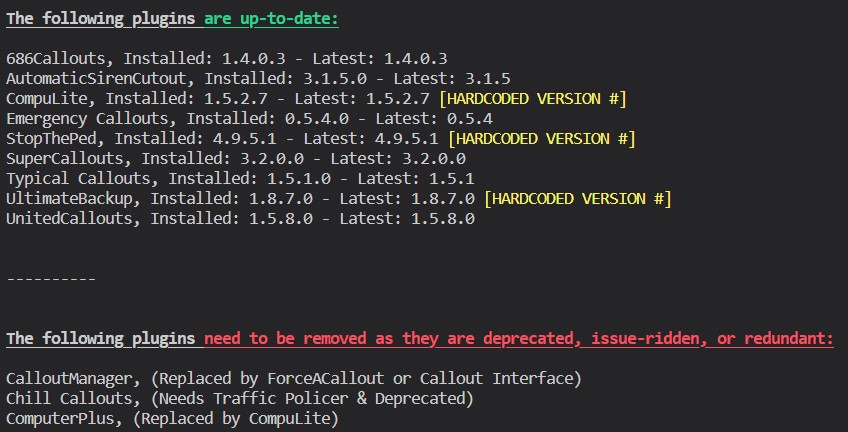
This is an issue with Chill Callouts, which requires Traffic Policer. Remove CC.
-
Click the link below. Once downloaded, open the .zip file, and drag RAGENativeUI.dll into your root GTAV folder. https://github.com/alexguirre/RAGENativeUI/releases/download/1.9/RAGENativeUI.zip Also:

-
It varies. I'd suggest learning how the vehicles.meta works rather than using mod author provided configs. There are also plenty of tutorials on YouTube explaining anything on LSPDFR.
-
As long as this isn't causing any issues, you're good.
-
Please send the whole log file.
-
Send the RAGEPluginHook.log file from your GTAV root folder -- not the one from your logs folder.
-
That means that you had an issue in your mods folder. Try removing any car mods you installed. (Make sure to fix your mods folder's name...)
-
Try renaming your mods folder to "_mods".
-
Interesting. Enjoy your game!
-
That's odd. Try re-installing ScriptHookV and ELS.
-
And CTRL+P does nothing in-game? Also have you modified any ELS files?
-
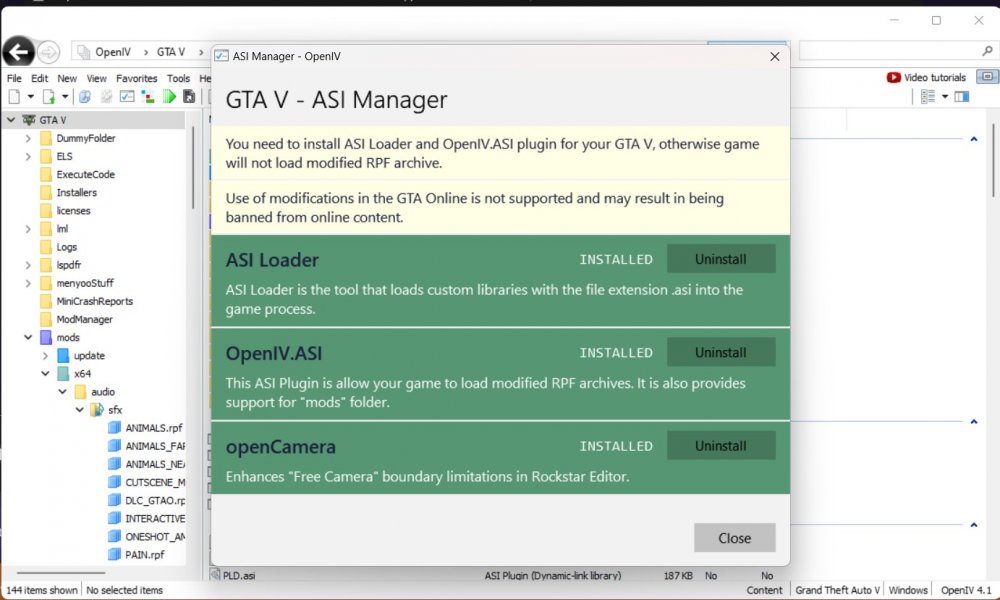
Are all of these installed in OpenIV:
-
Download this plugin: https://www.bejoijo.com/post/stop-the-ped This will make your game much more enjoyable and immersive. If you like this plugin, Bejoijo has a whole host of other plugins on his site. You can find tutorials on how to use the plugins here: (Credit: @OfficerBenzo)
-
I think it's something to do with a mission. I can't think of the name right now, but there has been a few issues similar to this. Edit: Martin Madrazo's men was the issue.
-
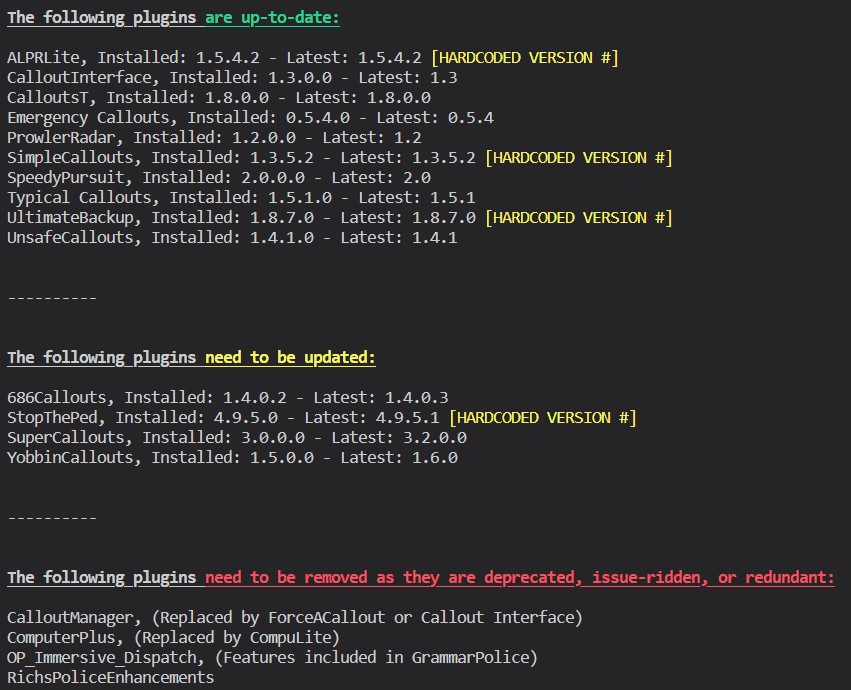
Have you installed all of these plugins into your root GTAV folder? They should not be in a mods folder or anywhere else.
-
Did you install ScriptHookV? http://dev-c.com/files/ScriptHookV_1.0.2699.0.zip
-
Click the link below. Once downloaded, open the .zip file, and drag RAGENativeUI.dll into your root GTAV folder. https://github.com/alexguirre/RAGENativeUI/releases/download/1.9/RAGENativeUI.zip Next, re-install this and make sure to install ZPhDevs.Common into your root GTAV folder:

-
Click the link below. Once downloaded, open the .zip file, and drag RAGENativeUI.dll into your root GTAV folder. https://github.com/alexguirre/RAGENativeUI/releases/download/1.9/RAGENativeUI.zip Also:


-
Install this: https://www.gta5-mods.com/misc/100-save-game
-
Uhhh try installing this: https://www.gta5-mods.com/misc/100-save-game
-
This forum is for LCPDFR, not LSPDFR. Please post in the correct form. You have an issue with the following model. There is probably a issue in your vehicles.meta: 0x9dc66994 refers to the fbi2 slot. You might have edited something incorrectly.

-
This is the wrong log. Please send the one from your GTAV root folder. This is the folder that gta5.exe is located in -- see here:

-
Follow what he said: Always post the RAGEPluginHook.log file from your GTAV root as it has much more info. These screenshots are only fragments of that file. Note that ChillCallouts requires Traffic Policer. Remove that plugin.
-
Send the RAGEPluginHook.log file from your GTAV root folder please.
-
Looks like the outfits.xml file to me. "Error loading outfits System.Xml.XmlException: The 'Variations' start tag on line 5 position 4 does not match the end tag of 'Outfits'. Line 53, position 3."



