




brenden.iannetta
Members
-
Joined
-
Last visited
Everything posted by brenden.iannetta
-
Not allowed. You'll need to update your game.
-
In the newest LSPDFR version here: You should not use any other website to download LSPDFR or RPH (Unless It's An Official Discord).
-
Remove AutoPanic. Also:

-
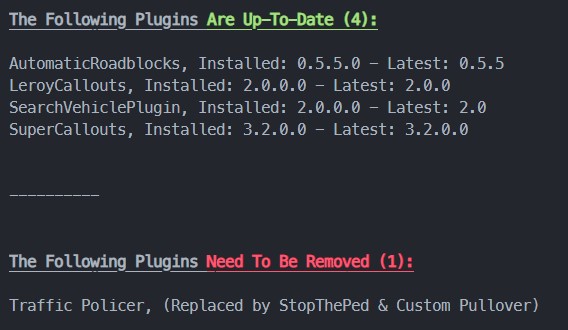
https://www.bejoijo.com/post/stop-the-ped Glad to grow up in a generation with Google.
-
Click the link below. Once downloaded, open the .zip file, and drag RAGENativeUI.dll into your root GTAV folder. https://github.com/alexguirre/RAGENativeUI/releases/download/1.9/RAGENativeUI.zip Also:

-
No problem 🙂
-
Send the RAGEPluginHook.log file from your GTAV root folder -- not the one from your logs folder.
-
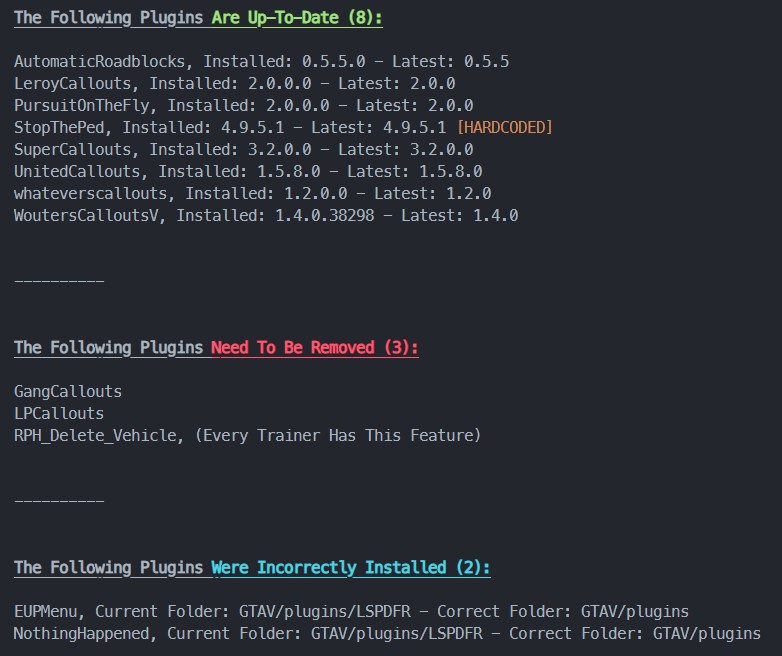
First: Click the link below. Once downloaded, open the .zip file, and drag RAGENativeUI.dll into your root GTAV folder. https://github.com/alexguirre/RAGENativeUI/releases/download/1.9/RAGENativeUI.zip Also, you seem to have installed a lot of plugins wrong. LSPDFR plugins shouldn't go in GTAV/plugins, rather GTAV/plugins/LSPDFR. RPH plugins are the only plugins that should go in the former directory. Please read the readme file when installing plugins.

-
Website may look familiar when you visit it.
-
You have some game version issues, Also, you have a meta issue with your policeold1 slot. Revert any changes made to it.


-
Click the link below. Once downloaded, open the .zip file, and drag RAGENativeUI.dll into your root GTAV folder. https://github.com/alexguirre/RAGENativeUI/releases/download/1.9/RAGENativeUI.zip
-
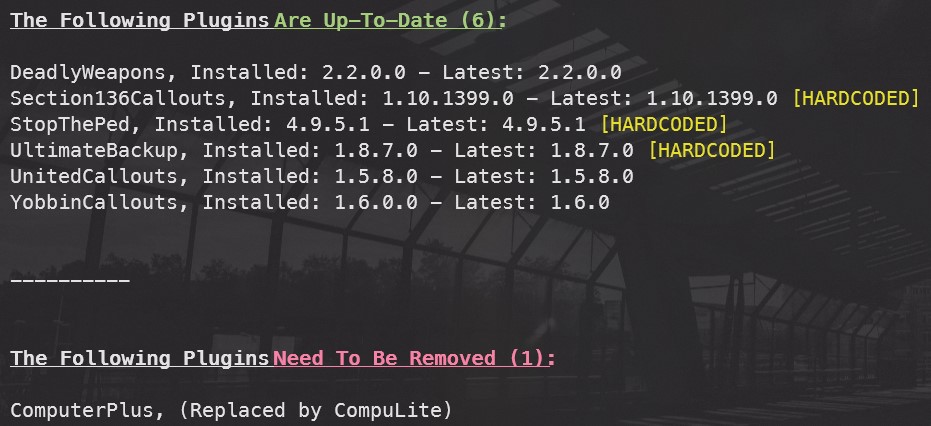
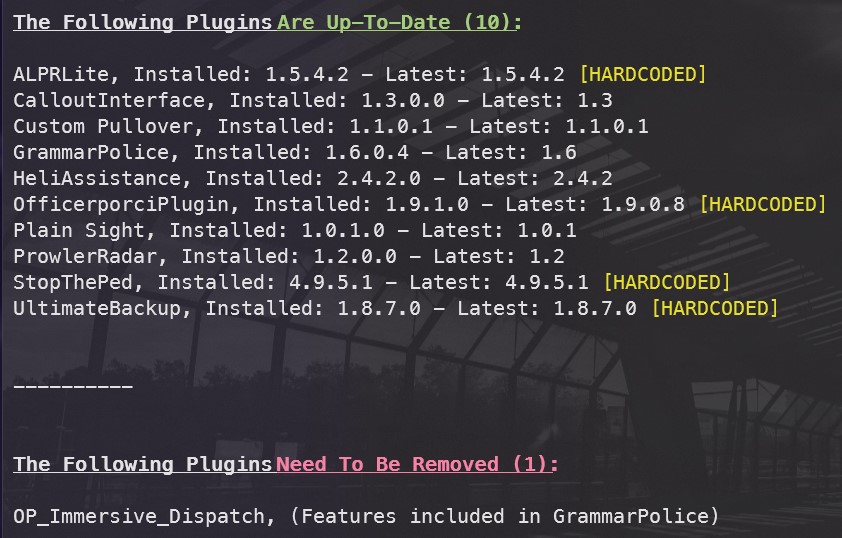
Immersive Dispatch is deprecated and tends to cause lots of issues now sadly. Most of it's features are already in GrammarPolice however. This was a small Python script made by me. I haven't made a tutorial on setting it up, but here is the link: https://darkvypr.com/checker
-
Try this:

-
Click the link below. Once downloaded, open the .zip file, and drag RAGENativeUI.dll into your root GTAV folder. https://github.com/alexguirre/RAGENativeUI/releases/download/1.9/RAGENativeUI.zip Also:
-
Reinstall ScriptHookV.
-
That is because Menyoo is an ASI plugin, and it relies d8 to function.
-
ThIs means that there is something wrong in your mods folder... You might have a bad meta.
-
Click the link below. Once downloaded, open the .zip file, and drag RAGENativeUI.dll into your root GTAV folder. https://github.com/alexguirre/RAGENativeUI/releases/download/1.9/RAGENativeUI.zip

-
Update LML if applicable.
-
This'll do it: Also: Click the link below. Once downloaded, open the .zip file, and drag RAGENativeUI.dll into your root GTAV folder. https://github.com/alexguirre/RAGENativeUI/releases/download/1.9/RAGENativeUI.zip


-
You can't. I suggest getting a legal version of GTAV.
-
Nah don't worry lol. 😂 Glad ur game is working. Enjoy!
-
Was wondering since I saw the SeatIndex issue lol... Thx for clarifying.
-
This issue may not be related to the model files, rather the lines in your vehicles.meta file. Make sure any policeb changes are reverted.
-
That is an outdated plugin as well. You need to remove it.




