




brenden.iannetta
Members
-
Joined
-
Last visited
Everything posted by brenden.iannetta
-
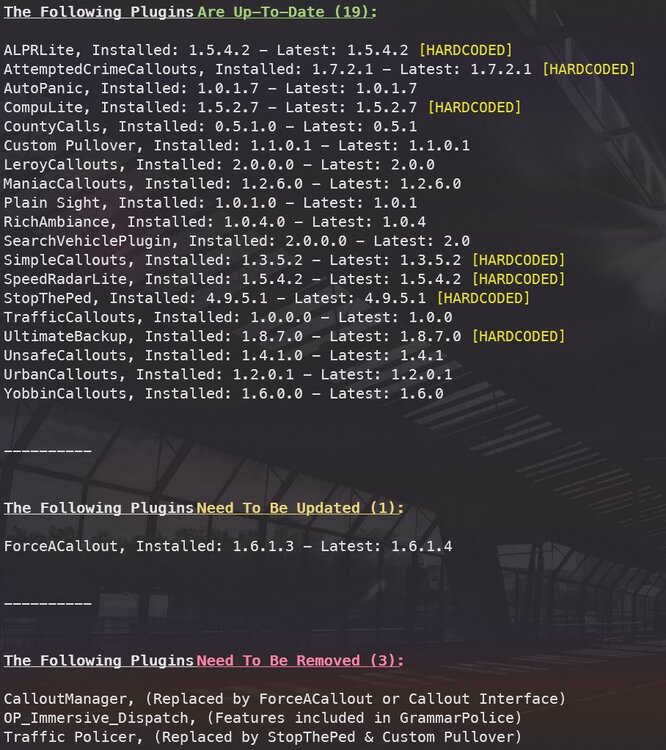
All of the mods listed in that section are old, and not supported. They should be removed. "Replaced By" means that there is a new mod which replaced the old mod. "Features Included" means that there is a mod which encompasses the features of the corresponding mod, making it redundant.
-
Are you by chance using LML? Please update that if so. LML tends to cause this issue after every update, so you should always remember to properly update it.
-
Deja Vu... This was a pretty common issue back 2 months ago. Try removing the "Felony Stop" plugin.
-
Click the link below. Once downloaded, open the .zip file, and drag RAGENativeUI.dll into your root GTAV folder. https://github.com/alexguirre/RAGENativeUI/releases/download/1.9/RAGENativeUI.zip Also: (Note, you need to uninstall LSPDFR+ also...)

-
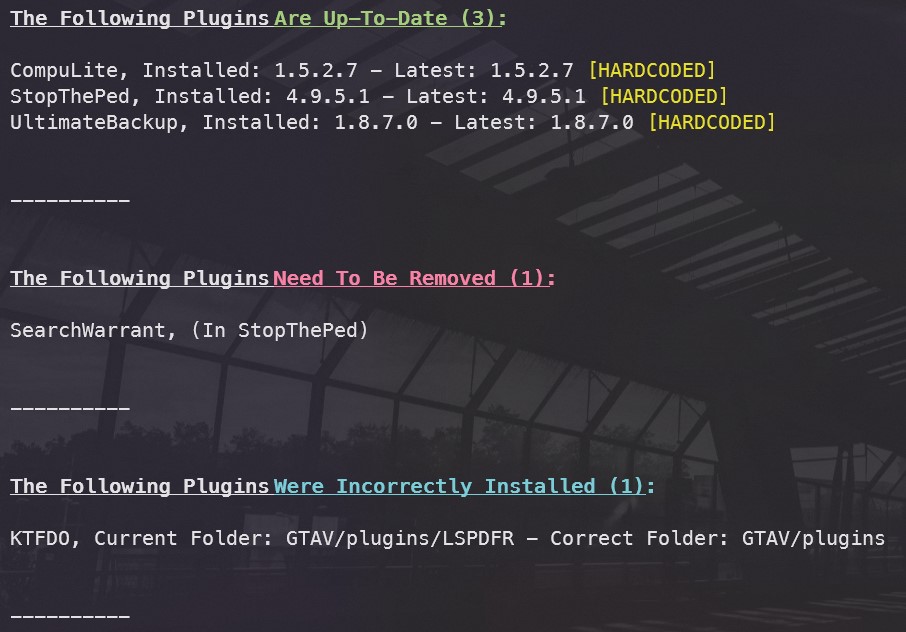
Click the link below. Once downloaded, open the .zip file, and drag RAGENativeUI.dll into your root GTAV folder. https://github.com/alexguirre/RAGENativeUI/releases/download/1.9/RAGENativeUI.zip Also:

-
Siren Mastery along with all of Albo's plugins are very very very outdated. Use Bejoijo's plugins if you want the same features: https://www.bejoijo.com/
-
Have you updated LML if applicable?
-
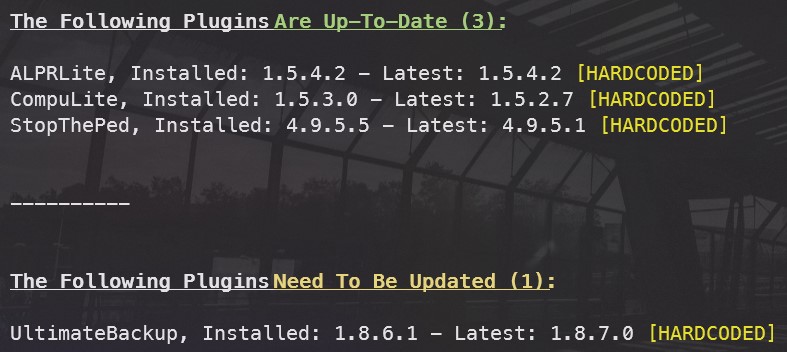
There is an issue with the sheriff model. Have you modded the metas? Also:

-
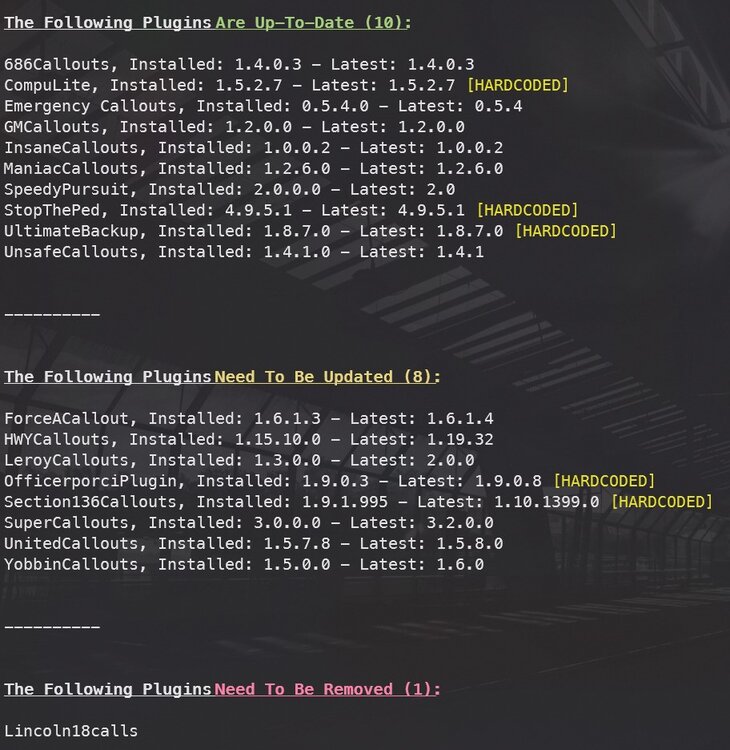
Click the link below. Once downloaded, open the .zip file, and drag RAGENativeUI.dll into your root GTAV folder. https://github.com/alexguirre/RAGENativeUI/releases/download/1.9/RAGENativeUI.zip Next, follow this:

-
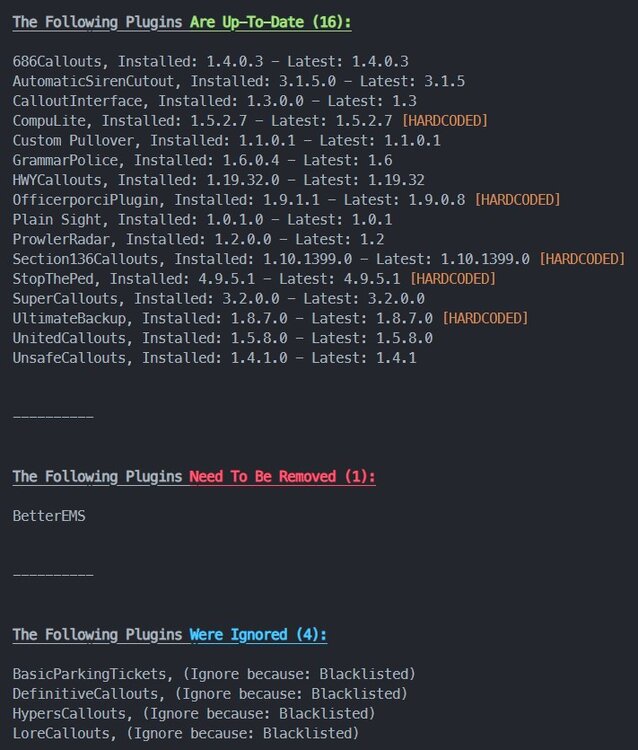
Follow this: And this:

-
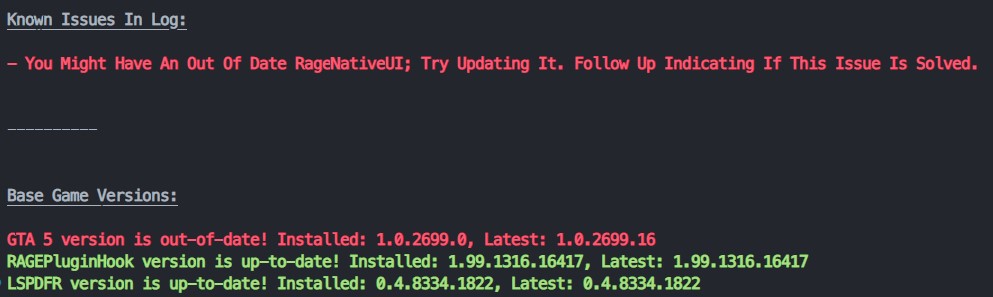
See here: Click the link below. Once downloaded, open the .zip file, and drag RAGENativeUI.dll into your root GTAV folder. https://github.com/alexguirre/RAGENativeUI/releases/download/1.9/RAGENativeUI.zip Note that you need to update your GTAV.
-
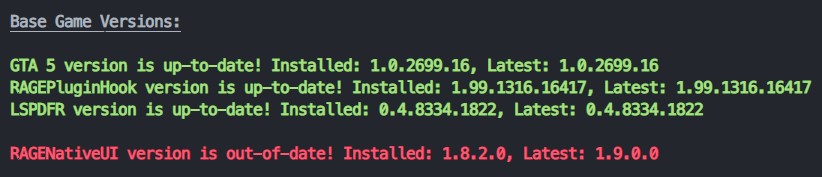
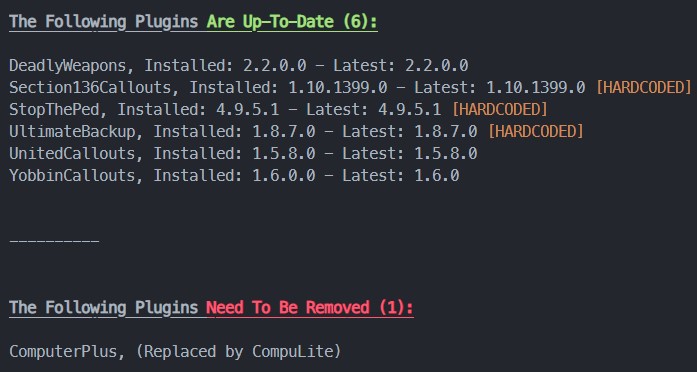
Computer+ has been outdated for a few years now... I suggest using Bejoijo's plugin, CompuLite. Most of his plugins replace Albo's. https://www.bejoijo.com/post/compulite Also. follow this: Click the link below. Once downloaded, open the .zip file, and drag RAGENativeUI.dll into your root GTAV folder. https://github.com/alexguirre/RAGENativeUI/releases/download/1.9/RAGENativeUI.zip Next, follow this:
-
Whenever the next update comes out. Reading one single paragraph would solve all of your questions.
-
? There is so much wrong with this post.
-
Last GTAV update, ScriptHookV was updated within 3 days of R*'s update.
-
Adding onto this, you need to download the LSPDFR Manual Installer. Open the zip file, then drag the lspdfr/data folder into your GTAV/lspdfr folder.
-
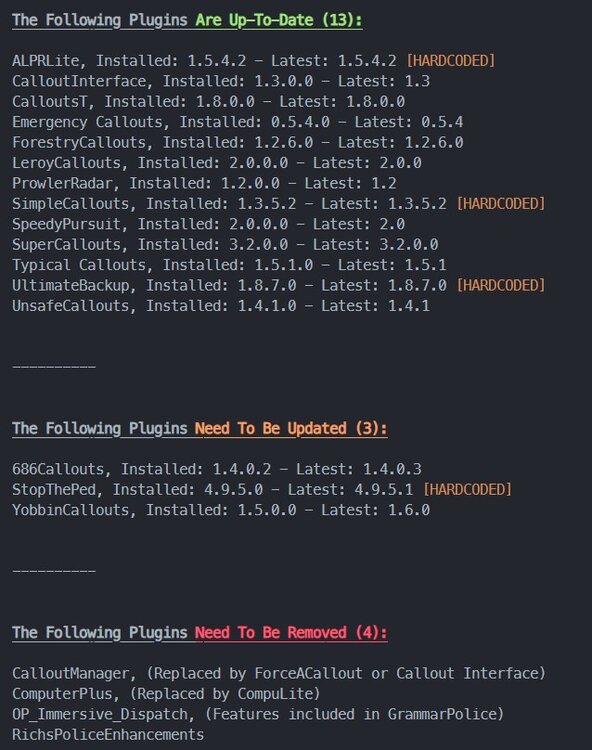
Along with this, Please follow this:
-
Didn't see this as I was asleep... Can you try installing this: https://dotnet.microsoft.com/en-us/download/dotnet-framework/thank-you/net481-web-installer
-
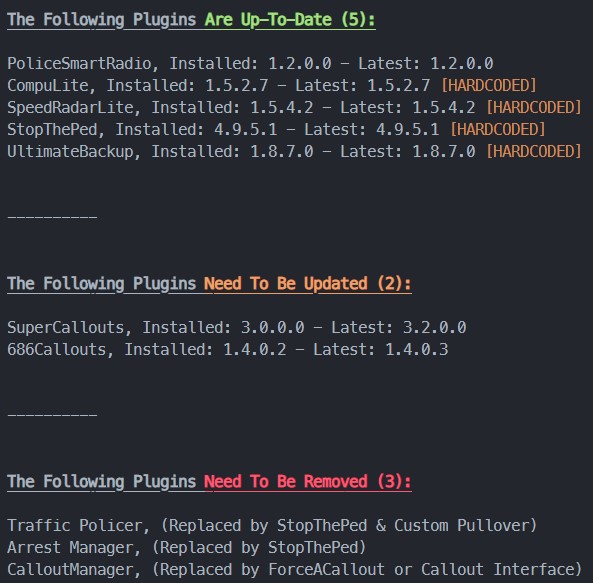
This looks like an issue related to Traffic Policer. Try removing that. Also try restarting your PC as there looks to be an issue with LSPDFR and having multiple instances open.
-
Glad its working!
-
If the dead air doesn't help, then you will have to remove some of the large files, or compress them down using another program.
-
Stupid question, but have you tried restarting your PC? This log indicates that there is an issue accessing a file due to it being used by another program. Also, please look at this:


-
Try deleting this file from "GTAV/lspdfr": networking.dat Then, download the LSPDFR Manual Installer, and replace the file you deleted from that zip folder.
-
You can always search for equivalent plugins or new plugins that are alike these. These are all old and they cause issues, so there's no point in having them. LSPDFR is only fun when you can actually play it. As far as I know, these plugins still work, and there shouldn't be a reason to delete them. Correct me if im wrong: XScanner
-
Does this always happen when going on duty?







