




brenden.iannetta
Members
-
Joined
-
Last visited
Everything posted by brenden.iannetta
-
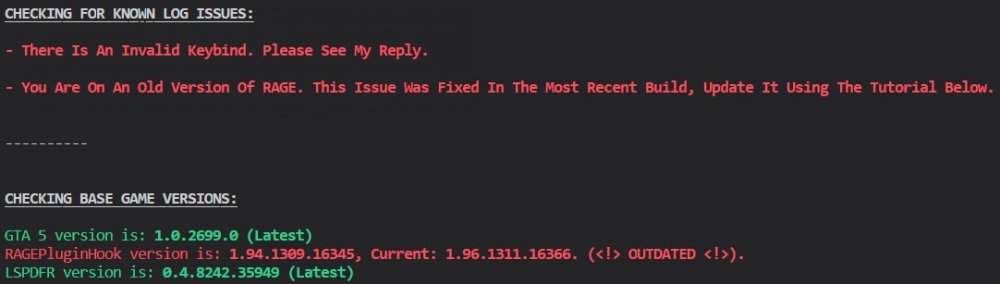
Along with the old version of RAGE, there is an invalid keybind. Looks like you bound "DPadLeft" to something in PlateCheckerRemastered. Try changing that.
-
I'd recommend installing this: https://www.bejoijo.com/post/stop-the-ped Watch some videos on it and there will be plenty of explanations on how to use the plugin. It's pretty simple and adds much more to the game.
-
-
Do you have ScriptHookV installed? https://www.dev-c.com/gtav/scripthookv/
-
Looks like a UnitedCallouts bug. Remove it for now until it's updated as im seeing more and more issues with it. @sEbi3
-
No problem 🙂 Have fun.
-
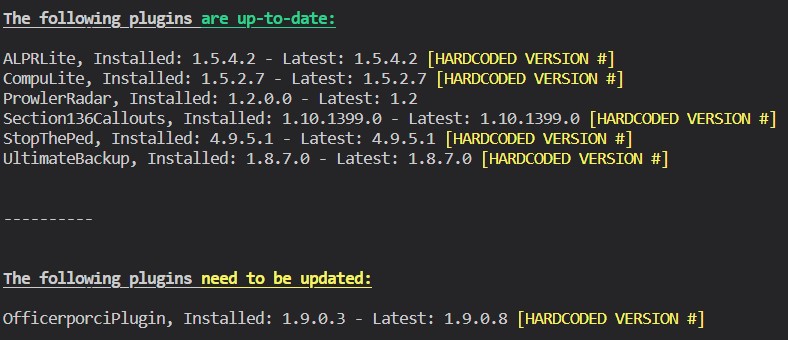
Download this file from this link: https://files.darkvypr.com/Newtonsoft.Json.dll Drop that file into your root GTAV folder. Also please follow this:
-
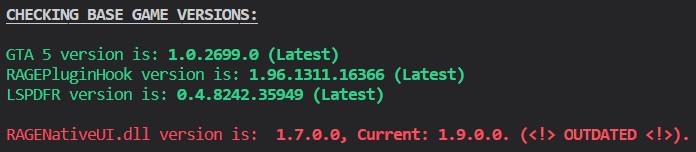
Launch RPH, then immediatly hold shift. Change "Plugin Timeout Threshold" to 60000. Click "Save and Launch", then let me know if it works. Download this zip, open it, then drag RAGENativeUI.dll into your root GTAV folder. https://github.com/alexguirre/RAGENativeUI/releases/download/1.9/RAGENativeUI.zip Lastly, follow this:


-
Launch RPH, then immediatly hold shift. Change "Plugin Timeout Threshold" to 60000. Click "Save and Launch", then let me know if it works.
-
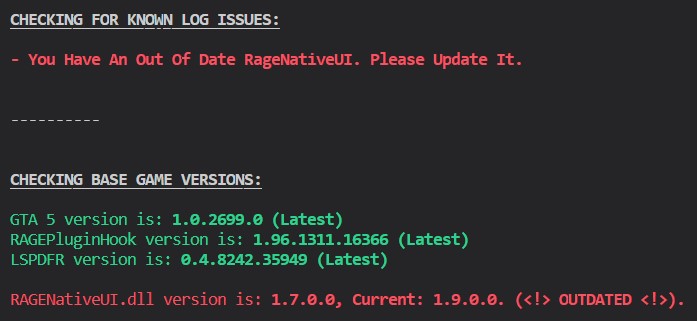
Download this zip, open it, then drag RAGENativeUI.dll into your root GTAV folder. https://github.com/alexguirre/RAGENativeUI/releases/download/1.9/RAGENativeUI.zip

-
Launch RPH, then immediately hold shift. Go to the plugins tab and check "Don't Load Any Plugins On Startup". Click "Save and Launch". When the game loads up, type ReloadAllPlugins in the console. Let me know if this helps.
-
Oh I never thought to check the date. Didn't think much of the numbers at the end. Please get LSPDFR to crash again, then send the RAGEPluginHook.log file from your GTAV root. The reason I thought you had an illegal copy was because this is oldest log from your "logs" folder. This log is actually from March of 2021. The correct log is in your GTAV game folder. Sorry about that 😉
-
Can you get LSPDFR to crash again, then send the log please? Not seeing too much in this log.
-
That's a pretty big issue. Those mods will conflict, not to mention potentially get you banned off of some servers. Many choose to make 2 installs, one for each mod.
-
Well according to your log, LSPDFR, GTA and RAGE are all out of date. Try verifying your game files, then re-installing LSPDFR. Also are you playing FiveM and LSPDFR on the same install?
-
That's a pretty outdated version then. Have you updated GTAV anytime?
-
It's pretty dead obvious that you pirated GTA... It's $15 dude.

-
Try first renaming your mods folder to "_mods". Have you modified meta files or anything of the like?
-
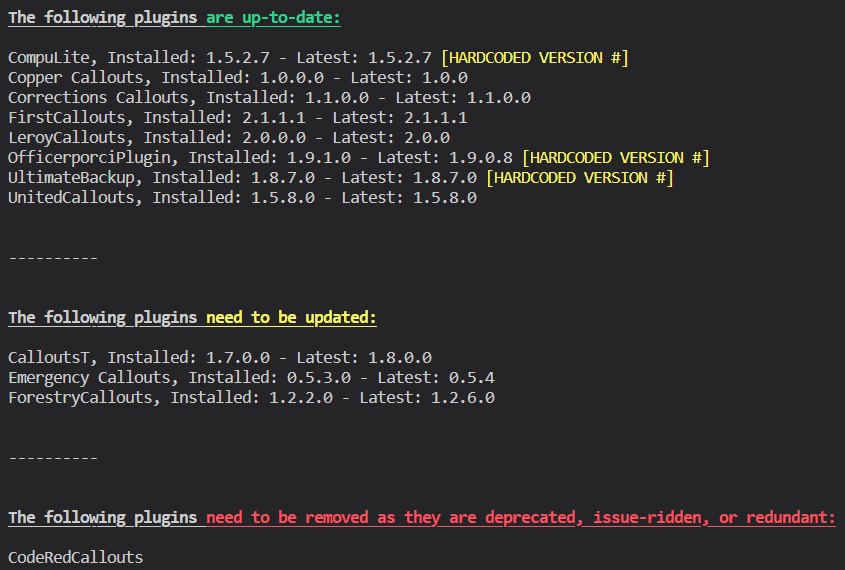
This is fairly clearly a RNUI issue. Download this zip, open it, then drag RAGENativeUI.dll into your root GTAV folder. https://github.com/alexguirre/RAGENativeUI/releases/download/1.9/RAGENativeUI.zip Make sure to delete the RAGENativeUI from your plugins and/or plugins/LSPDFR directory as you misplaced it in there. Also please follow this:
-
This is possibly a RNUI issue. Download this zip, open it, then drag RAGENativeUI.dll into your root GTAV folder. https://github.com/alexguirre/RAGENativeUI/releases/download/1.9/RAGENativeUI.zip Seems a bit early in the log for this though. Low chance of success.
-
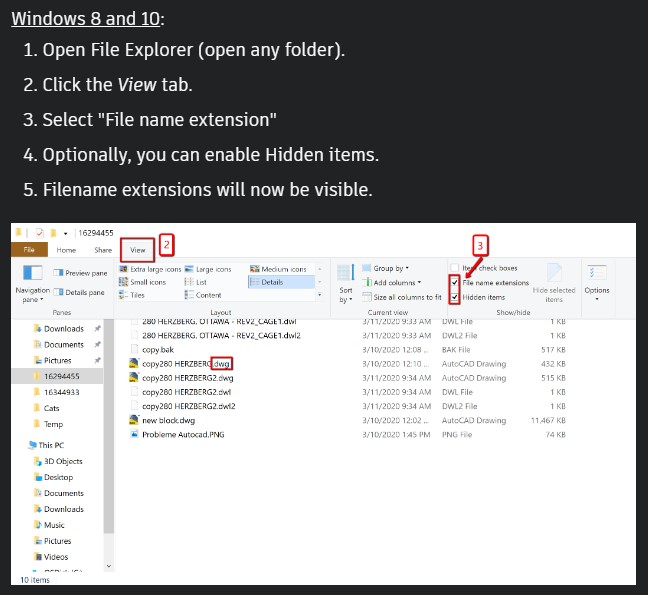
Seems to me like you don't have File Extensions on. Follow this: Try checking for the RAGEPluginHook.log file in the root folder after doing that.
-
We're talking in game, and not in real life correct?
-
That's a top tier website. I'd love to meet the owner. First, just try only renaming your mods folder to "_mods". Let me know if anything different happens. No need to replace any files yet.
-
Do they work when installing them on a new patchday? 9 is extremely old.
-
Rename your mods folder to "_mods", and try.






