




brenden.iannetta
Members
-
Joined
-
Last visited
Everything posted by brenden.iannetta
-
First: Next:
-
You have a bad policet slot. Revert any changes to the meta lines that you have made.
-
That is a bad mod; it causes crashes. You will need to revert it.
-
Just to clarify, you've already tried loading into GTAV story mode, then launching RAGE?
-
Delete gta5.exe, then verify files.
-
Must've missed this. Thanks 😉
-
D:/Steam/steamapps/common/Grand Theft Auto V/lspdfr/data/custom/stations_sahp.xml You appear to have an issue with the above file. Make sure that it is configured correctly.
-
Give this a shot: Click the link below. Once downloaded, open the .zip file, and drag RAGENativeUI.dll into your root GTAV folder. https://github.com/alexguirre/RAGENativeUI/releases/download/1.9/RAGENativeUI.zip
-
Have you installed the latest ScriptHookV?
-
Click the link below. Once downloaded, open the .zip file, and drag RAGENativeUI.dll into your root GTAV folder. https://github.com/alexguirre/RAGENativeUI/releases/download/1.9/RAGENativeUI.zip
-
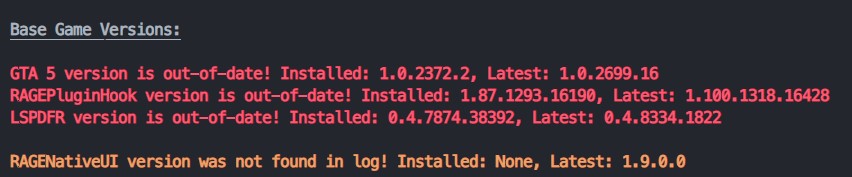
Delete gta5.exe, then verify files through Steam/Epic. Make sure that you have the latest RAGE (v1.100.*).
-
Click the link below. Once downloaded, open the .zip file, and drag RAGENativeUI.dll into your root GTAV folder. https://github.com/alexguirre/RAGENativeUI/releases/download/1.9/RAGENativeUI.zip
-
Send your log please.
-
This plugin has plenty of great features, along with the one you are interested in. https://www.bejoijo.com/post/ultimate-backup He also has plenty of other essential plugins!
-
Are you using a legal copy of GTA?
-
This is a well documented and known issue. You need to use the batch file provided with NVE. Should be called "GTAV + RAGE Launcher.bat" or something along the lines, and it will be in your root GTAV directory.
-
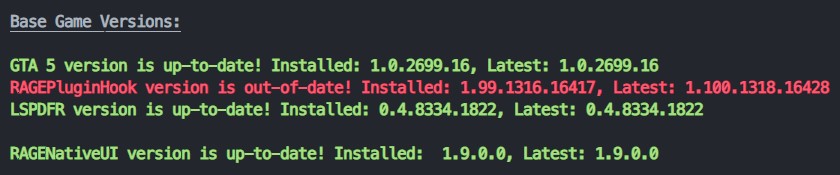
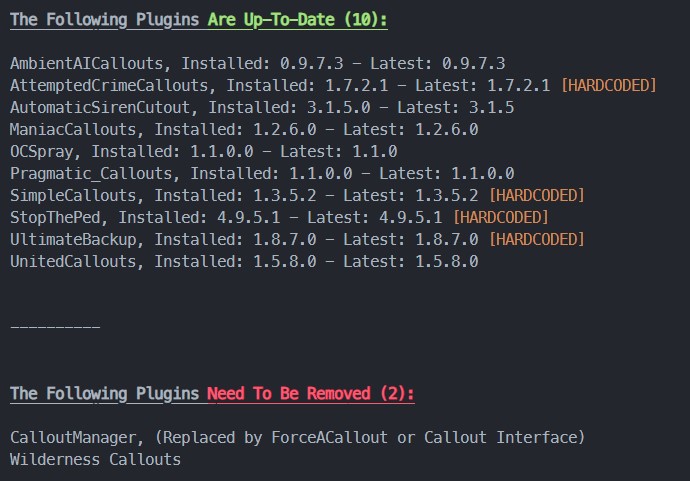
It seems that this crash was caused by AmbientAICallouts. Try removing that and booting. Also:
-
https://dev-c.com/files/ScriptHookV_1.0.2699.16.zip It's a really really shitty website but the link can be found above. You have to dig somewhat deep for the page.
-
Download and install this: https://www.gta5-mods.com/tools/scripthookv-net
-
https://github.com/alexguirre/RAGENativeUI/releases/download/1.9/RAGENativeUI.zip
-
CLICK THE LINK BELOW. ONCE DOWNLOADED, OPEN THE .ZIP FILE, AND DRAG RAGENATIVEUI.DLL INTO YOUR ROOT GTAV FOLDER. HTTPS://GITHUB.COM/ALEXGUIRRE/RAGENATIVEUI/RELEASES/DOWNLOAD/1.9/RAGENATIVEUI.ZIP I HOPE THAT HELPS. It seems like you have also incorrectly installed all of your plugins. Follow the instructions that come with them because some plugins may need to be installed differently.
-
You had an old RageNativeUI.
-
Click the link below. Once downloaded, open the .zip file, and drag RAGENativeUI.dll into your root GTAV folder. https://github.com/alexguirre/RAGENativeUI/releases/download/1.9/RAGENativeUI.zip
-
You should upload it directly here. That drive link has restricted access.
-
Looks like there is an issue in your CompuLite INI file. Make sure all of the values are correct.



