




brenden.iannetta
Members
-
Joined
-
Last visited
Everything posted by brenden.iannetta
-
Well the point of renaming the mods folder is only for troubleshooting. Putting a "_" disables the folder, and if your game works after disabling it, that means that there is an issue with the mods folder. It is only a troubleshooting step, and is not meant to be used like that.
-
1: Remove Coastal Callouts and try again. That plugin has been off the perc for forever for some reason. 2: Please explain a bit more. 3: Same as #2 4: This vest mod requires that you install mpClothes: https://www.gta5-mods.com/misc/mpclothes-addon-clothing-slots After installing, scroll through the "Armor" section of EUP's wardrobe. 5: Try using the normal name first. It could just the that car.
-
Go to Grand Theft Auto V\lspdfr\ and delete "patterns.dat". Download a fresh LSPDFR manual installer, and replace the file you just deleted with a new one:
-
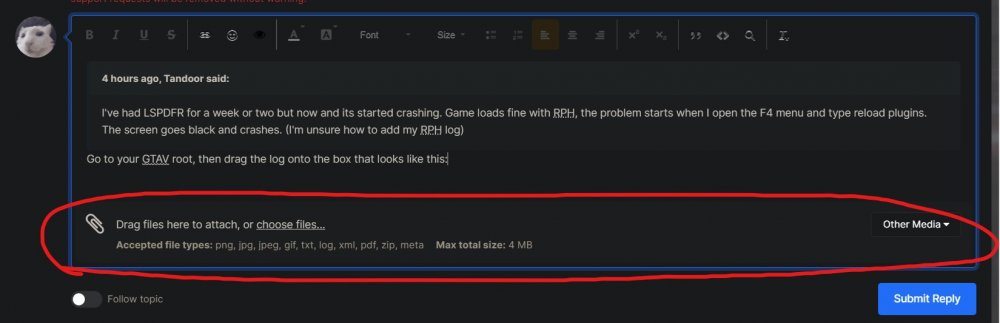
Go to your GTAV root, then drag the log onto the box that looks like this:
-
? What do you mean when you "honk at them nothing happens again". To pull someone over, you need to press shift behind them, then activate your lights.
-
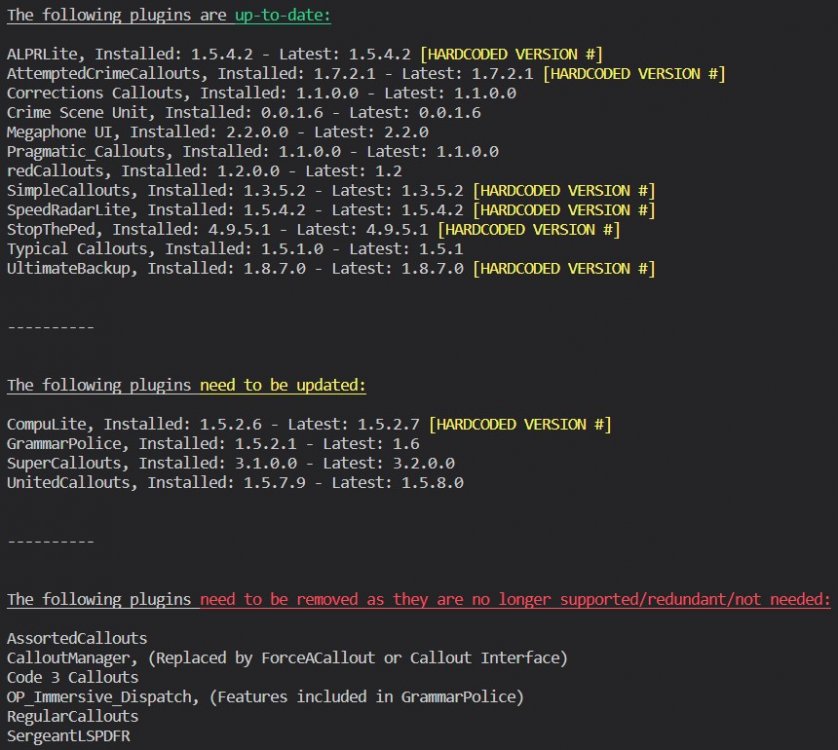
You need to update these, they are very out of date: Also:

-
First, try installing this: https://github.com/alexguirre/RAGENativeUI/releases/download/1.9/RAGENativeUI.zip Open the .zip, then drag RAGENativeUI.dll into your main GTAV root. If this doesn't fix it, go to your lspdfr.ini and change Main.DisableGameBlipHiding to false.
-
Have you modified your policet slot?
-
Hmm. This is a tricky one. I've seen lots of people having issues with United Callouts, but then again this error is most likely also just a one-off. If it happens again, send another log.
-
Yea this seems like a definite RAGENativeUI issue... Can you walk me through how you installed the file I provided?
-
Can you try moving the d8input.dll from your root GTAV folder to your desktop? Also, are you using ScriptHookDotNET?
-
You might have a broken vehicles.awc then. Delete it (the on in your base game AND mods folder) & verify game files.
-
ScriptHookDotNET or ScriptHookV?
-
Try temporarily removing UltimateBackup.
-
Download this zip, then from it, place RAGENativeUI.dll into your GTAV root. https://github.com/alexguirre/RAGENativeUI/releases/download/1.9/RAGENativeUI.zip
-
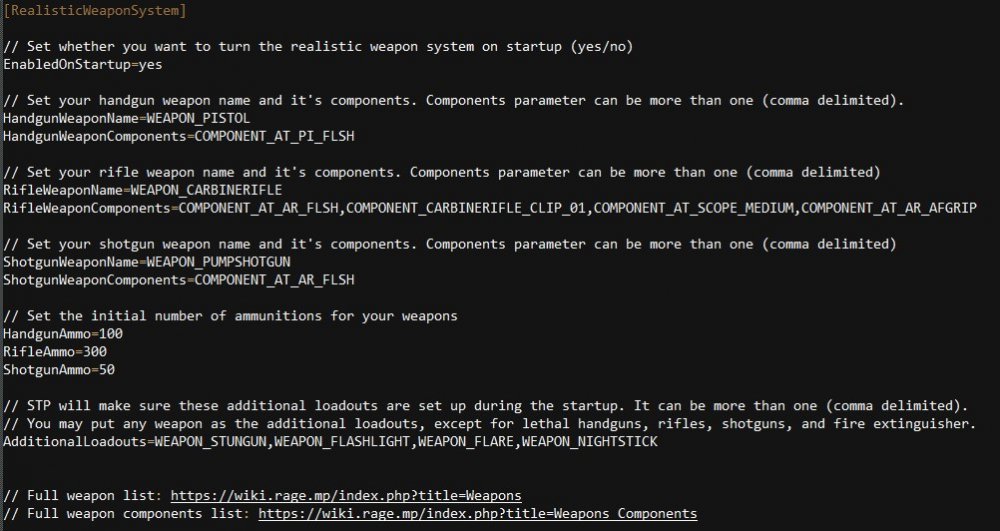
In the StropThePed INI, there is this section:
-
Rename your mods folder to "_mods".
-
Please send the RAGEPluginHook.log file in your GTAV root. They are much more useful.
-
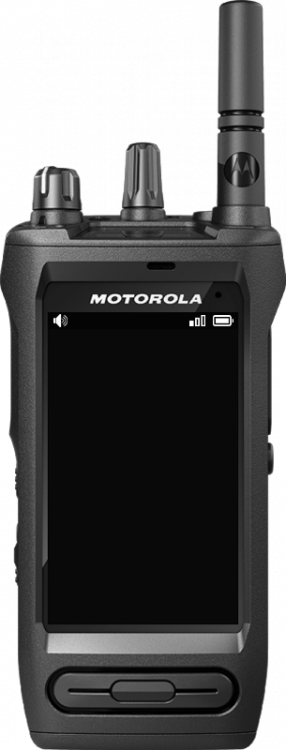
That's how LSPDFR is. Works like a charm when it works, but can be a pain to maintain. Also just a sidenote, if you like the darker radio interface of PoliceSmartRadio, GrammarPolice has a changeable radio skin. Just download this image (make sure the downloaded image is named "frame.png"), and drop it into Grand Theft Auto V\plugins\LSPDFR\GrammarPolice\textures\radio\. Overwrite the file.
-
What I meant by that was just renaming the file to "_update.rpf". <FILENAME> would be just the name of the file that you are renaming. Just add an "_" to the name.
-
No problem lol.
-
Send the RAGEPluginHook.log file from your GTAV directory.
-
Nothing obvious in here. Sometimes LSPDFR just crashes for no reason, and this looks like a one-off. If this happens again, send another log.
-
Try re-installing UltimateBackup, making sure to save the changes you made to the UB INI files. Try using the default UB INI before adding yours back in to make sure that none of your settings broke the plugin.
-
Try renaming your mods folder to "_mods". Also, i'm not sure if this applies, but: > Open OpenIV > Go to "ASI Manager" > Re-install all 3 of the options (Uninstall & Install)



