




brenden.iannetta
Members
-
Joined
-
Last visited
Everything posted by brenden.iannetta
-
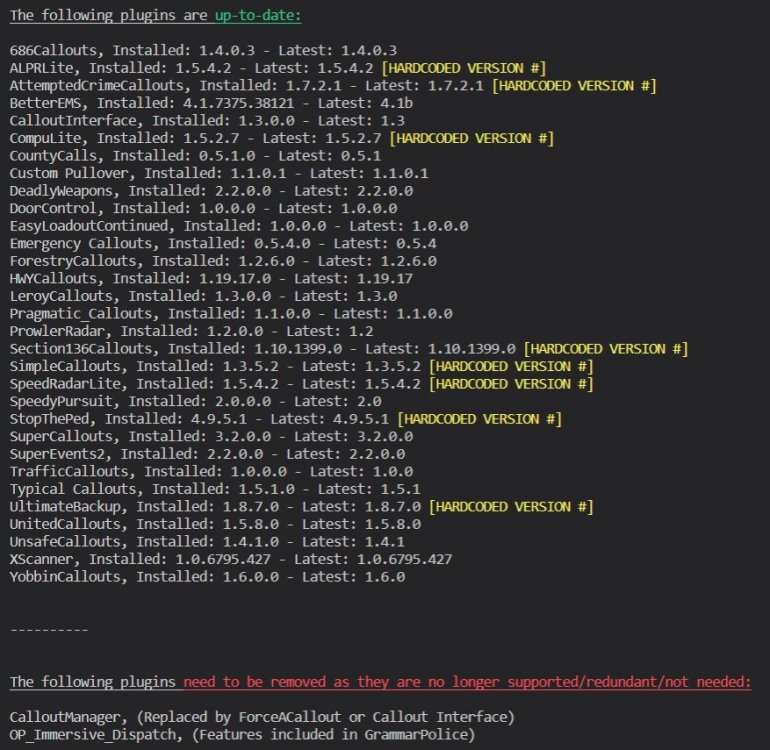
I've seen some issues with CalloutManager, so follow this:
-
Do you by chance use ScriptHookVDotNet?
-
And what happens if you remove the car...?
-
Working fine for me. Send a log of the crash you are having.
-
The limit was raised to 16 mb. Try installing a fresh car and trying the siren.
-
Tutorials exist. You need to turn on file name extensions.
-
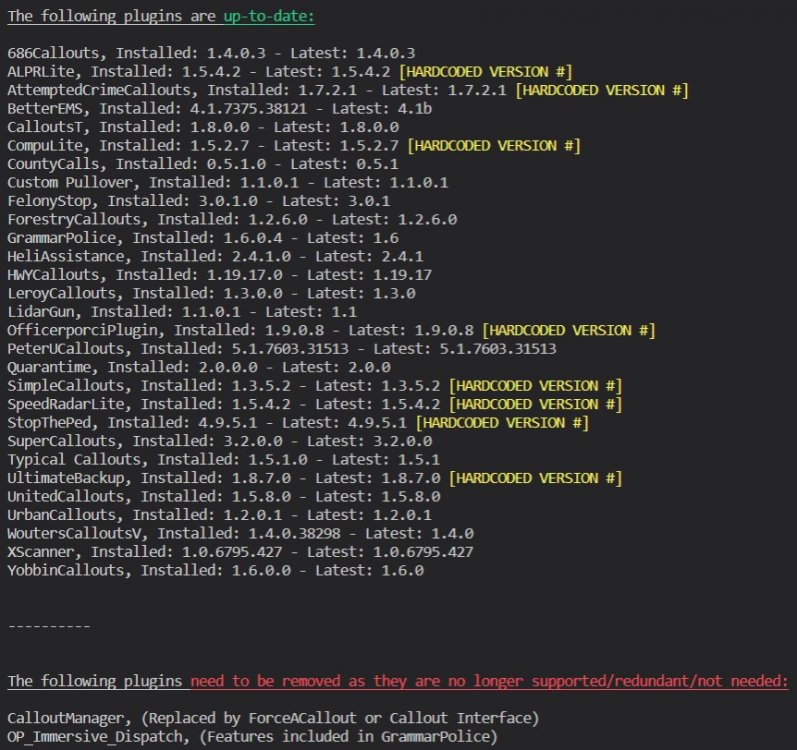
CalloutManager seems to cause crashes for some people. Follow this:
-
Can you list the plugins you have? Also try renaming the "d8input.dll" in your root GTAV folder to "_d8input.dll".
-
Have you installed all ELS vcf's correctly? Also make sure that you have proper siren wav files if you've modified them.
-
This should be made into a new topic.
-
Try renaming your mods folder to "_mods".
-
Try renaming your mods folder to "_mods".
-
Not sure if you tried this, but try loading up the game, and when it prompts you to click "Story Mode", load up RPH. If this doesn't work, try entering story mode, then launching RPH.
-
👀 This is a simple fix, all you have to do is put the ZPhDevs.Common.dll from the LoreCallouts download, into your root GTAV folder. I believe he had some issue with the dll file as i've seen quite a bit of this error. Good luck!
-
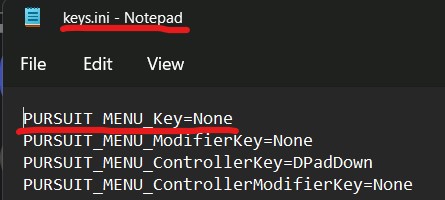
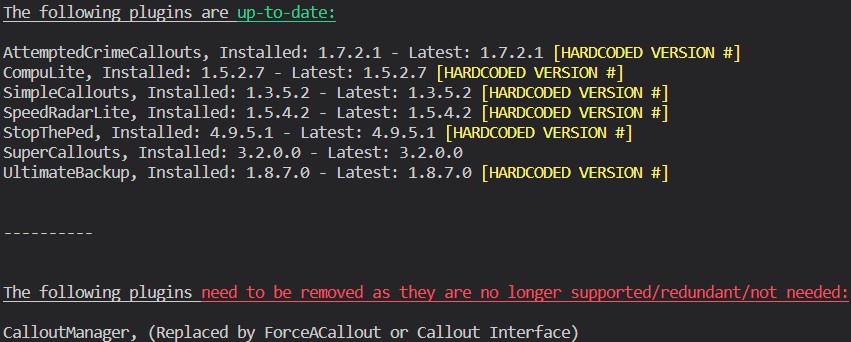
Sometimes the authors of the mods forget to update their plugin assembly versions, which is why this could be coming up as a false positive. 🙂 This could just be a terrible naming scheme on the dev's part, or a weird RAGE quirk. Last time I recall, StopThePed allows for multi-prisoner-transport. Correct me if i'm wrong, but I remember using this feature. Makes sense. I've just moved this into the non-deprecated section of my script. It was causing some crashes for me so just to be safe, I made it say that it's deprecated. If it hasn't caused any issues, you don't need to remove it. If you are using LSPDFR backup, try opening the backup menu while backup is called. There should be some options and maybe they will be of use.? This is the key, I don't have it bound, but you can give it a shot. I was running some tests earlier, and noticed that I also had this issue. My CPU seems to sit at ~60% utilization, while my GPU sits at ~40%. It's pretty frustrating, but I think it's just a by-product of this dinosaur aged game. Oh well. Also, looks like you still have to update CountyCalls, try the latest 5.1 file. (Unless this is a different callout pack...) Hope this helped in some sort. 👍
-
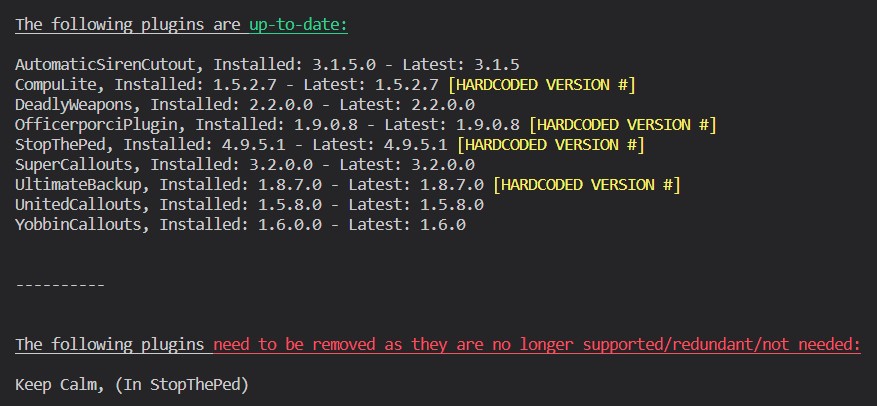
This is a known issue with RadioRealismFR I believe. Should be a fix soon hopefully. ( @Officerporci ). Also,
-
Sounds good. Enjoy!
-
Looks like there are some similar issues: https://www.google.com/search?q=ten+minutes+of+game+play+I+am+no+longer+to+pull+over+vehicles%2C+I+cannot+enter+any+police+stations+lspdfr&oq=ten+minutes+of+game+play+I+am+no+longer+to+pull+over+vehicles%2C+I+cannot+enter+any+police+stations+lspdfr&aqs=chrome..69i57j69i64.1589j0j7&sourceid=chrome&ie=UTF-8 Maybe have a peek as i'm not sure.
-
Hmm. Not sure what you mean.
-
You need to update your RAGENativeUI.dll. Download it here, then place RAGENativeUI.dll from the .zip into your GTAV root: https://github.com/alexguirre/RAGENativeUI/releases/download/1.9/RAGENativeUI.zip Also:
-
Do you mean something like this:
-
Rename your mods folder to "_mods".
-
Uhm... I've never seen that before. Did updating those plugins help anything?
-
No problem 🙂
-
What? LSPDFR, RPH, and GTAV all work together in unison now... They are all updated and working. You may have misinstalled something.





