




brenden.iannetta
Members
-
Joined
-
Last visited
Everything posted by brenden.iannetta
-
Do these crashes happen after you call transport? There might be a solution.
-
Wrong log. Please send the one from your GTAV root without numbers.
-
Sounds good!
-
Try going into your mods folder, then renaming some of the subfolders and rpf's to "_<FILENAME>". Maybe disabling one by one will rule out the issue. Start with update.rpf.
-
Delete the one in your mods folder and try again.
-
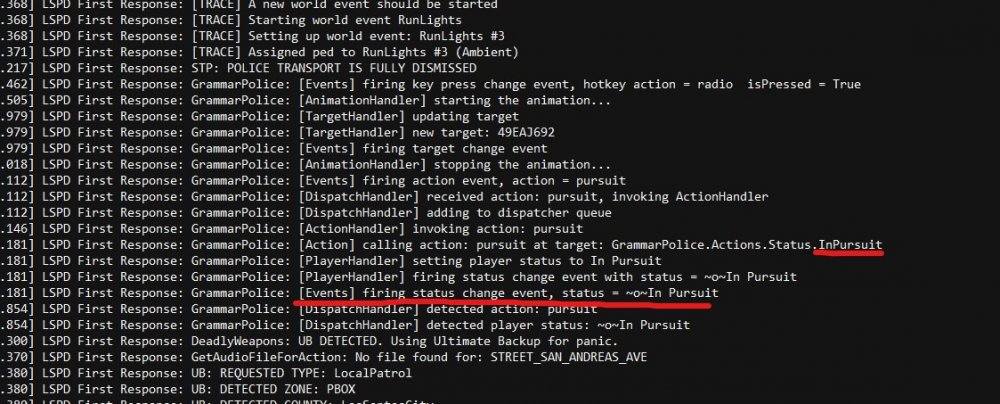
I mean correct me if i'm wrong but you changed your status to "In Pursuit". If you want calls, this needs to be set to available.
-
Honestly I don't know. You might wanna try re-installing some parts of LSPDFR because it looks like you have some corrupted items. "SuspectTransportManager" is a few of these.
-
Problem solved. What car are you using, and does this happen on any other cars?
-
x64/audio/sfx/resident.rpf
-
Interesting. Not quite sure what is wrong. Maybe you could try turning off the discord overlay and GeForce Experience.
-
Send a new log of when this happens. Some plugins are poorly made and cause this.
-
Can you list the plugins that you are using? Also please try renaming your mods folder to "_mods" just to to safe.
-
This issue was fixed long ago, you need to update RPH. https://i.darkvypr.com/update-rph.mp4

-
Send your RAGEPluginHook.log from your root GTAV folder.
-
Try temporarily removing SpeedyPursuit.
-
When you say "after 5 mins", are you able to accept only one callout? You might be marked as not available through one of your plugins, after accepting one. Make sure that you are also cancelling traffic stops to ensure that everything cleans up.
-
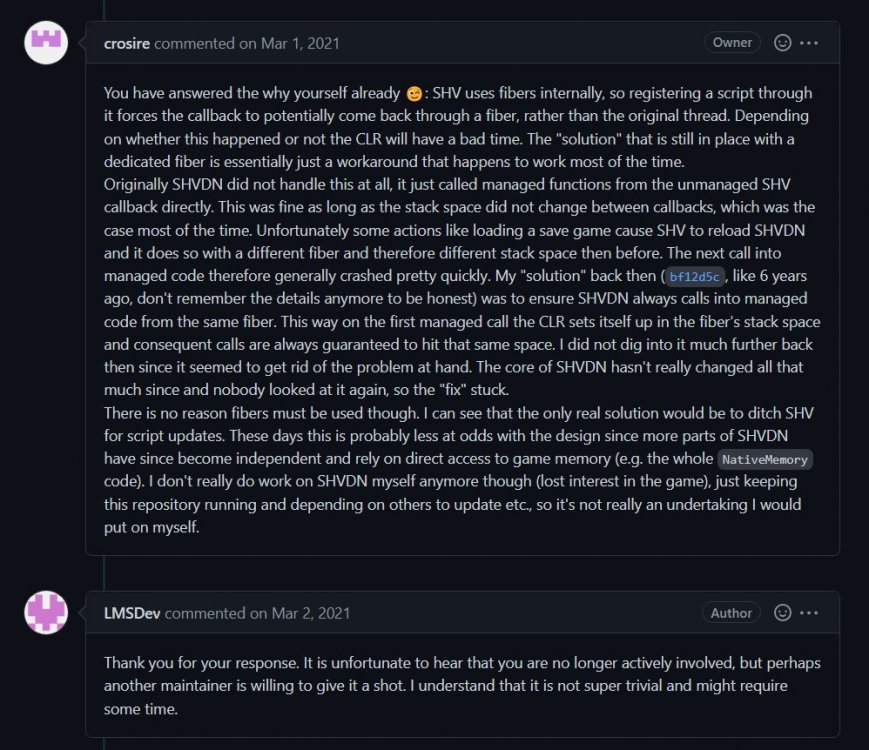
Great! I don't have any clue on when, but don't get your hopes up. I have a feeling it's gonna be a while, if at all. Considering LMS found this issue over 1.5 years ago, I doubt we'll even have one. This is also backed up by this:
-
Replace vehicles.awc with the one from your non-mods folder, and start over.
-
Both 👍
-
Try removing it. Some people are crashing because of it. The reasons are above my paygrade in knowledge, but this should be it: https://github.com/crosire/scripthookvdotnet/issues/976
-
No problem 👍
-
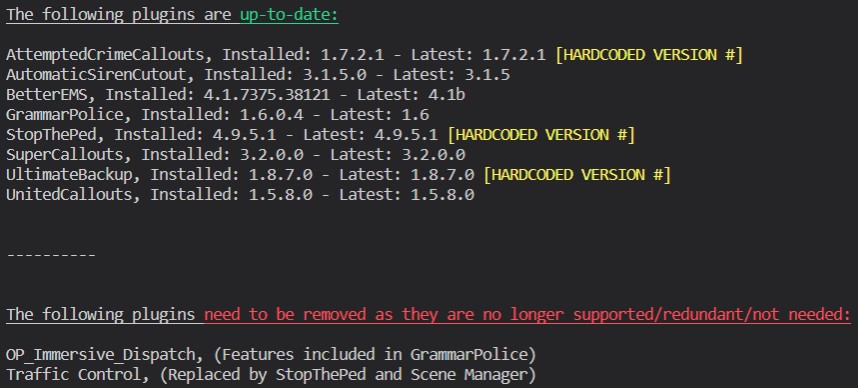
Try following this: If the crashing persists after updating the above, it might be a corrupt file. Try verifying your game files.
-
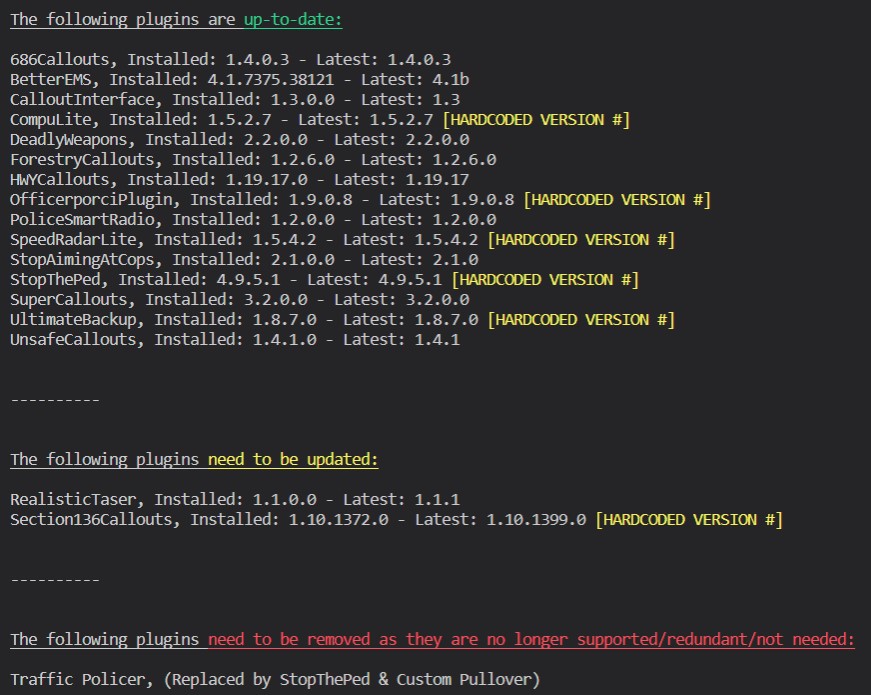
Adding on to what Cyan said above, make sure to look at this: PoliceSmartRadio may start malfunctioning. This is because Traffic Policer was removed. If you don't use this mod too much, i'd suggest removing it or re-installing it while making sure to remove all of the Traffic Policer related files. You can also opt to keep Traffic Policer at a cost of FPS and wasted performance power. StopThePed is much better and replaced this plugin. (Recommended) -> The last option is removing Albo's plugins (Traffic Policer & PoliceSmartRadio) and using the GrammarPolice built-in radio. It's not as nice as PSR's interface (my opinion), but it does the job & it's much more modern/updated.

-
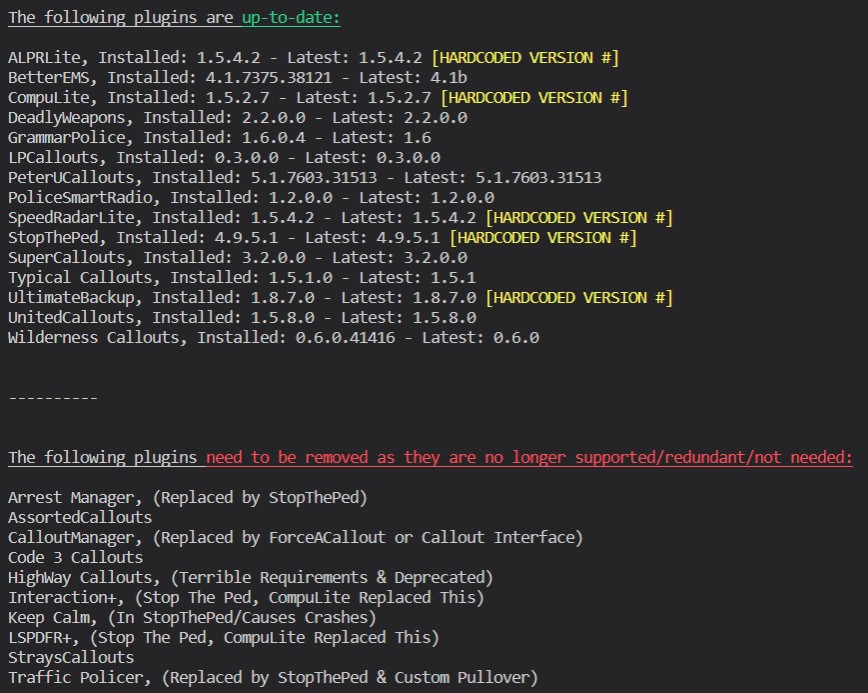
Follow this: PoliceSmartRadio may start malfunctioning. This is because Traffic Policer & Arrest Manager was removed. If you don't use this mod too much, i'd suggest removing it or re-installing it while making sure to remove all of the Traffic Policer/Arrest Manager related files. You can also opt to keep Traffic Policer & Arrest Manager at a large cost of FPS and wasted performance power. StopThePed is much better and replaced these 2 plugins. (Recommended) -> The last option is removing Albo's plugins (Traffic Policer, PoliceSmartRadio, & Arrest Manager) and using the GrammarPolice built-in radio. It's not as nice as PSR's interface (my opinion), but it does the job & it's much more modern/updated.
-
You need to call for those services yourself. Some callout packs will have them show up automatically, but that as to be configured by the dev or in an ini file. For now, you will need to manually call these services.





