




brenden.iannetta
Members
-
Joined
-
Last visited
Everything posted by brenden.iannetta
-
What plugins are you installing?
-
Follow this, you have a bad update.rpf. https://darkvypr.com/irls
-
Rename your mods folder to "_mods".
-
https://www.gta5-mods.com/misc/gta-5-gameconfig-300-cars https://www.gta5-mods.com/tools/heapadjuster https://www.gta5-mods.com/tools/packfile-limit-adjuster Try those.
-
Why exactly do you want to run a old version? Also no, sending old game files is against TOS.
-
Instead of screenshotting your log, just send the whole thing please.
-
Not too sure. You could try going through your mod directory and renaming different files to: "_{FILENAME}" if you know what I mean. This will disable them temporarily. You may also just have a bad XML in your plugins directory, which you can do easily by just removing the plugin and seeing if it crashes.
-
Rename your mods folder to "_mods". You may have a bad xml, meta, or etc. There is a bad model being loaded.
-
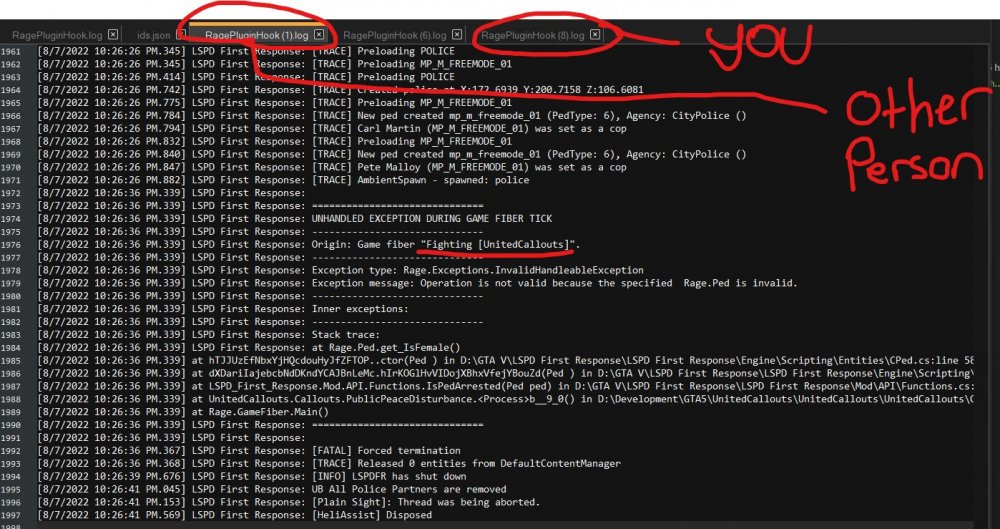
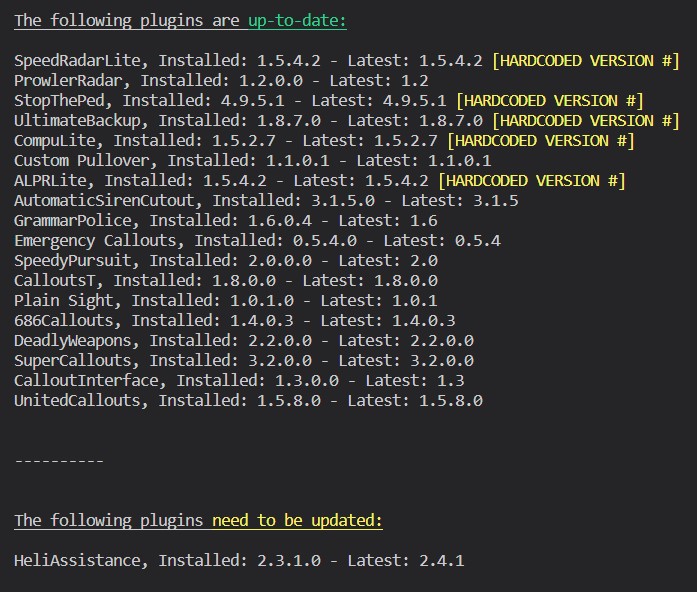
I'm pretty sure this is actually a UnitedCallouts issue as there was another person with an identical crash: @sEbi3 if you want to take a peek. Anyways, please read this as you have an outdated plugin:
-
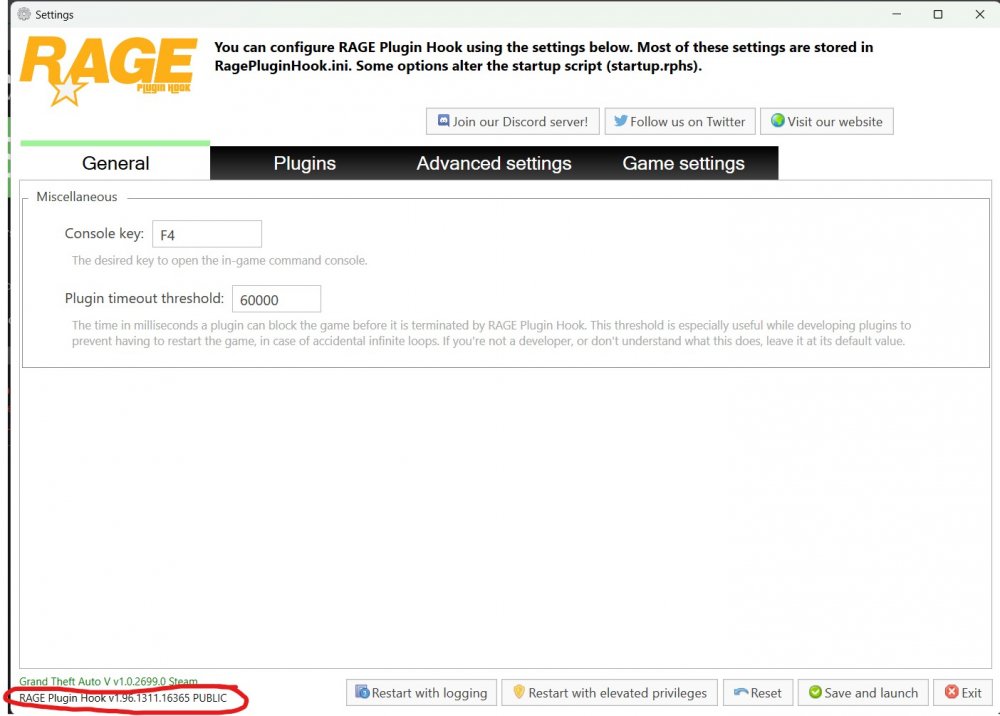
I need a version number. Lots of people have insisted "Latest Version", only to be using 1.95. Launch RPH while holding shift, then look here:
-
Somewhere in some XML there is an error with something called "color". Try finding that, or revert back to your old xml's.
-
The trainer uses the model name. Renaming the folder that the DLC pack uses won't effect spawning. Ensure that you have added the line to the dlclist.xml also. It must use the folder name, and should've been in the readme that came with the download.
-
Rename your mods folder to "_mods".
-
Oh interesting. Welp glad it is fixed lol. Have fun!
-
That's pretty weird. Those are all of the solutions I would've tried. Can you tell me your RAGE version?
-
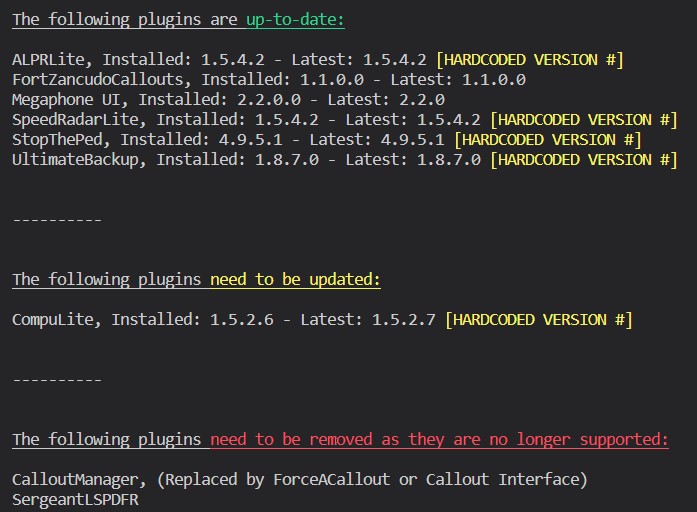
You need to update all of these (RAGE is bundled with the LSPDFR update): Also please update RAGENativeUI.dll. Download it from this link, open the .zip, drop RAGENativeUI.dll into your root GTAV folder: https://github.com/alexguirre/RAGENativeUI/releases/download/1.9/RAGENativeUI.zip Lastly, follow all of the points here:


-
Verify your game files. IIRC this should account for any old game files.
-
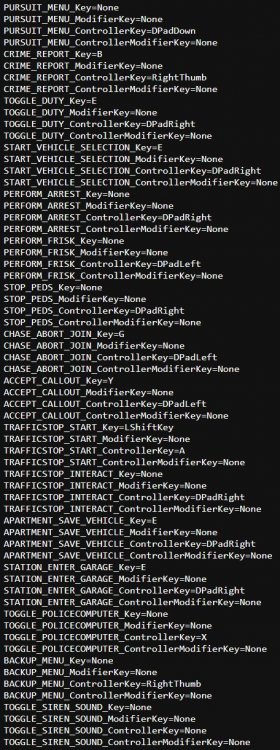
Go into "Grand Theft Auto V\lspdfr\keys.ini" and change the keys there. Should look something like this when unbinding:
-
Step 1: Periods & paragraphs are useful. I almost had a full organ shutdown reading that. Step 2: Rename your mods folder to "_mods" and try again. PS: You can't play online with mods...
-
Rename your mods folder to "_mods". Also please list the plugins you are using.
-
? You need to install these if you want to have an abundance of cars: https://www.gta5-mods.com/tools/heapadjuster https://www.gta5-mods.com/tools/packfile-limit-adjuster https://www.gta5-mods.com/misc/gta-5-gameconfig-300-cars
-
You clearly haven't updated RAGE or LSPDFR. You need to do that.
-
Try launching GTA story, then RAGE after you get to the main menu.
-
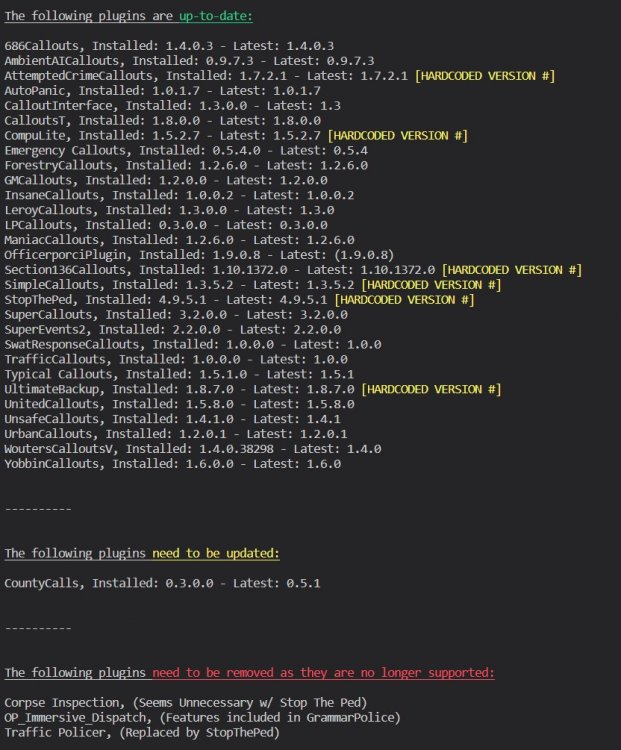
This ^ Also just wanted to add my two cents: You also need to update your RAGENativeUI.dll. Use this link, then from the .zip, put RAGENativeUI.dll into your GTAV root. https://github.com/alexguirre/RAGENativeUI/releases/download/1.9/RAGENativeUI.zip PS: You might have a ton of plugins, but it helped me in the end with my Python script so thanks 😛

-
No problem!




