




brenden.iannetta
Members
-
Joined
-
Last visited
Everything posted by brenden.iannetta
-
There are no servers. LSPDFR is a singleplayer mod where you accept callouts, conduct traffic stops and etc. If you go on duty, you will eventually get a callout, to which you can accept by pressing "Y". I'd advise watching some YouTube videos.
-
You might be thinking of VisualV? RadianceV is just a police light brightness adjuster.
-
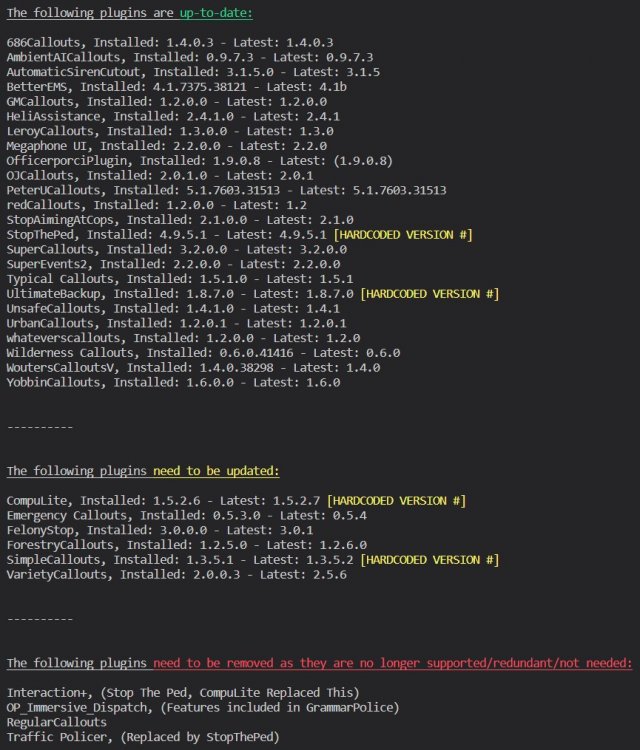
Firstly: Next: This is quite a different issue... What happens when you try to, for example, pull someone over? Does it just do nothing?
-
Have you added back a custom gameconfig?
-
If you use LML, ensure to update it as it would prevent the game from launching without the latest update.
-
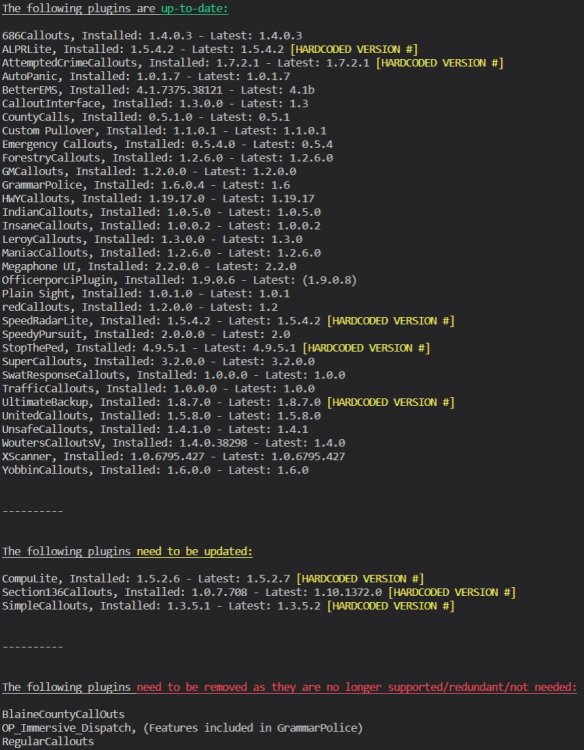
Great! Just adding this:
-
Install the prefered visualsettings.dat, then use the above.
-
No problem lol! Make sure to mark as solved 🙂
-
Try removing Coastal Callouts and give it a try. I'm curious.
-
Can you send the RAGEPluginHook.log in your root GTAV folder please? The log shouldn't have any numbers.
-
Try renaming your mods folder to "_mods" .
-
Nah I get that part, but none of it made sense.
-
Give these a try: https://www.gta5-mods.com/misc/gta-5-gameconfig-300-cars https://www.gta5-mods.com/tools/heapadjuster https://www.gta5-mods.com/tools/packfile-limit-adjuster
-
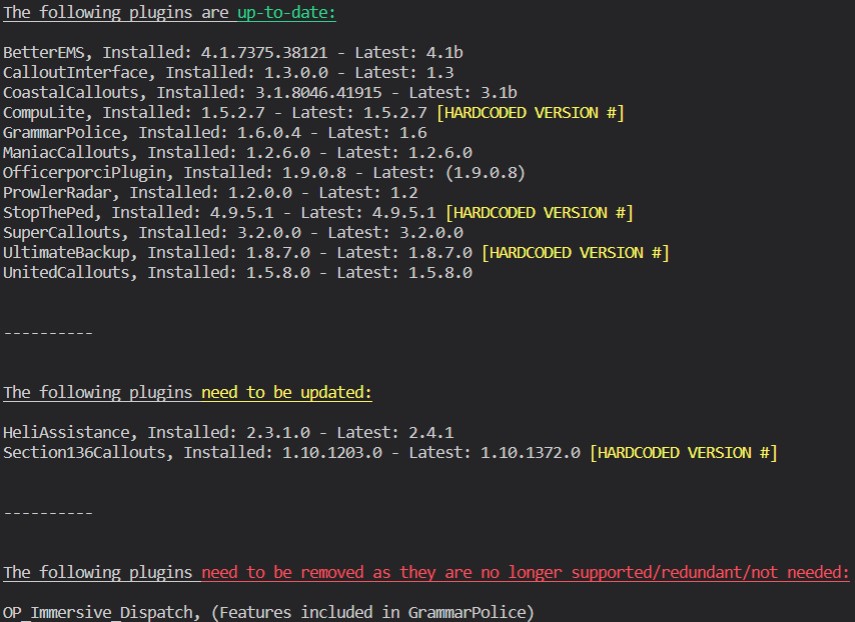
Exactly what Charlie said. Also butting in this too: 🙃
-
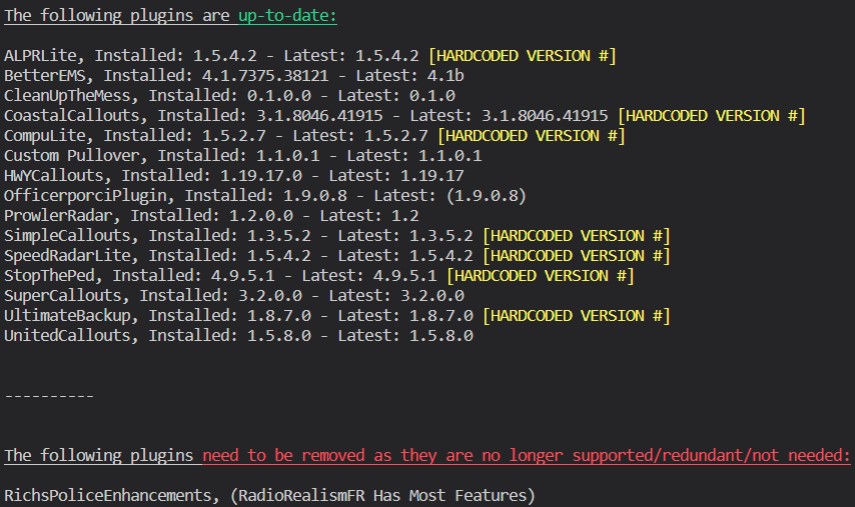
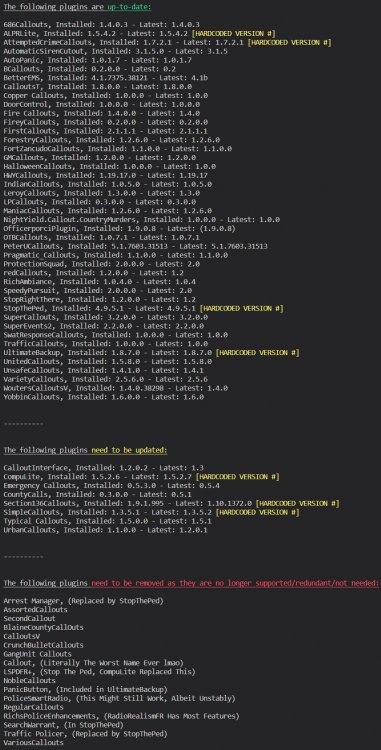
Off topic but it's a python script I made. Send me your log in a DM and i'll run it through for you. (I don't think this breaks any rules) If you are competent enough to sift through questionable code and get it up and running, it's here: https://github.com/DarkVypr/LSPDFR-Update-Checker
-
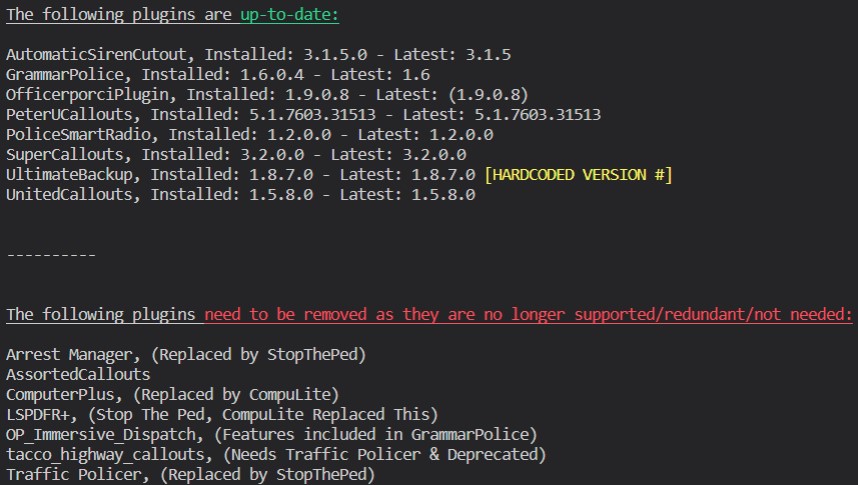
Adding my 2 cents, should give you a nice FPS boost: Also, you need to update RAGENativeUI.dll. Download it from this link, then drag RAGENativeUI.dll from the .zip into your GTAV root. https://github.com/alexguirre/RAGENativeUI/releases/download/1.9/RAGENativeUI.zip
-
Not seeing a crash here. Try removing some other plugins and/or renaming your mods folder to "_mods".
-
????????????????????????????????????????????????????????????????????????????????????????????????? Every word, just ???
-
In what way is it crashing? Just out of nowhere? Also:
-
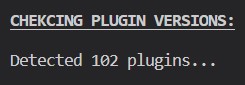
Surprisingly I didn't get API rate limited, so here it is: EDIT FOR POLICESMARTRADIO: Also see this: Download this zip, then drag RAGENativeUI.dll into your GTAV root from the .zip: https://github.com/alexguirre/RAGENativeUI/releases/download/1.9/RAGENativeUI.zip Concluding Thoughts: You are a maniac @Luartes 💀


-
Nice. Just give me a sec to add all the fileID's. Hopefully I don't get a 429 with all these get requests 🙃
-
Can you please send me your RAGEPluginHook.log file. Just wanna run it through my script and see if you have any old plugins. I'll also suggest some to remove which should improve some FPS at least.
-
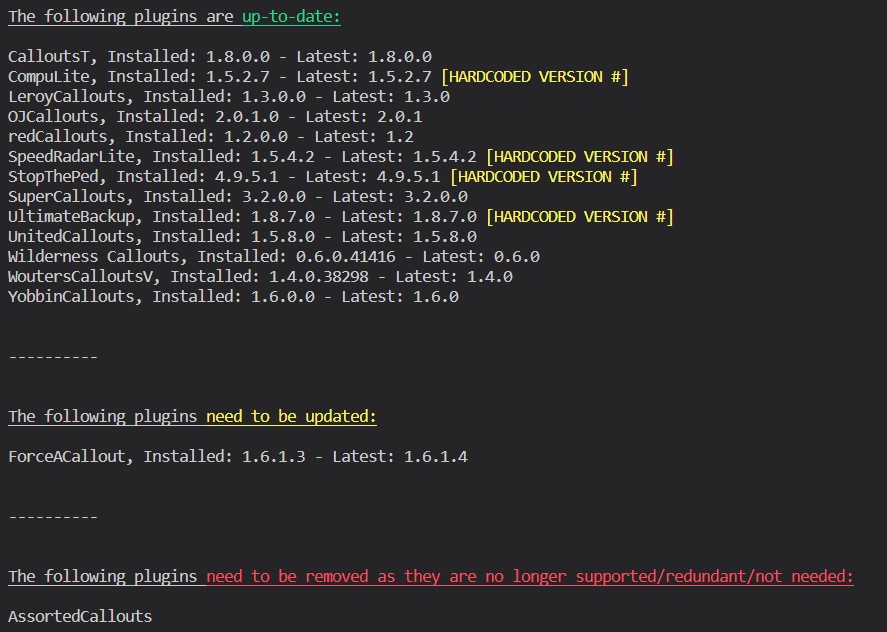
I highly highly doubt this will fix it but your FAC is out of date. You could try updating it.
-
Make a new topic.
-
I'm kinda out of ideas. Really weird, maybe someone with more knowledge can help. Good luck!






