




brenden.iannetta
Members
-
Joined
-
Last visited
Everything posted by brenden.iannetta
-
686 Callouts is working stably for me and others. Try updating RAGENativeUI.dll. Download it from this link, open the .zip, then drag RAGENativeUI.dll into your root GTAV folder. https://github.com/alexguirre/RAGENativeUI/releases/download/1.9/RAGENativeUI.zip
-
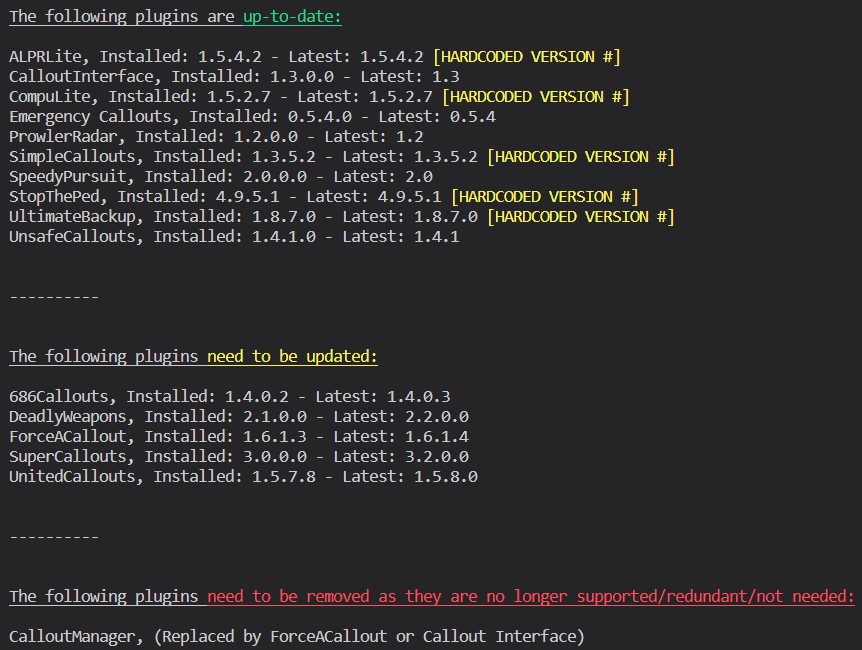
Try this:
-
Send your RAGEPluginHook.log file from your GTA root please.
-
😭❓❓❓
-
Go to Grand Theft Auto V\lspdfr\ and delete stats.dat. Try again after doing this.
-
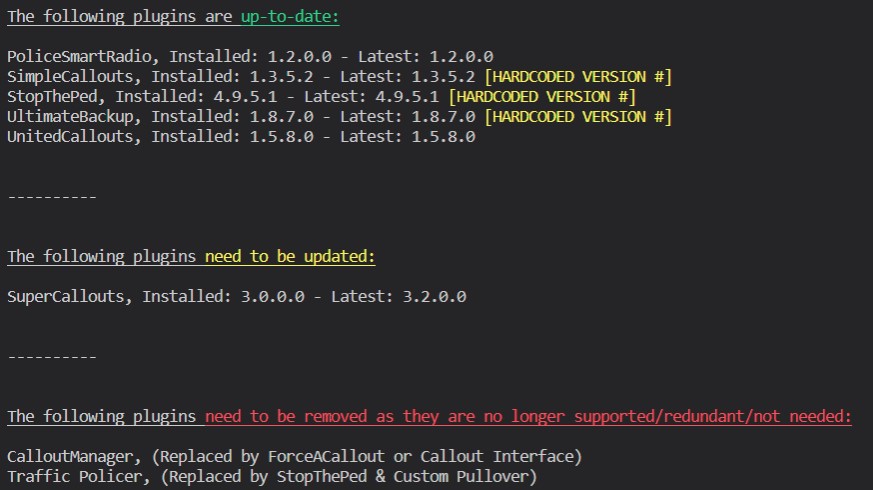
Yep. You need to download RAGENativeUI.dll. Get it from this link, open the zip, then drag RAGENativeUI.dll into your root GTAV folder: https://github.com/alexguirre/RAGENativeUI/releases/download/1.9/RAGENativeUI.zip Also:
-
I know you mentioned re-installing, but is this a clean copy of GTA with only LSPDFR?
-
Those aren't the same thing. Not sure that that's supposed to look like that... Which directories are those pictures from.
-
It still looks like a problem with your EUP installation. Try re-installing EUP Law and Order.
-
Have you installed ScriptHookV?
-
You need to upload you log to this site. The "link" you sent just tells chrome to look for that file on your PC, and display it. It isn't being publicly hosted. Also, send the log in your root GTA folder, not your logs folder.
-
Are you using ScriptHookDotNET?
-
You are right, there is no plugin of the like. Just a mistake on their part. Disregard this as it is incorrect. Try playing and seeing if you can re-create the issue. If it happens, send a log. Could just be a one-off.
-
Looks like their servers miraculously went down. Try later.
-
Their stuff is still misconfigured, use this link (note the https has been changed to http for the correct URL): http://ntscorp.ru/ovi/setup/ovisetup.exe
-
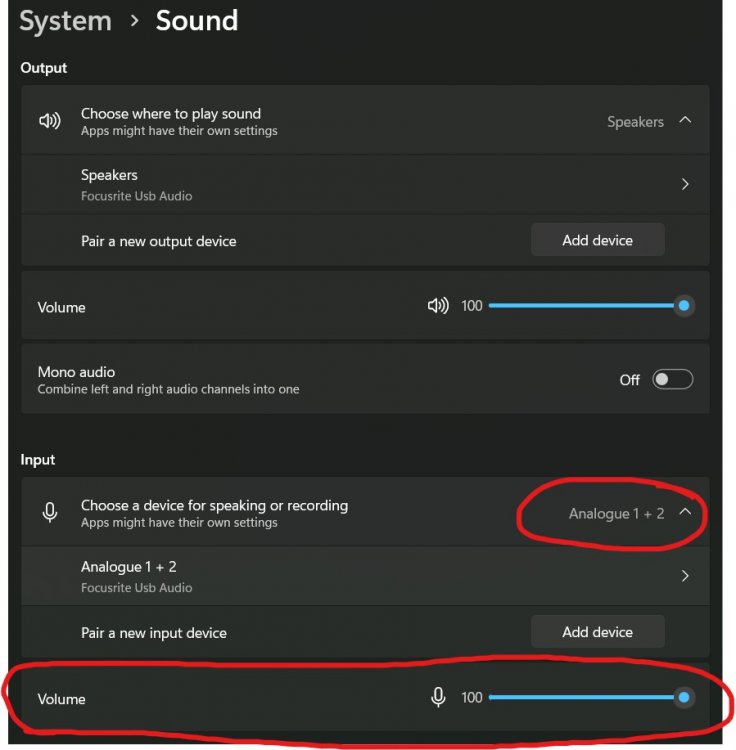
Yep. Try re-installing EUP, and make sure you have this: https://github.com/alexguirre/RAGENativeUI/releases/download/1.9/RAGENativeUI.zip Put RAGENativeUI.dll from the .zip into your GTAV root. Also, make sure your mic volume is correct, and you have the correct mic set as default in Windows for GrammarPolice.
-
Try updating LML if you use it.
-
I've played lspdfr before. P.S, It's a blip
-
Don't worry lol. Try temporarily disabling EUP. Move the files out of your plugins folder.
-
The log file shouldn't have numbers at the end. The correct one would be in your GTAV root folder.
-
Send the RAGEPluginHook.log in your GTAV root please.
-
Although i've seen plenty of issues with United Callouts, try installing this first: https://github.com/alexguirre/RAGENativeUI/releases/download/1.9/RAGENativeUI.zip Open the .zip, then drag RAGENativeUI.dll into your GTAV root.
-
Try renaming your mods folder to "_mods".
-
Try installing this: https://github.com/alexguirre/RAGENativeUI/releases/download/1.9/RAGENativeUI.zip Open the .zip, then drag RAGENativeUI.dll into your GTAV root.
-
2 & 3: Not quite sure. 4: Try re-installing this pack, it will 100% be in that section, mine works: 5: Try renaming it to a different slot, you might have an issue with the fbi slot.


