




Keith.
Members
-
Joined
-
Last visited
Everything posted by Keith.
-
https://www.mediafire.com/file/wp06e8wt2l18zb7/tahoe_sign_1PIERCE_CO.dds/file Try this bud. It's for the Tahoe in the pack.
-
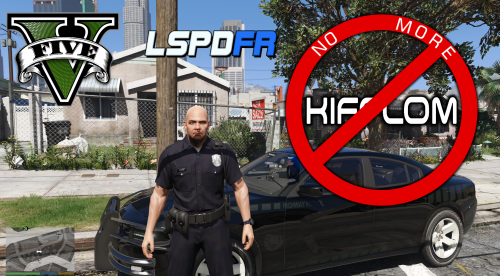 You need Open IV bud. The install instructions are in the S_MINI_ser file Something has gone wrong with the install instructions, so Her are the full install Go to GTA V > x64 > audio > sfx > S_MINI_SER.rpf and drag and drop all the files Do the same with S_FULL_SER.rpf too they are both in the same place
- 40 comments
- 7 reviews
-
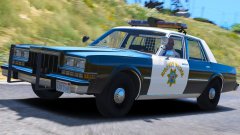 Excellent. Always loved the Dippys for some reason. Very nearly bought one back in 2007 but it was far too rusted ( literally no floor )
WHEN????????What made it worse was, I'd drove from the back end of Liverpool all the way to Keighley in Bradford, and the place I was collecting from was shut. 145 mile round trip for nothing. See, if we in Great Britain had this sort of snow, I'd expect travel disruptions and people not being able to get into work. But we get 5 inches, and the whole country shuts down and shits itself.This was the view from my truck on the M606 in Bradford this morning. This country makes me laugh, we get a few inches of snow, and life comes to grinding halt.
Excellent. Always loved the Dippys for some reason. Very nearly bought one back in 2007 but it was far too rusted ( literally no floor )
WHEN????????What made it worse was, I'd drove from the back end of Liverpool all the way to Keighley in Bradford, and the place I was collecting from was shut. 145 mile round trip for nothing. See, if we in Great Britain had this sort of snow, I'd expect travel disruptions and people not being able to get into work. But we get 5 inches, and the whole country shuts down and shits itself.This was the view from my truck on the M606 in Bradford this morning. This country makes me laugh, we get a few inches of snow, and life comes to grinding halt.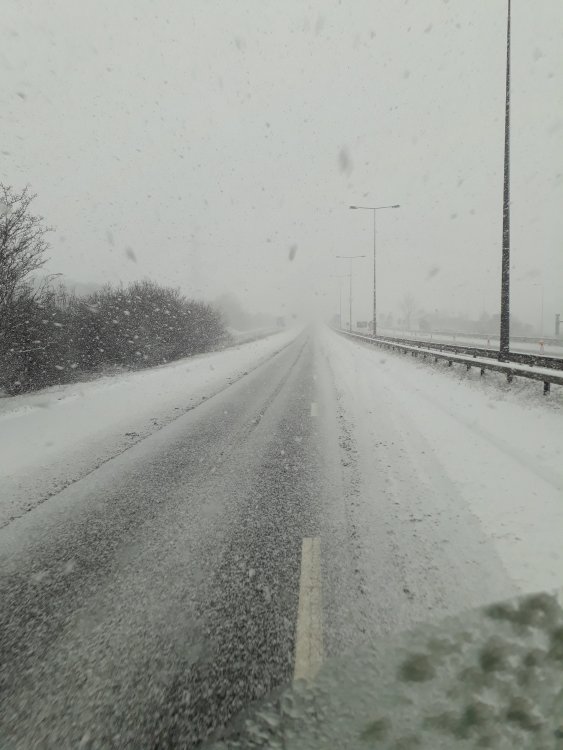 Not 100 % sure to be honest bud, I just looked through them both for the kifflom phrase and changed it
- 40 comments
- 7 reviews
Go into your ELS file in your GTA IV directory, click on SLOTCONTROL ( if you're using ELS 8 or above ) scroll down until you find [ NSTOCKADE ] and change the status to on. Save it and start your game If you're using ELS 7 open your GTA IV directory and scroll down till you find the ELS config. open that and change the [ NSTOCKADE ] status to on.Feel free to edit this one I made a while ago
You have to set your voice to a cop ped using the EUP menu or your trainer bud- 40 comments
- 7 reviews
If I can find some audio with a female asking for I.D. I'll redo all the female police peds.- 40 comments
- 7 reviews
I know, I used audio files from GTA IV, and unfortunately they didn't have any female officers, otherwise would've included them.- 40 comments
- 7 reviews
I don't use a mods folder bud. But if you do, the yes, got to mods >x64 > audio > sfx then drag and drop all the awc files from the from the S_MINI_SER rar into S_MINI_SER.rpf. Then back out and go to S_FULL_SER.rpf do the same with all the awc files from the S_FULL_SER rar- 40 comments
- 7 reviews
Providing the EUP models replace the ones listed, I don't see why it shouldn't, as it only changes the speech.- 40 comments
- 7 reviews
-
-

- 1
-
Sorry bud. I've put the sheriff .oac files in, instead of the .awc I'll get right on it. Give me 5 minutes. All fixed. I'd done the same thing with the cop MINI too- 40 comments
- 7 reviews
I'm working on it right now bud. Expect a full update within the next 30 minutes. Hopefully all Police, sheriff and Highway Patrol will no longer say the dreaded Kifflom. Only the female officers will use the phrase unfortunately.- 40 comments
- 7 reviews
-
-

-
- 2
-
Thanks, I'm working on the full set as I'm typing. There's more than I thought- 40 comments
- 7 reviews
-
-
- 1
-
Is everyone fed up of asking for a peds I.D, only to say "Kifflom" ? Will fear not my intrepid officers, No more Kifflom is here. The video is only in 360p, but I was in a rush to upload. Easy to install .awc file. Enjoy and don't forget to comment. To Install. Use Open IV Go to GTA V > x64 > audio > sfx > S_MINI_SER.rpf and drag and drop all the files Then go to x64 > audio > sfx > S_FULL_SER.rpf and drag and drop all the files. Replace files if prompted.- 40 comments
- 7 reviews
-
-
-
- 11
-
 St. Louis, Missouri Met Police textures and a Highway Patrol CHGR texture. These textures will fit the models in this pack. Also included is a texture for BXBugs' 2011 ELS CVPI They could possibly fit other models, but you'd have to check for yourselves. Enjoy and Thank you.
- 2 comments
- 2 reviews
-
-
- 1
-
 These textures will fit the models in this pack. They can be used as primary or secondary textures. Replace in police ( fusion ) police3 ( FPI ) Thank you.
- 1 comment
- 1 review
-
-
- 1
-


.thumb.png.0fe8a7ae9a9bd0454bd2adf153e59c1b.png)
