



LostBoyLazarus
Friends of LSPDFR
-
Joined
-
Last visited
Everything posted by LostBoyLazarus
-
 I've been using this mod for a few weeks now and have found it indispensable in setting up my patrol. I've edited the .ini file so when I press F7 it skips the menu and I'm instantly given the equipment I've selected in the loadout config. As well as providing full armor and clearing any suspect weapons I may have picked up, this mod will also provide me with a set amount of ammunition as defined in the config allowing me to carry a more realistic amount as opposed to thousands of rounds. I've opted for four rather than five stars due to how attachments work. Currently, this mod provides the ability to attach attachments to certain weapons while handguns for example can only be given a flash light if I use the option to give a flash light to all weapons. It would be nice to be able to choose which weapon(s) has what attachment(s) rather than having to give the same attachment to all weapons. Current work around is to use a trainer to add/remove attachments to individual weapons.
- 68 comments
- 12 reviews
-
 I'm running this with option 1: Sniper296's IVDashCam layout and I've found it to be one of the best driving cameras available. The onscreen information feels realistic and the positioning of the camera provides a clear view. Having the ability to adjust it really helps with those larger vehicles. If I was going to be picky, I'd like to be able to adjust the view on the go similar to how you can adjust the position of the spotlight if you're using that mod. All round a really well designed addition. *A special mention for displaying the speed on screen as part of this mod.*
- 113 comments
- 27 reviews
-
 When I first downloaded this mod, I found myself thinking "this is a nice addition, but am I really going to use it?" The answer was YES, yes I am! Not only does this mod allow you to feel more immersed when on a patrol but it also has the ability to make the pistol vanish from the holster when you have it equipped. I've noted that there are a few similar mods out there that provide the same experience, however this is the mod you want for your LSPDFR patrol.
- 560 comments
- 97 reviews
-
 I previously reported that this mod didn't work and actually seemed to make things worse. I'm now pleased to report however that as of update 1.0.0.35-patch1, it is perfect. Most vehicles now move out of the way both at lights and while on the move. I can't see myself ever playing LSPDFR without this. Thank you for your hard work in bringing this to the community. It's a true game changer that really adds to the whole experience.
- 528 comments
- 42 reviews
-
 Another great mod from PieRGud. Not only is this mod helpful in getting the exact callout that you want at any given time, it is useful to see what calls are offered by each installed callout pack. Great job.
- 138 comments
- 34 reviews
-
Okay, so you know how when you reverse in an ambulance or similar large vehicle you get the reversing beep? Is there a way to put that onto other vehicles? I realize that this isn't "proper", but I was curious if it was possible all the same? I'd love to attach it to my custom police4 vehicle but have no idea where to start.
-
Given that the author hasn't been active since July 2017, I'd hazard a guess that this promising pack is no longer being worked on.
-
 I've noticed that the "Attacked Police Station" callout triggers sometimes but as quick as it is given, it is cancelled again. Initially, I wondered if it was to do with the distance I was from the location, however after trying to force the call via Callout Manager in the vicinity of various police stations, the same thing happens. Can you confirm please if this call is functional and if so how I might go about getting it to work?
- 302 comments
- 66 reviews
-
 I've only ever had issues with charges not working when the console displays: "Interaction+ Trace 64". (Still not really sure what it is though. It can also prevent the Interaction+ menu from working completely.) I believe a few people reported this in the past but it only seems to happen once in a blue moon anyway. " Another thing would be to tie the court system into ComputerPlus." NOOOOOOOOOOOOOOOOOOO!!!!! No. No. No. Not ever. No. Just no. No. Also, what would be the point? I'm sure Phaxol won't mind me sharing that currently the sentence time is random: - For misdemeanors, peds can get community service or 3 days to 1 year in jail per charge - For felonies, peds can get a sentence of 1-5 years per charge - For life charges, such as homicide, the offender can get 25 years to life without parole The total time served is found by adding these together. "Interaction+ is now a "Must-have" addition to LSPDFR. So please continue to work on it when you can." I totally agree with this!
- 1,005 comments
- 68 reviews
-
 That's such a shame! 😞 Still, I guess it means more time for Regular Callouts - and if the quality is anything like this, we're all in for a treat!
- 82 comments
- 20 reviews
-
10/10 - would demand hooves in the air again! 😂 Just wanted to say that I'm really enjoying this pack so far and hope that you'll continue to work on it? Its nice to have something unique. However I've discovered that with the Animal On Airport Grounds call, you can call for animal control (via STP) to come and deal with the situation - which they do well. The trouble is, the callout doesn't end (I assume because we never killed the boar?) It would be a nice addition if we could use the End Call radio function for this call like you did with the Nude Person In LSIA Metro Station call. Some food for thought.
- 82 comments
- 20 reviews
-
 With regards to the Traffic Collision callout, are we supposed to be able to interact with the peds? I had one today involving two vehicles, one on its roof. I wasn't able to interact with either driver without the use of other plugins which made dealing with the callout extremely difficult. Haven't experienced any of the other callouts yet but will come back to leave a review later when I try them out via callout manager.
 -
 @sEbi3, I'm also experiencing this bug but in a different context. I've just completed the Killer Clown callout which ended with me shooting the suspect dead. After the coroner had finished and moved on, I was still seeing a red blip on the map despite the call having finished. I'm forced to restart the game each time in order to clear the map of blips. Please see the attached screenshot for an example of this. Thank you.
- 635 comments
- 53 reviews
-
I never did figure out what was blocking police slots 1-4 from working but after a total re-install, everything is working correctly albeit with a different vehicle pack. Appreciate all the help anyway. Consider this topic closed. Thank you.
-
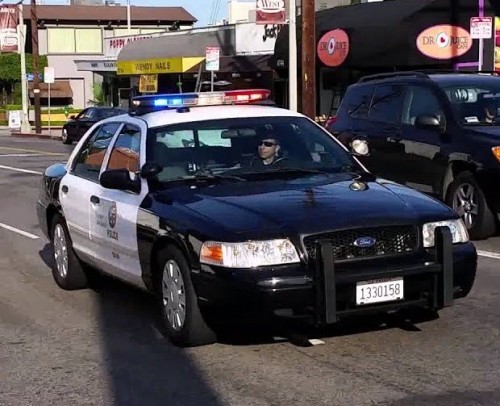 @bakerxgooty, I'm still using (and loving) this pack. Siren 4 is my go to 🙂 However, I've noticed that the vanilla ambulance will constantly use the air horn when it has a driver in the cab. Given the pitch, it can sound rather annoying (as my mrs found out last night when trying to sleep lol.) Would you happen to know if it's possible to change the sound the ambulance uses? I don't mind if it's a siren, just in its current state, the droning is a bit much. I found that swapping the ambulance out for an ELS model solved this issue.
- 51 comments
- 7 reviews
-
-

- 1
-
-
Appreciate that this is an old post but just wanted to say a massive thank you to @Reddington for the above info. I use the same BCSO pack and always wondered why the lights went straight to stage three. Thank you for sharing your insight.
-
Honestly, I have no idea. The only edit I've made to ELS is to change "ElsTrafCtrlOn = true" to "ElsTrafCtrlOn = false" because I was getting the bug where traffic would freak out when attempting to initiate a traffic stop. I've just tested out each vehicle that I'm using and they all work apart from the ones from this pack. I may have to bite the bullet and try a different LSPD "city" pack.
-
Yes, it's this pack: I'm using several other ELS models from other packs and they are all working correctly (including the FBI2 model used in my example) yet the models I've chosen from this pack do not work properly. Really confused given everything (i.e flags) look right 😕
-
Yes, the police3 in this example is an SUV and I figured that the standard police3 handling would be way off. No, the only file included in the pack I'm using was the vehicles.meta, however the police3 entry is the same as the base meta file anyway. There were no differences. None of the vehicles from the pack work as intended and all suffer from the same issue. The pack would seem to work for everyone else though which is strange.
-
-
Hello LSPDFR community! I really need your help! To explain my issue, I'm going to use this example: Below in these spoilers are two sections pulled from my vehicles.meta. The first is my FBI2 vehicle and the second is my police3 vehicle. I'm using two mods. A dashcam mod and a mod to make traffic move out of the way when you have your lights on. The FBI vehicle works perfectly. I can access my dashcam and a I can force traffic to move. However, the police3 vehicle can use neither of these features. Effectively, it is being treated as a non-emergency vehicle. Now, the interesting part is both vehicles can blip a vehicle but the police3 vehicle can't initiate traffic stop or access the police computer. So... how can I fix police3 to work like FBI2 in order to use these two mods? Of course, this is just an example but the text is true. The FBI vehicle works while the police3 vehicle doesn't. I'm assuming the issue lies in the meta but I can't be sure. This isn't my strong point. Please. If you can help, do. Thank you.
-
 Finally managed to play around with this today but I can't seem to get it to work via the radio while on foot. It does however work fine in a vehicle. I'm experiencing crashes when scrolling through the radio with this mod installed. Have removed it and all working fine again. Not sure why.
- 117 comments
- 19 reviews
-
-
-
Sorry, I meant 0.3.1.0 of Easy Load Out Continued (I'm already running LSPDFR 0.4.1). Given that you've now updated 0.3.1.0 to the full release but I've had zero issues in my current version, I wondered if I was missing out on anything by not updating yet.
- 68 comments
- 12 reviews


