



LostBoyLazarus
Friends of LSPDFR
-
Joined
-
Last visited
Everything posted by LostBoyLazarus
-
 Hey @sEbi3. Just wondering if there was any news on that public release? Still very keen to use this again 🙂 Thanks.
- 635 comments
- 53 reviews
-
-

- 1
-
-
-
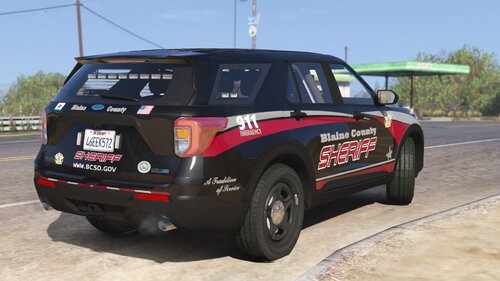 Thanks. I'd actually figured it out already after a long evening of trial and error but I appreciate the replies anyway 🙂
- 37 comments
- 13 reviews
-
 @CodeyWynne, I'd also be interested in using this if its possible to get a version without the body cam. Are there any plans to do so? Thanks.
- 85 comments
- 27 reviews
-
-
 I did it! I finally did it! I 'beat' 'barricadehostagesituation' arresting all of the suspects, saving all of the hostages and never fired a shot! During the whole scenario, the only shot to be fired was when one of the suspects dropped his shotgun and it went off. I even got to hear the congratulatory phone call at the end of the call 😄 What a callout!
- 546 comments
- 103 reviews
-
-
- 1
-
-
Hey community, So I'm trying to edit the DefaultRegions.xml file that comes with Ultimate Backup to add a specific livery to a vehicle. I know what I'm doing with the file except I'm unsure about liveries so need some help please. Currently, the lines look like: <Vehicle chance="50">POLICE4</Vehicle> <Vehicle chance="50">SHERIFF2</Vehicle> That's what I want and they work perfectly. Now, say I want to change the SHERIFF2 line to look like: <Vehicle livery="4">SHERIFF2</Vehicle> But I still want it to retain the vehicle chance as well, how would the line look? Something like this? I just can't get it to work: <Vehicle livery="4" Vehicle chance="50">SHERIFF2</Vehicle> Thanks. *SOLUTION* <Vehicle chance="50" livery="4" >SHERIFF2</Vehicle>
-
 Have you ever seen your character's face when you're conducting those reagent tests? 😂
- 1,005 comments
- 68 reviews
-
-
- 2
-
-
Not often, but it happens more than I'd like it to - restarting the game takes forever lol. I remember you telling me about the whole headshot thing and the difficulties it entailed before. It may just be one of those things. Heck, this still crashes less than when I used to mod Skyrim 😂 No, I was nowhere near 35. I can't recall what the first call was now but it couldn't have been more than two people involved. This happened on the very next call. I'm assuming its caused by Interaction+ trying to create info on a ped who is no longer there? The last few days its been great, but then I have been shooting my way out of things more. I'll pretend I know nothing about any of that news and simply say: I CANNOT WAIT! FOR THESE UPDATES!
- 1,005 comments
- 68 reviews
-
 A simple, yet interesting mod that offers something unique. The slow-mo ability was a nice touch, though could be abused to add slow-mo into the game by opening and closing the menu without selecting a megaphone yelp. I also found that at least one of the sounds didn't work.
- 72 comments
- 10 reviews
-
Hey @Phaxol, I finally got another crash. Had been playing fine for about an hour when my vehicle was hit from the rear. I pulled the car over and spoke to the driver. I obtained his ID and asked him to step out. Using STP, I asked him to follow me to the sidewalk. I then opened Interaction+ while the plan of conducting a roadside test (I had detected alcohol and narcotics) when LSPDFR crashed. I've attached a screenshot of the console at the time of the crash and have extracted the necessary log info. Cheers. *EDIT 1* Playing again this afternoon and received a call for street racing. Attended scene and caught one of the racers. Finished processing him and filed charges as normal. The old issue is back: After creating an arrest report, nothing happens and I'm unable to access any Interaction+ features without a complete game restart. Everything else works as normal, just not Interaction+. I checked the console/logs but there was nothing at all. *EDIT 2* Following on from edit 1 above, I restarted the game and dealt with one callout just fine. The second callout however gave me more issues. Two female suspects. One released, one charged. I couldn't remember who was who so ran a record check on the female who I thought I wanted to charge. Interaction+ just stopped working again. Not able to access any of the features. Looking at the console, it appears I tried to check the wrong female, but rather then be informed of this or something, it simple stopped working. Having to restart again just to get things rolling.
- 1,005 comments
- 68 reviews
-
 Hey @Syedogg, I'm still really enjoying your pack. One thing I did come across this evening was this: I forced the suspicious vehicle callout which ran as expect, however as soon as I accepted the call, it ended. Everything was there in the console but no reason given. I know the call works because I've done it before. Thought you might like to know. Cheers.
 -
I'm truly sorry to hear your news @TickleMyElmo. Your '[ELS] LSPD Pack 1.0.5' is a great example of the quality of work we've come to recognize in the community and I'm sure you will be sorely missed. I hope you'll be back modding soon. I'm on long-term meds at the moment myself and as a result find that some days can be a bit too much. Best piece of advice I can offer is to take things easy, do the things that you enjoy and remember the community is here for you. Take care my dude. Hope to see you again soon \m/
-
 I couldn't get the 2011 CVPI to fit the model I was using - the rear was messed up - however the 2015 Tahoe was a perfect fit! Had some fun doing an LSIA patrol. Made a nice change. Thanks for the textures 👍
- 12 comments
- 6 reviews
-
-
- 1
-
-
It could be... I assumed it was from here because the console was all PeterU related stuff, not Assorted Callouts? Ah well, disregard my post. No point in letting Albo know about this.
- 546 comments
- 103 reviews
-
-
When adding the livery lines to UB, where do I need to put them? I know what I'm doing, just not where to add it. My BCSO supervisor lines currently look like: <BlaineCounty> <VehicleSet spawn_distance="150"> <Vehicles> <Vehicle chance="50">sheriff</Vehicle> <Vehicle chance="50">sheriff2</Vehicle> </Vehicles> If someone can show me exactly where to add them, I can do the same for the K9 livery. T.I.A
- 37 comments
- 13 reviews
-
Best. Liveries. Ever! Have a virtual cookie on me! Thank you for your hard work. They're that good I swapped out my whole BCSO fleet just to use these liveries 😄
- 37 comments
- 13 reviews
-
-
- 1
-
-
Derick Bennett actually sent me an answer that worked: If it has a x_sign_1 that is blank, check the vehicles.meta to make sure it has the flag VEHICLE_HAS_LIVERY. If it does have that, then the model maker did not map the vehicle to accept textures. If it doesn’t have that flag, then add it and try again.
-
Texture geniuses... How do I add a texture to an unmarked vehicle please? I have a texture that matches the vehicle model I want to use. Usually I just replace the 'sign' name but because its an unmarked vehicle, it doesn't exist. I really want to try this out tin time for his evening's patrol. T.I.A
-
 I'd hate messing with a working mod but is there any way of having this apply to bigger vehicles as well? Trucks, buses (even other police vehicles would be nice.)
- 528 comments
- 42 reviews
-
-
- 2
-
-
Over the past few weeks, I've been testing out various callout packs to see which work perfectly with LSPDFR 0.4.1. It was this testing that led me to discover Syedogg's On The Beat Callouts. When I first read the description, I found myself thinking, "Okay, this looks like yet another generic callout pack that's probably been abandoned" as we so often see. I installed it and booted up the game to see for myself. To my surprise, this callout pack turned out to be very well put together. It provides a small but well built selection of calls with no issues over stuck blips, broken calls and - most importantly - no crashes! I really enjoyed the laser pointer call. Simple but unique. The author is still developing this pack and has some interesting plans to improve it further in a later update. I'll be following this pack and encourage you to do the same. Give it a go - it has a place in everyone's game.
-
I took your advice and tried out the graffiti call. It was night time when I pulled up just outside of the alleyway. Switching on my spotlight, I found a large group of homeless people hanging around drinking. I called for code two backup and proceeded to check out the alleyway on foot with my flash light. As I rounded the corner, my backup arrived and we approached the next group of people. Again, just a group of homeless. Checking out another alley, we saw a sole person spraying a wall. As we approached, he threw the can of spray paint to the floor and fled on foot. We gave chase and caught up to him a few blocks away. Unfortunately, while he was being cuffed, something went wrong with Stop The Ped and LSPDFR crashed. Even so, I found that this call really immersed me in the experience of LSPDFR. From the moment I pulled up to the point of the crash, I was totally immersed. Thank you for providing that experience. I guess the homeless were generic spawns outside of your mod, but even so! I see what you mean about setting the graffiti scene. When I saw the graffiti on the wall where the ped was spraying, it was very convincing. I hope you look at expanding this call to include more areas where graffiti is prevalent. Until then, I'll play this one a few more times and see how things play out 🙂 Glad to hear you are working on those menus. Having that extra interaction will boost the enjoyment of playing your pack. I agree about the use of external mods with one exception; STP's questions cannot be edited. I'm aware that the answers can be customized, but not the questions themselves. This makes tailoring the usefulness of mods such as STP difficult. For example, when encountering the disorderly call, aside from asking if the ped has been drinking, I have no way of asking about their well being etc. If you struggle with adding an inventory to a ped, maybe you could ask for help on the forums? Given how well your pack is coming together, I'm sure someone will offer. While its not essential to have a custom inventory, it sure would add to the way in which that call could be handled. Thank you for your call out pack. I've added it to my modlist as a working pack and I'm looking forward to playing it more in game.
-
@Syedogg, thanks for your reply. I've just tried your pack in game and I was very impressed. I tried four of the five calls (I skipped GraffitiCall because it was based in Mission Row each time and I was in Blaine County.) I noticed that with the suspicious vehicle call, the localstolenvehicle call and the drunken disorderly call there was little interaction available. I'm assuming this is because I do not use Computer+? They worked and I was able to create a very believable scenario but was left scratching my head more often then not. I believe however I should have been able to interact with the suspect (where present) by using Y? The drunken disorderly call for example had a lovely young lady ask me to give her a ride but I had no way of responding without the use of external mods. Further, there was no way to end a call with the exception of the Laser Pointer Callout. One further thought would be to add a custom inventory to the laser pointer call. It would have been nice to have discovered a high power laser pointer in the ped's possession as is described during the call. Still, a great pack with some unique calls. I will test it a little more this evening and drop a review later on. Thanks very much 👍
-
 Absolutely love this mod. I actually only use the 'Status' option under Police Smart Radio now in order to switch my availability on the fly depending on what I'm doing at the time. I've tried the 'Force Callout' option and it worked perfectly - I just don't have a need for it myself. I love the fact that the ini is configurable and allows me to hide unnecessary on-screen clutter. Based on the 'Status' side of this mod, I wish I could give more than five stars. It works every time, has zero bugs and no crashes. Thank you @HazyTube for your work. I'll be recommending this one to every one 👍
- 117 comments
- 19 reviews
-
-
- 1
-



