


Yard1
Friends of LSPDFR
-
Joined
-
Last visited
Everything posted by Yard1
-
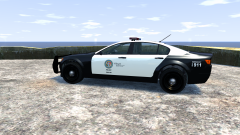
From the album: Skins
Model converted from GTA V by cromchen, police equipment by Rockstar and Lt.Caine, wheels by Lt.Caine, pushbar by F5544; UV-Map, skin and positioning by Yard1. -
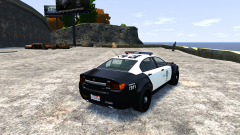
From the album: Skins
Model converted from GTA V by cromchen, police equipment by Rockstar and Lt.Caine, wheels by Lt.Caine, pushbar by F5544; UV-Map, skin and positioning by Yard1. -
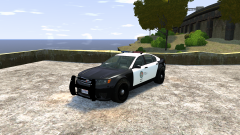
From the album: Skins
Model converted from GTA V by cromchen, police equipment by Rockstar and Lt.Caine, wheels by Lt.Caine, pushbar by F5544; UV-Map, skin and positioning by Yard1. -
Thread locked to prevent further necroposting. Nothing to see here! <br /><br /> <br />This topic has been closed by LCPDFR.com staff. <br />If you feel that this topic has been closed in error, please report this post.
-
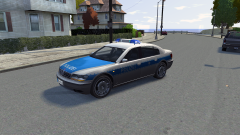 Yep!
Yep! -
From the album: Skins
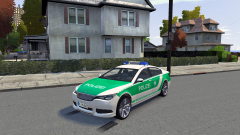
ELS and Non-ELS. I am going to make an unmarked version later. Model by Rockstar Games, UV Map, template and skin by me, RTK-7 lightbar by Cj24 and KevinDV. -
From the album: Skins
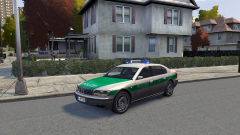
ELS and Non-ELS. I am going to make an unmarked version later. Model by Rockstar Games, converted by twattyballs2011, UV Map, template and skin by me, RTK-7 lightbar by Cj24 and KevinDV. -
From the album: Skins
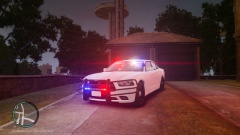
ELS and Non-ELS. I am going to make an unmarked version later. Model by Rockstar Games, UV Map, template and skin by me, RTK-7 lightbar by Cj24 and KevinDV. -
 MODERATOR NOTICE I have hidden the meme posts. Please refrain from using them, but most importantly do not offtop. Further offtopic posting will result in warnings.
 -
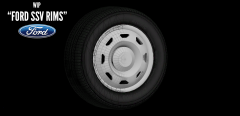 MODERATOR NOTICE I cleaned the comments. Any further offtopic posting will result in a warning and a lock of the comments here. Focus on the rims, not on the shitstorms.
 -
Any chance you could record it and put it on youtube? I would love to see it but I can't partake in the TV meeting today.
-
I suppose I could look at it when I have some time...
-
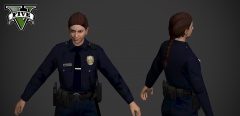 Eh, I don't have a problem with this. Yard!
 -
ELS v8 is going to get rid of those bugs, or so I heard.
-
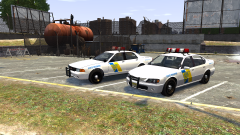 Yeah. I have no idea why Ekalb doesn't want to release it...
 -
Happy birthday Jay!
-
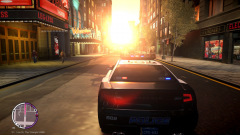 That is a nice tactical nuclear strike you have here.
 -
There is no need for bumping your thread 3 hours after posting. Please refrain from doing so in the future.
-
If you don't have EFLC, you can add cars to police3, police4 and police slots. You would have to configure them though. There was a tutorial here or on GPM about it somewhere. Also, you can add cars to be recognized by LCPDFR as police cars to LCPDFR.ini. Check LCPDFR user guide for more info.
-
-
-
Hey, you have seen the video, right? The ELS V8 TESTING MP? If you did, how can you still not be sure?
-
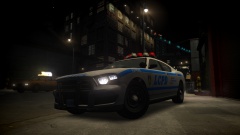 ineseri, come on! Graphical mods are fine!I am just going to stand here smirking and generally look like I know something :) ... Ok guys, it's real. Or is it?


