Yard1
Friends of LSPDFR
-
Joined
-
Last visited
Everything posted by Yard1
-
-
-
An original GTA IV Oracle and GTA V Oracle 2nd generation converted by twattyballs2011, UV-Mapped and modified to german police version by me using parts provided by Cj24. There are 4 Bundespolizei (Federal Police) skins (blue) and 4 extra Bavarian Landespolizei (State Police) skins (green) for both vehicles. Huge thanks to Cj24 for providing me with much needed advice and unique parts (RTK-7 lightbar). Due to an agreement with me and Cj24, the models with lightbars are locked. Mapped, unlocked versions without lightbars are included in the archive. ELS version here: -------------------------------------- Installation: - Use OpenIV to replace the corresponding files within vehicles.img with the .wft and .wtd files provided in this package. - Open the vehicles.ide file in your Grand Theft Auto IVcommondata folder, find the lines beginning with the names of the appropriate models, and at the end of those lines add +livery. -------------------------------------- This download is exclusive to LCPDFR.com. Model provided unlocked - there is no need for my permission when fair credit is given to me and other authors. Made by Rockstar Games, twattyballs2011, Cj24, KevinDV, Yard1
- 10 comments
- 4 reviews
-
An original GTA IV Oracle and GTA V Oracle 2nd generation converted by twattyballs2011, UV-Mapped and modified to german police version by me using parts provided by Cj24. There are 4 Bundespolizei (Federal Police) skins (blue) and 4 extra Bavarian Landespolizei (State Police) skins (green) for both vehicles. An ELS configuration file ("polizei_rtk.ini") is included. It was originally made by Cj24, and I have his permission to use it. Huge thanks to Cj24 for providing me with much needed advice and unique parts (RTK-7 lightbar). Due to an agreement with me and Cj24, the models with lightbars are locked. Mapped, unlocked versions without lightbars are included in the archive. Non-ELS version here: -------------------------------------- Installation: - Use OpenIV to replace the corresponding files within vehicles.img with the .wft and .wtd files provided in this package. - Open the vehicles.ide file in your Grand Theft Auto IVcommondata folder, find the lines beginning with the names of the appropriate models, and at the end of those lines add +livery. - Enable the replaced models in ELS.ini file using the provided ELS configuration file. -------------------------------------- This download is exclusive to LCPDFR.com. Model provided unlocked - there is no need for my permission when fair credit is given to me and other authors. Made by Rockstar Games, twattyballs2011, Cj24, KevinDV, Yard1
- 7 comments
- 1 review
-
-

- 1
-
-
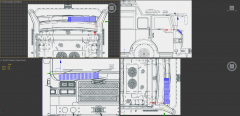 MODERATOR NOTICE From now on, offtopic posting in this comment thread will result in sanctions. Focus on the picture.
 -
-
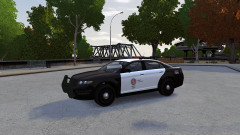
From the album: Skins
-
-
Well, what do you want to know?
-
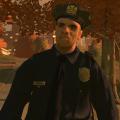 Sam, could you make a version with flat, non 3D badges so we can put our own textures?
- 18 comments
- 8 reviews
-
-
- 1
-
-
-
-
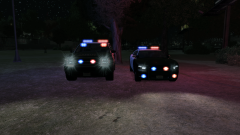 Nope, still V7. I am not a tester. However, V8 is going to be a drop-and-play replacement - no need to change configs or other stuff.
 -
-
From the album: Skins
https://www.youtube.com/watch?v=hAw98TXGQnI -
-
-
Just so you guys know, I have finished the Granger. I should have some screens shoon. The pack is going to contain: Vapid Stanier (LED bar and slicktop for sure, maybe MX-7000 too, I don't know yet) Buffalo 2nd gen (LED, and slicktop, no Arjent) Granger SWB (same as above) Fugitive (same as above) And maybe (MAYBE) an Interceptor with LED and LSSD liveries.
- 31 comments
- 4 reviews
-
-
-
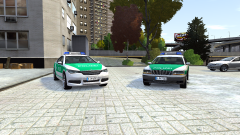
From the album: Skins
Almost ready for release! -
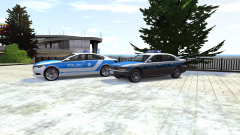
From the album: Skins
Almost ready for release! -
GTA V Cheval Fugitive converted by cromchen, mapped and modified to a LSPD version by me using parts by F5544 and Lt.Caine. There are two versions - one with default GTA V lightbar and one with FS Arjent by F5544. There are 4 LSPD skins with different numbers included in the .wtd (no LSSD this time, sorry!). I feel like this should be the LSPD main police car instead of the Police Interceptor, seeing as Fugitive is GTA's Caprice, and Interceptor is a Ford lookalike, and LAPD uses Caprices. Recommended handling: POLICE 1903.0 0.29 85 0.0 0.15 -0.3 0.0 4 0.2 1.0 220 0.5 0.55 0.7 35.0 1.65 0.8 12.0 0.11 0.47 2.7 2.3 2.3 0.09 -0.07 0.025 0.44 2.0 1.0 0.6 0.90 0.0 25000 400010 0 0 (by Sgt.Kanyo) -------------------------------------- Installation: - Use OpenIV to replace the corresponding files within vehicles.img with the .wft and .wtd files provided in this package. - Open the vehicles.ide file in your Grand Theft Auto IVcommondata folder, find the lines beginning with the names of the appropriate models, and at the end of those lines add +livery. -------------------------------------- This download is exclusive to LCPDFR.com. Model provided unlocked - there is no need for my permission when fair credit is given to me and other authors. Made by Rockstar Games, cromchen, F5544, Lt.Caine, Yard1, Murphy
- 31 comments
- 4 reviews
-
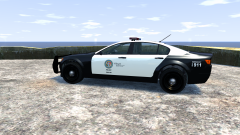 Unmarked version is a good idea - I am going to make it soon.
 -
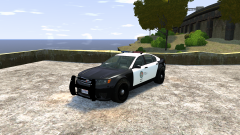 Yep, it is going to be non-els :)