


Yard1
Friends of LSPDFR
-
Joined
-
Last visited
Everything posted by Yard1
-
I am going to update all of my models to ELS after Lt.Caine fixes the door bug and god mode (and that is soon, I hope :D )
- 17 comments
- 2 reviews
-
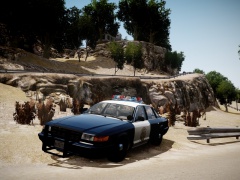 I see it works then :D
 -
-
A shorter version of an original GTA V Granger modified by Thundersmacker and DLer. I have mapped it and modified to slicktop/unmarked version. Plates by Abraxas, slightly modified by DLer. There is an extra low-key NOOSE skin included in the archive, made by me using Abraxas's source files. I recommend to put this file in an 8 or 6 lights slot (every slot except for FBI slot, which only permits 4 lights - it looks bad). -------------------------------------- Installation: - Use OpenIV to replace the corresponding files within vehicles.img with the .wft and .wtd files provided in this package. - Open the vehicles.ide file in your Grand Theft Auto IVcommondata folder, find the lines beginning with the names of the appropriate models, and at the end of those lines add +livery. -------------------------------------- This download is exclusive to LCPDFR.com. Model provided unlocked - there is no need for my permission when fair credit is given to me and other authors. Made by Rockstar Games, m4k3, Yohsuke, SkylineGTRFreak, Thundersmacker, DLer, Lt.Caine, Sam, Abraxas, Yard1
- 17 comments
- 2 reviews
-
Happy birthday bud!
-
-
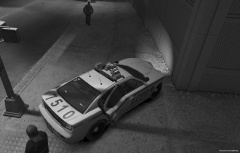 I have seen what this can do. It blew me away!
 -
You are going to need OpenIV to extract stuff. If you want to edit textures, get GIMP, paint.net or Photoshop.
-
No it's not. I have said many times that I am not making ELS mods. Please check the info box on the right, it clearly says ELS Compatibility: Non ELS.
- 14 comments
- 2 reviews
-
-
-
A pack of 1st generation and 2nd (GTA V) generation Buffaloes in SAHP setups. There are two versions - one with Whelen Liberty and the other one with FS Vision. There are extra white skins included (4 per generation). All Buffaloes have a 50% chance to spawn with a Go Rhino pushbar. Original livery design by Ekalb. 1st generation: Compatible with any of Ekalb's Buffaloes' textures 2nd generation: Compatible with Buffalo 2 Vector-Type (ELS) R01 (BUF2 V1.8) (by Lt.Caine) textures -------------------------------------- Installation: - Use OpenIV to replace the corresponding files within vehicles.img with the .wft and .wtd files provided in this package. - Open the vehicles.ide file in your Grand Theft Auto IVcommondata folder, find the lines beginning with the names of the appropriate models, and at the end of those lines add +livery. -------------------------------------- This download is exclusive to LCPDFR.com. Model provided unlocked - there is no need for my permission when fair credit is given to me and other authors. Huge thanks to ineseri for beta testing and screenshots. Made by Rockstar Games, m4k3, Yohsuke, SkylineGTRFreak, Lt.Caine, Sam, Ekalb, PFCBarefoot, EVI, F5544 Edited by Yard1
- 14 comments
- 2 reviews
-
-

- 1
-
-
MODERATOR NOTICE Topic belongs to Development Suggestions & Requests, moving.
-
You can use cp702 traffic spawner mod to spawn different vehicles with different peds. They will spawn all over the map and you can't change it though.
-
How many LE agencies are there in LC? Jk, nice work! Keep it up.
-
-
As far I know, most of the GTA V cars are unlocked. (I release all my mods unlocked)
-
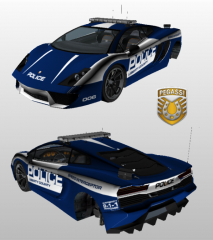 If you want to redo it, I am using a new way of mapping things and it works wonders. Much faster and bug and orphaned polygons free. PM me for details :)
 -
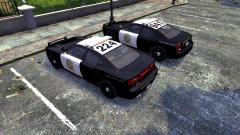 Butbutbut I like the bumper on the second generation one :(
 -
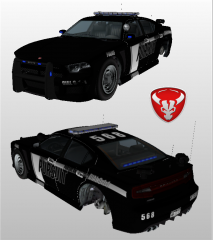 Sam's bug-less ELS (corona-based) he was working on.
 -
From the album: Skins
1st gen and 2nd gen :) -
MODERATOR NOTICE Topic belongs to GTA IV Support, moving.
-
MODERATOR NOTICE Topic belongs to Development Suggestions & Requests, moving.
-
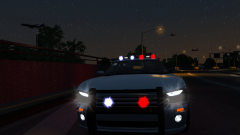 Icon, I have been using them for god knows how long and I will keep using them :) They are awesome!
 -
From the album: Skins

