


Yard1
Friends of LSPDFR
-
Joined
-
Last visited
Everything posted by Yard1
-
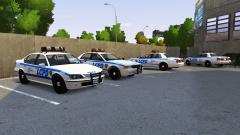 I've been thinking about putting the FS Vision on all vanilla models and releasing it as a huge pack. I might do it, it's going to be very easy.
 -
Yep, laugh all you want. At least it doesn't lag when I play games :D
-
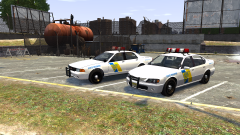
From the album: New fleet!
-
-
ADSP Vapid Stanier & Declasse Merit
-
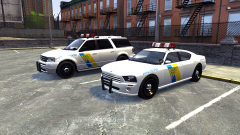 ADSP Dundreary Landstalker & Bravado Buffalo
-
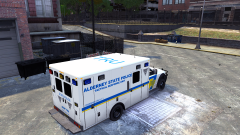 ADSP TRU Vapid L-350
-
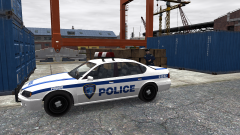 LCPA PAPD Declasse Merit
-
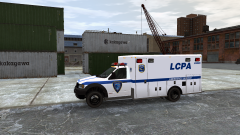 LCPA PAPD ESU Vapid L-350
-
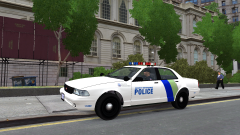 NOOSE Security Enforcement Police Vapid Stanier
-
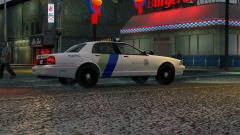 NOOSE UTP Vapid Stanier
-
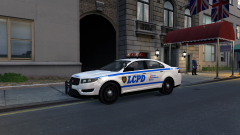 LCPD Vapid Interceptor
-
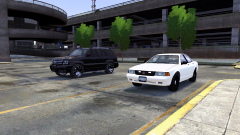 Unmarked Cavalcade & Stanier
-
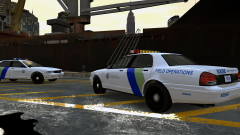 NOOSE PIA Vapid Staniers
-
LCPD Declasse Merit & Vapid Staniers 2nd gen
-
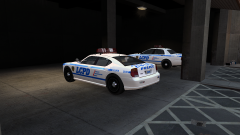 LCPD Bravado Buffalo
-
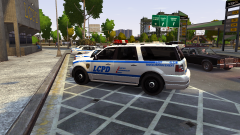 LCPD Dundreary Landstalker
-
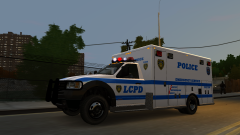 LCPD ESU Vapid L-350
-
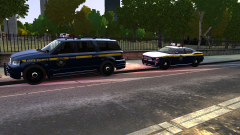 NLSP Traffic Stop
-
-
From the album: New fleet!
-
-
From the album: New fleet!
-
From the album: New fleet!
-
Um... there is nothing to release. The Stanier is by Sam and Caine, and the Merit is made by Ekalb (private) to resemble Caine's one (has the same template). All skins are made by Caine.
-
From the album: New fleet!
-
-
-
From the album: New fleet!
-
From the album: New fleet!
-
http://gtapolicemods.com/downloads.php?do=file&id=495 You gotta search for the skin though (it's somewhere in GPM forums).
-
I did not make the model - it's by Lt.Caine, and the skin is an edited one from GPM (can't remember the author). Also it's locked :(
-
> > >
-
From the album: New fleet!
-
-
From the album: New fleet!
-
From the album: New fleet!
-
-
-
-
I don't want to spoil too much, but it is indeed ELS (LMS found a way and Lt.Caine is implementing it).
- 17 comments
- 2 reviews

