


Yard1
Friends of LSPDFR
-
Joined
-
Last visited
Everything posted by Yard1
-
-
-
-
Also check out: FUGITIVE SUPPORTS 4 LIVERIES, YOU HAVE TO IMPORT THEM THEMSELVES! A pack of GTA V vehicles modified into LSPD ELS versions. This pack includes: Bravado Buffalo 2nd Generation Cheval Fugitive Granger 3000X (SWB) Vapid Interceptor Vapid Stanier Cruiser BONUS - SA license plates for civilian vehicles Every car is ELSv8 optimized. ELS VCF (vehicle configuration files) are included for every car. Refer to ELS v8 User Guide for more information. Every car comes in regular (GTA V lightbar) and slicktop variants. All of the cars except the Fugitive have extra LSSD and LSSD Black & White skins. This is my first major ELS mod, and because of that, bugs may be present. Please let me know if you find any. If you want to change the color of the lights, edit lights.dds texture found in a car's .wtd file. I tried to recreate the lighting setups from GTA V, and due to that no secondary or warning lights are present. Wig-wags are configured and working. Non-ELS versions are released separately. -------------------------------------- Installation: - Use OpenIV to replace the corresponding files within vehicles.img with the .wft and .wtd files provided in this package. - Open the vehicles.ide file in your Grand Theft Auto IVcommondata folder, find the lines beginning with the names of the appropriate models, and at the end of those lines add +livery. - Enable the replaced models in _SLOTCONTROL.ini file using the provided ELS configuration -------------------------------------- This download is exclusive to LCPDFR.com. Model provided unlocked - there is no need for my permission when fair credit is given to me and other authors. Made by Rockstar Games, m4k3, Yohsuke, SkylineGTRFreak, Lt.Caine, F5544, Sam, DLer, Thundersmacker Screenshots by Reibu
- 89 comments
- 29 reviews
-
-

- 1
-
-
It was only possible to fix the door bug/god mode bug thanks to AdvancedHook, and the only ELS version that uses it is ELSv8.
-
Don't use .com. Just don't. All of their mods are stolen. Link to gta4-mods, lcpdfr.com, gtainside, gtapolicemods, any other reputable site, not sites like . Please.
-
-
Wasn't that an Onion joke? Oh yeah: http://www.theepochtimes.com/n3/383963-nypd-stop-and-kiss-article-isnt-real-satire-from-the-onion-fools-many/ Move along people, there is nothing to see here!
-
Coffee is the only beverage I drink while playing, but when I am thirsty I have a little break for some water.
-
It all depends on the computer, really. If I were to use a ped with 2048x2048 textures, I'd crash like hell.
- 12 comments
- 4 reviews
-
Just so you know, the high texture resolutions are going to reduce your performance and stability. I'd personally not increase it above 512x512, the game is not designed to work with bigger resolutions.
- 12 comments
- 4 reviews
-
You should make a version with the same red as the original textures, it is still going to look better. If you want to use my peds, shoot me a PM :)
- 13 comments
- 2 reviews
-
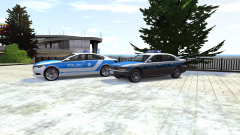 Because I only make lore-friendly mods :( And this has not been ever made before, while Mercs and VW have.
 -
Yeah, sorry, I meant to release the LCPD version yesterday, but I won't be able to before 5th may.
- 31 comments
- 4 reviews
-
There is also another way presented in that thread involving SMAA.
-
'?do=embed' frameborder='0' data-embedContent>>
-
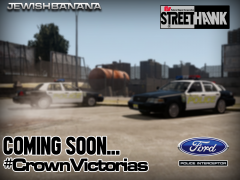 Hehehehe You've finally made this pic :D
 -
-
-
If you change the coronas it will also change the lights.
-
-
-
-
-
The model WITHOUT the light bar is unlocked, the model with light bar is locked.
- 10 comments
- 4 reviews

