




TrentMU
Insiders
-
Joined
Everything posted by TrentMU
-
 Damn this looks amazing!
 -
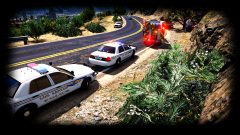
From the album: My GTA V Fleet
Why speeding in LS isn't a good idea, You'll end up in a tree. Not sure if you can tell but I made the white skins a tad more darker not by much so it isn't super bright in the sun and it is coming along well. Hopefully by the end of the weekend I will have some models to go along with these :D -
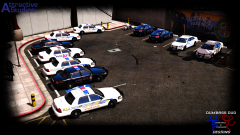
From the album: My GTA V Fleet
This isn't even half the skins I have done, I was just testing these to see how they look in game again. I might even go so extreme to make the patrol units have different numbers on-top of the 7 skins the CVPI already has. Maybe 15 skins per vehicle? -
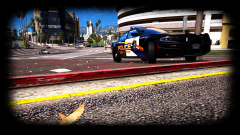
From the album: My GTA V Fleet
2015 lovin' the city. car by thegreathahahahaha skin by getinmybellyz -
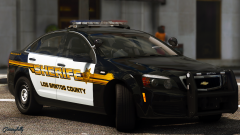 That didn't take you long to make we were just talking about it last night lol
 -
That's pretty badass not gonna lie.
-

From the album: My GTA V Fleet
LSFDs new engine spotted at the beach! **Ignore the green reflection on the Tahoe, It's the sun lol** -
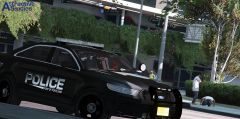 Moist
Moist -
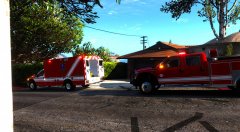 Ooo, I see something I get to test today :P
 -
 I am a tester and screenshot guy for downcoldkiller who out it togther. No, I didn't pay anything, I don't pay to get someone to send me a model.
 -
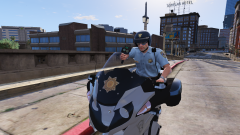 Actually curious to see how this will work! Keep it up
 -
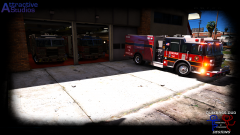
From the album: My GTA V Fleet
Well, LSFD is testing out a new theme on the their engines. Black and red style! -
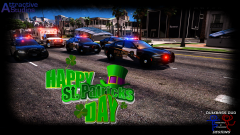
From the album: My GTA V Fleet
LSPD, LSEMS and LSFD preparing to get all together to start the parade! -
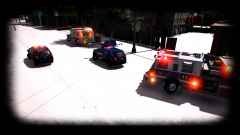
From the album: My GTA V Fleet
Why you don't drive fast in the snow -

From the album: My GTA V Fleet
Los Santos EMS and FD rolling code to a call! -
From the album: My GTA V Fleet
Wee- Woo- Wee-Woo-Honk Honk_ Dat Pierce doe. Coming soon -
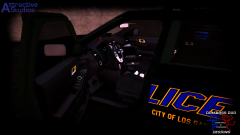
From the album: My GTA V Fleet
Still have a ton to do with textures and parts and all that jazz. Sneaky Peaky of the FPIU :P -
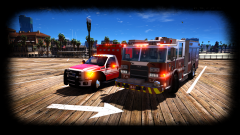 I didn't make it, I am testing it out for my buddy but from what I hear it should be released within the week!
 -
A lot of people use FiveReborn/FiveM. It's perfectly fine to use.
-
Try looking for the 24in, That runs cheaper and should knock off atleast an extra 100$. When I bought mine for a 27" it was 150$ more.
-
https://www.amazon.com/gp/product/B01IOO4SGK/ref=oh_aui_detailpage_o03_s00?ie=UTF8&psc=1 I actually bought this one for 320$ a week or so ago, price went up a ton so guess its in high demand or something. Mine has G-Snyc and 144Mhz refresh and is easily overclocked to 165. I even went used on it and the only little damaged part that saved me 100$ was a small scratch on the corner of the screen which you don't even notice.
-
From the album: My GTA V Fleet
Wet -
That's pretty decent, I don't think you will need a 165Hz monitor unless you are doing some FPS too but that should run V without an issue. 1440p is life.
-
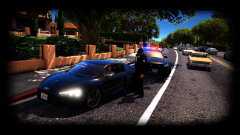
From the album: My GTA V Fleet
Speedy Gonzalez decided to take out his Audi today. Earned himself a nice ticket doing so. -
Yassss, New belts!


