




TrentMU
Insiders
-
Joined
Everything posted by TrentMU
-
-
 Decided to test this out and say this has potential. While this modification is still a WIP and not finalized, it works as intended. Simple to use, no crazy bugs and works great with PR. As someone who likes to use in-game MDT's more than Alt-Tabbing or Steam overlay, this is a really good substitute for those who are looking for an in-game ready MDT system. Look forward to seeing what improves and implementations are added in future updates.
- 296 comments
- 18 reviews
-
-

- 1
-
Another fantastic update from the LSPDFR Team! Loving the new changes and implements to help users like myself navigate the sections. Downloads will be a game changer with the additional filters now we have.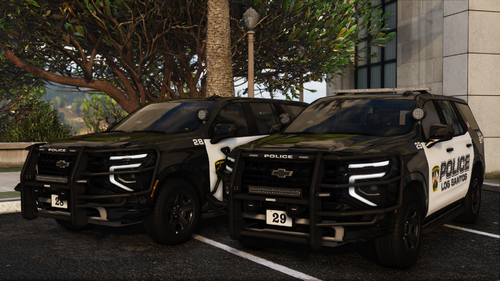 One of the best packs I've used. Great work jank, glad to see you added even more vehicles to this!
- 45 comments
- 7 reviews
-
-
- 2
-
Reviving a dead thread to use again! Started posting again a bit on YouTube featuring some of my modifications (Emergency Vehicles and Real Traffic Mod). Latest episode with the latest build https://www.youtube.com/watch?v=r_qY7YiJFmE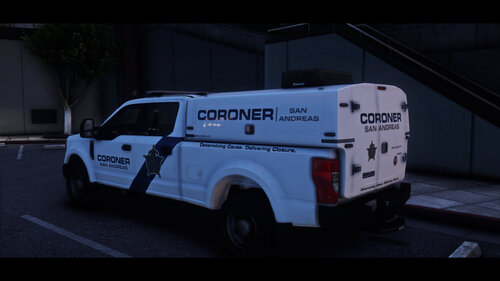 Pasted content
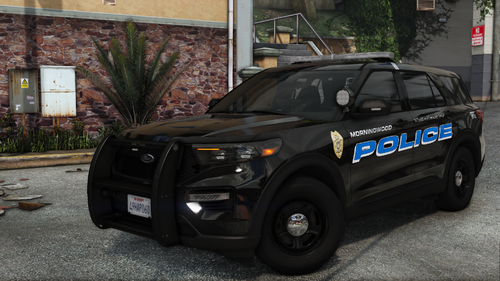
 For someone like myself who doesn't want to run 100 plugins to play LSPDFR, this mod is one that was installed and hasn't even been a thought to get rid of the past few months. All the controls and setups like UB and STP into one mod plus more makes it a great experience. I look forward to future updates and progression of this mod and have been recommending it to everyone.
- 708 comments
- 49 reviews
-
-
- 1
-









Account
Navigation
Search
Configure browser push notifications
Chrome (Android)
- Tap the lock icon next to the address bar.
- Tap Permissions → Notifications.
- Adjust your preference.
Chrome (Desktop)
- Click the padlock icon in the address bar.
- Select Site settings.
- Find Notifications and adjust your preference.
Safari (iOS 16.4+)
- Ensure the site is installed via Add to Home Screen.
- Open Settings App → Notifications.
- Find your app name and adjust your preference.
Safari (macOS)
- Go to Safari → Preferences.
- Click the Websites tab.
- Select Notifications in the sidebar.
- Find this website and adjust your preference.
Edge (Android)
- Tap the lock icon next to the address bar.
- Tap Permissions.
- Find Notifications and adjust your preference.
Edge (Desktop)
- Click the padlock icon in the address bar.
- Click Permissions for this site.
- Find Notifications and adjust your preference.
Firefox (Android)
- Go to Settings → Site permissions.
- Tap Notifications.
- Find this site in the list and adjust your preference.
Firefox (Desktop)
- Open Firefox Settings.
- Search for Notifications.
- Find this site in the list and adjust your preference.