



TrentMU
Insiders
-
Joined
Everything posted by TrentMU
-
Job, or ask for money for Christmas and birthday from your family or even ask a new computer for Christmas.
-
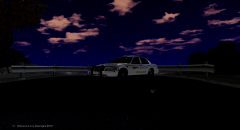
From the album: My Fleet
Well, I decided to try out some ENB's and I found that I am liking Game4Video's ENB best so far. Skin was done by JSDGraphics on my personal request(He made this years ago for me). Tell me what you guys think! -
Quick question, how do I make the coronas flash in Game4Videos ENB? I usually like having the reverse lights and front indicators flashing but with the ENB you just see it flashing on the ground. Anyway to fix it? https://www.youtube.com/watch?v=OJpBpdtBXmQ This is what it does with all ENBs I install.
-
Well damn, we tried to make him have some confidence you just shut him straight down, but agreed
- 28 comments
- 3 reviews
-
-

- 2
-
-
-
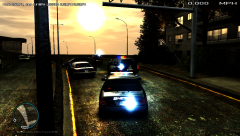
From the album: My Fleet
I know this isn't my Boise cars but, LCSD Deputies out on a single vehicle MVA. PS.......I don't have an ENB in, I edit the Time and Weather with Real Time Sync, then I changed 1 thing in Paint.Net(Yes I use it to skin) and made this. -
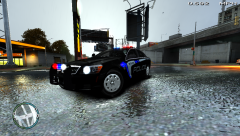 Cars on Modification Universe, skins are still a WIP.
 -
From the album: My Fleet
Boise Caprice Rollin Code **Caprice is by XBR410 and is released on Modification Universe** -
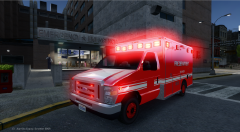 Damn that is sexy.
 -
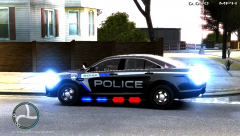 Yea I just did a quick skin on this, I am still in the process of fixing and making them all. I am no where near done with any skins yet these are just mini previews.
 -
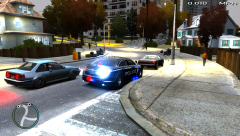
From the album: My Fleet
Boise Police out on a Traffic Stop in the projects. Taurus is by XBR410 and is not released. -
From the album: My Fleet
I know Boise doesn't use Taurus(From what I saw they don't) but this Taurus is to good to leave out. Taurus is by XBR410 and is not released. -
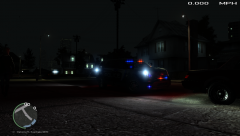
From the album: My Fleet
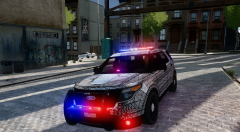
Boise Police Explorer on a early morning traffic stop. -
 That looks pretty amazing, I still have some stuff I need to do with mine, I need to fix up some striping and re-position some of the logos and resize. I am hoping to have the some cars made for my skin pack too!
 -
 This does look pretty nice, probably gonna use it once it is released.
 -
From the album: My Fleet
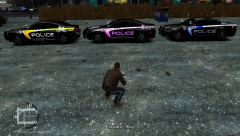
Few of my Boise Police Charger skins I made. Includes -Boise Patrol -Boise Breast Cancer Awareness -Boise Cycling Safety Awareness I also have the old Crown Vic Design, New Design on a Vic, Taurus and Explorer Version. Tell me what you think! -
I decided to re-install 1.0 after playing with .95RC2 with ELS 8 and when I install 1.0 I crash about 10 seconds loading. I tried taking out the AdvancedHook file but then ELS 8 wont run and I get the failed LCPDFR loading error. My NET Framework is 4.5 or higher and my C++ is update to date. Here is what I get in the script log in game. Hopefully someone can help me out, it works fine with .95. I did have 1.0 working perfect on my computer now it doesn't want too.
-
 It's amazing the only thing is I crash in about 5 minutes. All my ELS 7 stuff is out, other than that great work.
- 534 comments
- 206 reviews
-
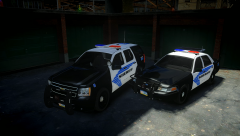 Wow I love that rambar with lights. ((CVPI)) that is sexy
 -
Hey its the Clay County sheriff skin I been trying to make for months now. Great work!
- 4 comments
- 2 reviews
-
-
- 1
-
-
Hello community, I got a new laptop which is a Windows 8 one and I noticed the keys for a pull over are F10-12 and also to call back up. Well, when I hit it it doesn't work in game it just changed what it does to my laptop(Like turn up the volume). Is there a way I can edit this or does anyone else who has a windows 8 laptop know how to turn off the hotkeys?

