
TrentMU
Insiders
-
Joined
Everything posted by TrentMU
-
-
Hot damn those are some sexy ass cars Venice has
-
Google and the search bar is your friend.
-
He apparently met the love of his life so he went to focus on that.
-
-
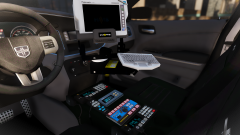 My console so perdyyyy
 -
 Well, I found what I am throwing in all my cars now!
 -
-
-
Siren Mastery is its own plugin, You don't need Siren Mastery to have modded sirens, just download sirens that use the default GTA vehicles.awc
-
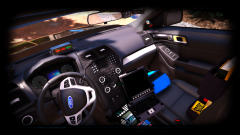 Hurk converted it for me and FRGamer. Technically my model and interior lol
 -
From the album: My GTA V Fleet
Well, decided to do up some more with my FPIU, Still gotta fix up stuff and recolor a few things but damnzz -
Hot damn dignity damn
-
No they do not work with ELS, So you need to either find ELS vehicles or not use ELS when using these.
-

From the album: My GTA V Fleet
oldie but goldie -
Def a interesting look and design to them.
-
-
 I like that design
 -

From the album: My GTA V Fleet
then to make some suppa. Still gotta fix a few textures but damnz, What a sexy console. -
True we should end it here before we start an AMD vs Intel war on this poor mans topic haha
-
I do agree that Ryzen is not opt. for gaming BUT, With updates it will have its gonna be the new processor type for games in the future. I have a 1800x OC to 4.0, Doesn't show much performance but with running the newest tech for PCs, It's gonna easier to upgrade in the future with AM4 sockets and parts.
-
 Ooo, I like those ALPR mounts!
 -

From the album: My GTA V Fleet
Well, a 16 FPIU with just the rambar spotted outside the Sandy Shores station. New scheme, new style, new equipment. Stay tuned.... -
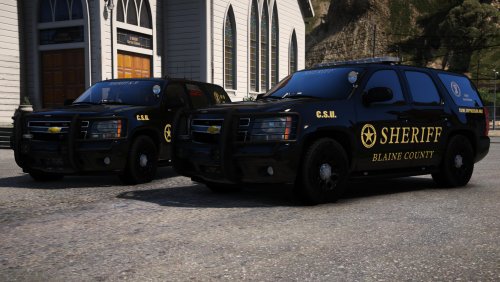 Even though it says 5 Stars. 1 star because you teased me everyday on skype and I sad about that :(. BUT DAYMNNN BILLYY
- 59 comments
- 42 reviews
-
-

- 2
-
-
Oh snap, this is what you were talking about :O