




Dozel
Members
-
Joined
-
Last visited
Everything posted by Dozel
-
Update LSPDFR
-
Try to update LSPDFR. This issue is caused by outdated memory patterns that no longer match the current game version. Neither you should update your GTAV or LSPDFR.
-
Dude. Download license version of GTAV lol. Mods not supported by piracy copy of the game. [12/30/2023 4:41:34 PM.739] LSPD First Response: [TRACE] ExpandableFileParser::Parse: Reading content from file:C:/Users/evand/Downloads/Grand Theft Auto V.Rockstar-Rip [=nemos=]/Grand Theft Auto V/lspdfr/data/custom/outfits_bcso_eup.xml
-
It means for some reason that oiv file is corrupt. I really don't know why. Did you download new one this morning? I tried yesterday it was perfectly fine.
-
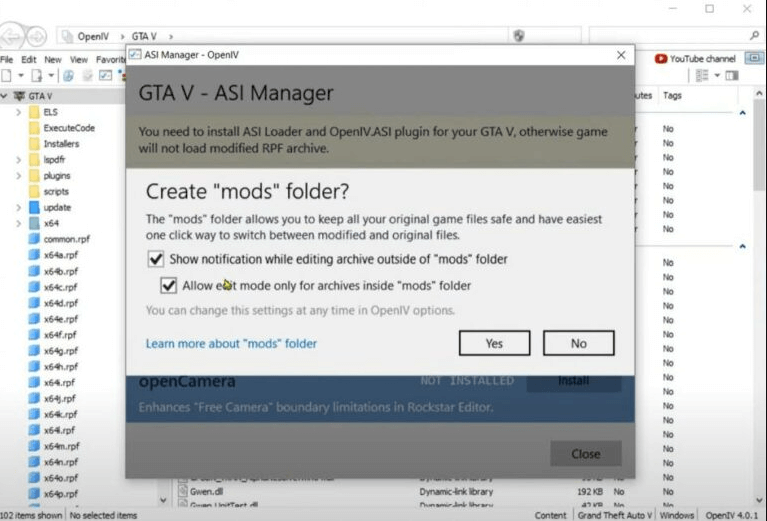
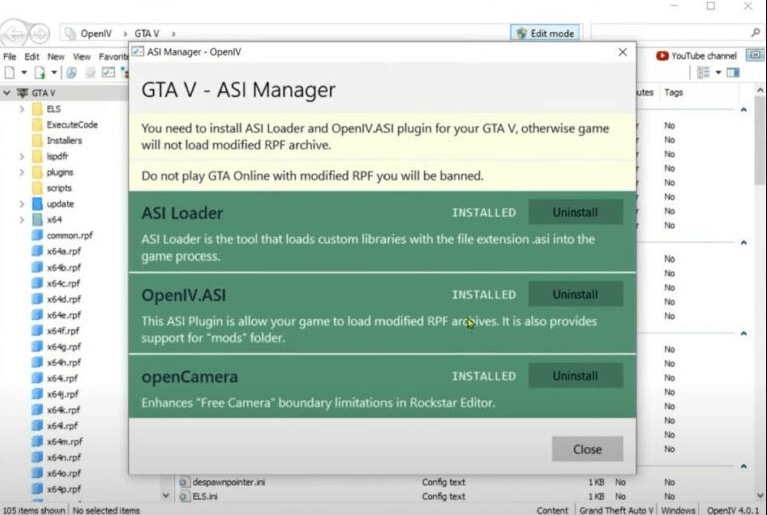
To make mods folder work you should install ASI plugins through OpenIV. I'm as well think that your crash happens because of no gameconfig installed.
-
Well I think you have to go through the installed mods one-by-one to check which one causing crash. Maybe you just install some one incorrectly.
-
Try something like this <LosSantosCity> <Agency>lspd</Agency> </LosSantosCity> <LosSantosCounty> <Agency>lspd</Agency> </LosSantosCounty> <LosSantosCity> <Agency>lssd</Agency> </LosSantosCity> <LosSantosCounty> <Agency>lssd</Agency> </LosSantosCounty>
-
Did you install gameconfig, packfile limit adjust and heap adjuster? If yes, disable mods folder by renaming it like _mods, and try to load game.
-
Try to update LSPDFR.
-
Can you open oiv file with Winrar?
-
So it seems something wrong with archive, it could be damadged, download it properly and fully from EUP page. And I just understand there is no manual installetion. Only oiv and LML ways. Make sure you have latest OpenIV, if not so, reinstall it. OpenIV site is working now, so you can find fresh version there. After installing OpenIV, install ASI things, and then download fresh oiv EUP archive, make sure it's gonna download fully. To make sure that archive is good and not damadged just try to open it with Winrar.
-
Лучше установи через oiv, как я сказал, сначала установи все ASI шутки в OpenIV.
-
У тебя нет update.rpf? или dlclist?
-
У тебя Ai такие, потому что нет самой формы установленной. Тебе надо установить пак. Попробуй как советует @Pacific Creations , установи вручную.
-
И сделай то, что тебе посоветовал @Pacific Creations, установи эти вещи: Ну или продолжи устанавливать ручным способом, но в любом случае установи ASI штуки из OpenIV
-
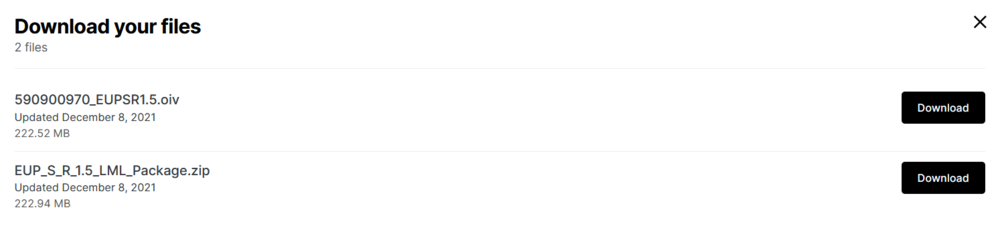
у тебя нет oiv? Он отдельно качается с сайта, там при скачивании у тебя даётся выбор, скачать архив с ручной установкой, или oiv файл.
-
У самой EUP есть 2 версии установки, ручная и автоматическая с помощью oiv файла, если ты использовал ручную, то папку с формой EUP нужно вручную добавлять в dlclist в update.rpf Для Serve & Rescue такой же принцип установки, есть ручная и автоматическая с помощью oiv файла. Если ты говоришь конкретно о EUP Menu, то его надо кидать в папку Plugins. Если проблема с тем, что у Ai копов нет этой униформы, то тебе надо установить конфиг либо этот, либо этот, советую поставить без addon машин. Для Ultimate Backup там свой конфиг, насколько я знаю есть только для платной patreon версии. --------------------------------------------------------------------- EUP itself has 2 versions of installation, manual and automatic with oiv file, if you used manual, then the folder with the EUP outfit must be manually added to the dlclist in update.rpf For Serve & Rescue the installation principle is the same, there is manual and automatic with oiv file. If you are talking specifically about the EUP Menu, ypu should put it into the Plugins folder. If the problem with the fact that Ai cops do not have this uniform, then you need to install the config either this or this, I advise you to put without addon cars. For Ultimate Backup there is its own config, as far as I know there is only for the paid patreon version.
-
EUP itself yes, it could be installed via OpenIV
-
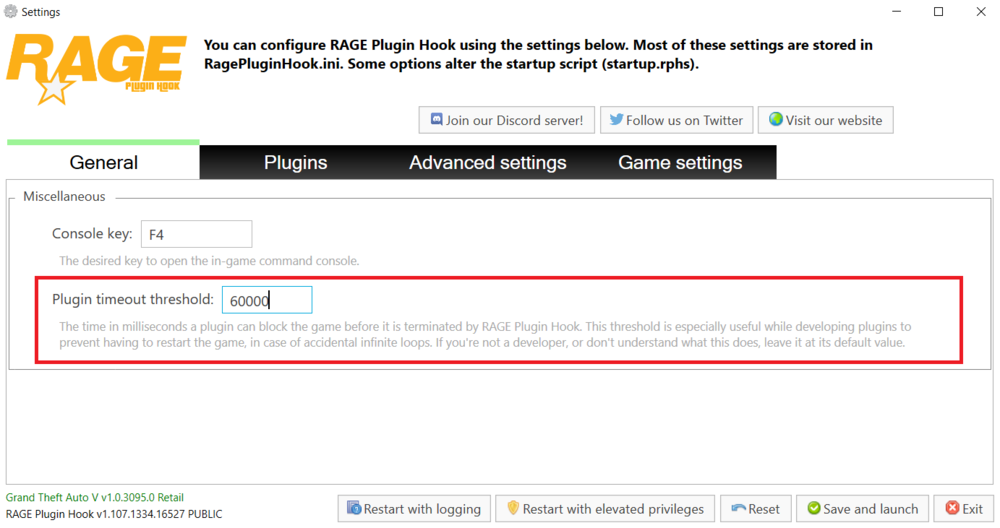
Uhm, try to increase Plugin Timeout Threshold to 60000 in RPH settings, if it doesn't help, attach your RagePluginHook.log from main game directory.
-
I think it should be in lspdfr.ini file.
-
Glad you figure it out.
-
Well I'm not saying Simple Trainer not stable. For me it was really sad that in 15.5 version not working snow with Chop Shop DLC. So yeah, it's totally depends on personal preferences.
-
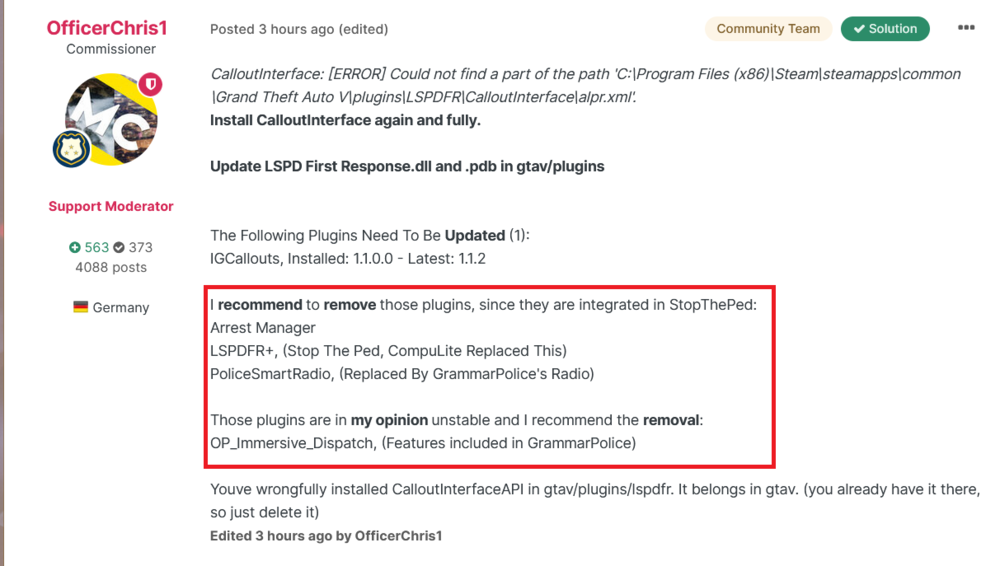
I think you should still take his advice. And I recommend to remove Traffic Policer as well. If you really need it, fully reinstall in from here.
-
For now, while Simple Trainer wasn't updated, it's good to use Rampage trainer, there is even snow working, lol.
-
And if it does work, make sure you have installed latest gameconfig.




