




Murphy
Members
-
Joined
Everything posted by Murphy
-
 You're definitely right with that one. :P The only reason why I haven't made that plate is because it appeared as white in the mission. Perhaps I'll make the plate livery-enabled.
 -
 Indeed, but that's with new wheels. The initial release still has the same issue, as far as I'm aware of.
 -
I'll do my best to keep you and others posted, Blacklist! :)
-
Looks great, but the Fugitive's rear wheels look a little too far inward. Try pulling them out a little. Do the same to the front wheels, if necessary.
-
Please let me know of any thoughts or suggestions you might have as I work on this! :) NOTE: All suggestions will be considered, but I may not necessarily change the model or any of its textures based on them.
-
 Please let me know of any thoughts or suggestions you might have as I work on this! :) NOTE: All suggestions will be considered, but I may not necessarily change the model or any of its textures based on them.
 -
 *UPDATE: See my WIP gallery for more photos! >Murphy's WIP Gallery
 -
From the album: Murphy's WIP Gallery
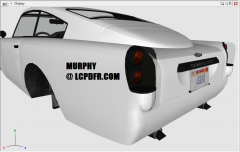
This progress image shows a replica of the "4GENT" plate on the JB700 in GTA V. I made this texture using pictures from GTA V, GTA Online, and the GTA V iOS app (which allows the player to create a custom GTA Online plate). The unused James Bond bullet-proof shield in the back that I mentioned in another update can be seen in this view. Here is what it will look similar to: -
From the album: Murphy's WIP Gallery
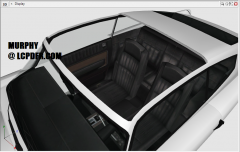
The conversion of the JB700 I'm doing will feature the roof as an extra component! This will be a nice feature for potential scripters who want to do an ejector seat mod! The unused James Bond bullet-proof shield in the back of the car will also be deployable, as in the James Bond films! It's a mystery why Rockstar modeled the parts on the car for the shield, but never made it function in-game. Here is what it will look similar to: Spoiler -
Lol. :P That comment just made my day! :) I'll try to keep everyone posted as it progresses.
-
From the album: Murphy's GTA IV mods
YOU SAW IT HERE FIRST! This highly anticipated car is coming soon for Grand Theft Auto IV!... Can you guess which one it is? This is a WIP picture of the model. There are more to come! Special thanks to trewq34 for extracting the model(s) and textures from V. Full conversion, collisions, texture editing, and modeling by: Murphy P.S. If you haven't guessed already, here's a hint: -
Lol. :P As I said, that was the solution for me. If they are completely frozen and don't react to anything, I would look into what mods you've installed and/or try the LCPD:FR mod on a completely vanilla installation (if possible) and see if there are any differences.
-
I think your problem is slightly different than the one being described here. From what I've read, it seems Senatov pulls up and they then start moving around and shooting. I've had the problem you're describing, where they just don't move at all. The solution for me was to add more RAM to my computer. I originally had 4 GB of ram and upgraded to 8 GB, solving the issue.
-
As GreenAid said, could you post another picture, or point out what looks different than what you expected? From the image, I can't tell that there's anything wrong. It looks fine to me.
-
That's quite a hefty request, and would probably require a team to complete such a task; however, if you haven't heard about it already, Los Santos is already being converted to IV: GTA ViIV
-
-
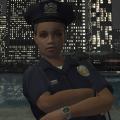 Nice work! Is that the actual LCPD Police Station I spot in two of the screenshots? Could it be a foreshadowing of something?... :P
- 52 comments
- 14 reviews
-
Wow, I really want to try this! Thanks for sharing
-
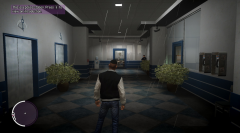 CryENB has this problem.. I don't know why. Perhaps report this to Fabriciuz
 -
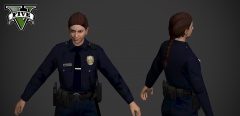 Mildly creepy facial expression. :P
 -
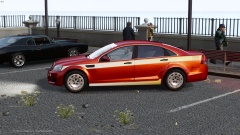 Looks great! Keep up the good work. :)
 -
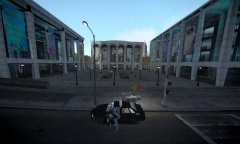 Thanks, man. :) It took 2-3 hours alone just to get the config the way I wanted it
 -
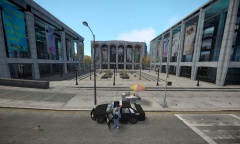 It's located on Galveston Avenue. The game calls it the "Randolf Art Center", parodying Lincoln Center in NYC. http://gta.wikia.com/Randolf_Art_Center Also, thanks for the compliment on the photo! Thanks, Vertex3D for posting that comment in my abscence. :)
 -
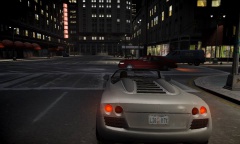
From the album: Murphy's ENB
Custom configuration and visualSettings.dat by Murphy for CryENB V1 by Fabriciuz Edits to CryENB by Murphy include: - Brighter night time - Less bright day time - Reduced sun flare on screen - Less-saturated colors - Mid-End optimization - GTA V style brake-light corona lighting -
This album contains screenshots of Murphy's custom configuration and visualSettings.dat for Fabriciuz's CryENB V1 mod. Edits to CryENB by Murphy include: - Brighter night time - Less bright day time - Reduced sun flare on screen - Less-saturated colors - Mid-End optimization - GTA V style brake-light corona lighting
-
Timelapse - Murphy's ENB --> Morning
-
Timelapse - Murphy's ENB --> Noon
-
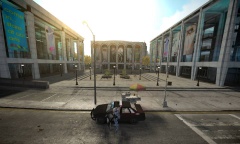 Timelapse - Murphy's ENB --> Afternoon
-
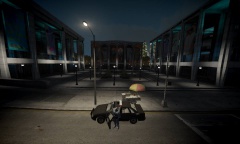 Timelapse - Murphy's ENB --> Evening
-
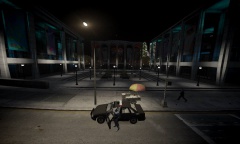 Timelapse - Murphy's ENB --> Night
-
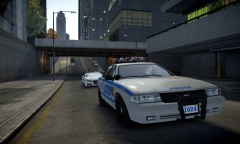 Morning patrol
-
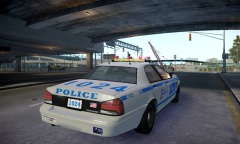 Morning patrol
-
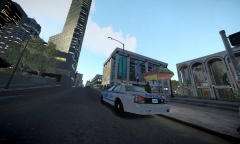 LCPD at the Randolf Art Center
-
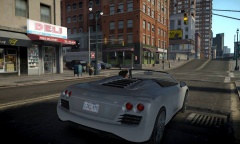 Afternoon Cruise
-
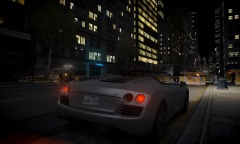 Night time lighting
-
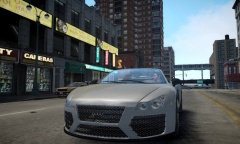 Morning drive
-
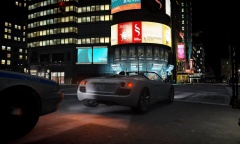 Waiting at the light
-
 Night time - low beams
-

