




Murphy
Members
-
Joined
Everything posted by Murphy
-
 Cool! You don't see too many of that spec anymore. At least not where I'm from. ;)
 -
I don't know how to set up ELS vehicles, especially since I don't use it. Therefore, there probably won't be one until further notice. It should also be optimized to replace any police car in game of your choice. OCP uniforms are definitely something I am looking forward to. I may make some reskins, if I get the time. ;)
-
Thank you. :) I also wanted someone to make one of these for a very long time, but no one did.. I came to the conclusion that I would want his cruiser to patrol in LCPDFR 1.0, so I went ahead and made one.
-
From the album: Murphy's GTA IV mods
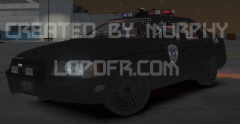
The following is the first and [currently] the only model of the Robocop 1 Taurus OCP cruiser in the world. It is also [currently] the only one created for GTA IV. This was fully modeled by Murphy for 1.5 months. All parts have been scratch modeled other than the chassis from the Solair, the wheels from the Hakumai, and the siren. [all parts have been modified] Model is ELS and non-ELS enabled. Credits: - Ekalb --> Tutorial on how to make liveries - EVI --> Information on Vertex painting - Bxbugs123/Trooper Dashie --> Whelen Edge 9000 Lightbar model [converted to non-ELS by Murphy] MOD STATUS: PRIVATE VIDEO: -
I myself kind of like it sometimes. I would appreciate it if it was made optional so we can preset whether if we want it or not in the .ini file.
-
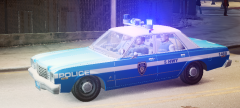 Wow, this is beautiful! My grandfather had a later model of the Aspen, I think. Never was a bad looking car. ;) I agree with FCV96 though, red lighting would look a little nicer.
 -
It is indeed a dummy/node that is off-center. This can be fixed by using a combination of methods. If you're using Zmodeler, some possible solutions include: Display --> Local Axes --> Center to Object Manually moving the dummy/node to the center It's hard to come up with an exact solution without any reference material, but these methods have worked for me in the past. Good luck!
-
-
-
-
-
-
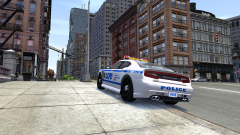 Really looks great! Franklin would be jealous of the LCPD. :P
 -
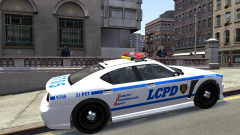 Looks like you did a great job!
 -
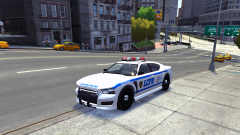 Great work!
 -
Wow, this guy lost it. You're right when you said that he reminds you of Trevor, I concur with that statement completely. It also looks like he's been playing too much GTA V; Note his "knockout" move at 0:22.
-
-
Thanks, EVI! I tried that before, but I didn't realize that you had to be in vertices mode.
-
Hello everyone, I am currently working on a car mod, but I need some assistance from fellow modders. I am trying to achieve this yellow lighting effect on the turn signals of my car mod, as seen in this photo of a CVPI mod: As with these CVPI mods, I want to keep the texture white while having the glow yellow. Does anyone know how to do this? Thank you, - Murphy
-
-
I agree with that.
-
Best scene/moment, huh? I think I would choose this one from Vice City: http://www.youtube.com/watch?v=0xb7-eXnRic&feature=youtu.be&t=38m41s Just the music and everything in that game... Still leaves me saying wow. EDIT: The video should start at 38 minutes and 41 seconds. If it doesn't, just follow this link.
-
Thanks for the video, Guernsey. Wow, I could really use that. Once again, mirror anyone? :P
-
There are publicly available models of the Transformers Barricade Interceptor for VC and SA already. http://www.youtube.com/watch?v=ICQOVRW1vm4 With permission from its author(s), one would be able to convert it to IV. EDIT: Barricade was also a Saleen S-281. It is commonly mistaken with the Ford Mustang due to their similar designs.
-
I'm interested in this, too. What does this mod do? By the way, could someone upload it to another mirror, such as mediafire? I have problems downloading from 2shared servers.


