.jpg.e891f29aa7e4ee9b573d99a5dfa67c58.jpg)
Prophet
Members
-
Joined
Everything posted by Prophet
-
OPEN UP NVIDIA CONTROL PANEL. Manage 3D Settings. Scroll to multi-display/mixed-gpu acceleration. Make sure this is at Single Display performance. Go to program settings within 3D settings. Select GTAV and do the same there. Report back to me.
-
Okay, which version of LCPDFR are you using? I currently use 1.1D and everything works flawlessly. If it comes down to it a fresh install is not always the end of the world. You could also attempt to delete your GTA IV save game.
-
Dubai really? That must've been interesting as hell. Born in New York, New York; raised in Brooklyn, New York.
-
 This should be against the guidelines.
 -
Example 2 is exclusive to New England specifically Massachusetts. :)
-
Just glad I could help :)
-
To be quite honest I am kinda fond of LCPDFR's pursuit ai.
-
Make sure you have the GTAIV.exe in Compat with Win7. Also make sure your LCPDFR.ini in the LCPDFR within your directory has "AutoSaveEnabled=" set to True.
-
This also looks like Game4Video.
-
Lol. If you posted the correct one I could help.
-
I use a car pack (I don't really remember which one I use). I also wouldn't advise using car models for the civilian cars unless you have an great GPU/CPU.
-
It's a lightbar modification that let's car models with ELS built in look amazing.
-
That is exactly why I have yet to put it down :)
-
Woah man that's awesome!
-
ALWAYS MAKE A BACKUP. Seriously I have 5 GTA IV backups. It is the only true method of keeping yourself from destroying a vanilla or modded copy. would also take a gander at Jeff F.'s Tutorial : https://www.youtube.com/watch?v=B-u9nf8_oNk
-
Don't know why someone would want that ENB in the video though. lol Actually that is Game4Video based on the reflections.
-
I don't really see one either.
-
Yes, you can. First you must select a category, and then you may sort by a specific preference. For example in this picture I chose GTA V Models and in the top right was given the sort by option menu.
-
If only you could gift LCPDFR store merchandise. Happy Birthday Yard!
-
Frank everyone is waiting for a Whelen Justice.
-
Tonight will be filled with silence and sadness.
-
-
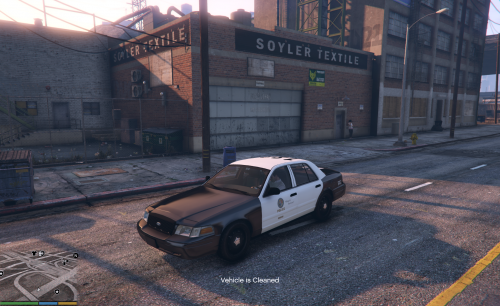 Amazing work. You've put so much dedication into this just for the community. It was an honor to be a part of the testing phase.
- 17 comments
- 10 reviews
-
-

- 4
-
-
 Dat a SPAZ or a M60?
 -
Make sure to also replace the YTD not just the YFT.
.thumb.jpg.f7d19f85fad406630fb24c5fa819cf86.jpg)