.jpg.e891f29aa7e4ee9b573d99a5dfa67c58.jpg)
Prophet
Members
-
Joined
Everything posted by Prophet
-
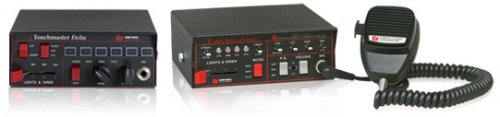 This is a simple audio modification that swaps out the default police tone's with those from a Touchmaster Delta siren system. This modification changes the tones for the regular Police vehicles i.e not the FIB Buffalo, Rancher or Bike. I did this on purpose so that the siren does not become the only tones you hear during a pursuit that involves multiple agencies. Video is a patrol in which the Siren is used *note video does not show reworked priority call*. To install follow this simple tutorial from OpenIV: https://www.youtube.com/watch?v=ymLrNTjGBXA HUGE PROPS TO Illusionary! The siren tones are all his! I spent 4 hours reworking them to GTA V.
 -
Preach.
-
-
Took me 4 hours straight of trial and error to debug the audio glitch caused by Rockstar's shitty audio limit and a bunch of audio editing and here we are with an almost finished product! Should be released later today or tomorrow! I also figured out how to make creating new sirens easier! (Really wanted to get the scanner tone to work. Maybe in a later version!) Currently fixing Priority loop
-
means a lot guys thanks! Really glad you enjoyed it!
-
pretty huge change of tone from the rest of your post right at that last sentence.
-
For those of you in the community that can't play LSPDFR, Don't own GTA V or simply like to watch someone else roleplaying for a change. Feel free to check out my channel for some great Commentary+Roleplaying! I promise Laughs and Tears Just give this video a try. If you don't laugh even once feel free to slap the dislike button! (Think this goes here since it's Footage/Media of LSPDFR modification feel free to move to correct location if needed)
-
 just disconnect your Internet then run GTA. Can't be the file because no one else has claimed it to be corrupted. Plus thereally is another user who had a similar issue which was resolved once they launched offline. :/ sorry about that. P.S do you use a mods folder? With OpenIV?
- 20 comments
- 2 reviews
-
 Doesn't seem to be working.
 -
-
-
Love the video!
-
That's why I purposely made the priority tone louder than the rest!
-
 Use OPENIV to open up the folder titled 64x then open Audio>SFX> Resident.rpf and place the OEC inside resident.rpf. Then launch and enjoy!
- 20 comments
- 3 reviews
-
-

- 1
-
-
Hmm so it's definitely client side.. I'm not really a specialist on troubleshooting so I wouldn't know where to begin to help..
- 20 comments
- 2 reviews
-
-
You have to go into resident.rpf then move the OEC into the directory of Resident.rpf. If that is what you're doing then will the game launch in offline mode? Maybe try and reinstall original sound files try and launch and then try again with modded. If still not successful I will attempt to reupload fresh files.
- 20 comments
- 2 reviews
-
Just released my favorite siren system for use in GTA V! Hope you guys love it as much as I do! Would love constructive criticism or even requests!
-
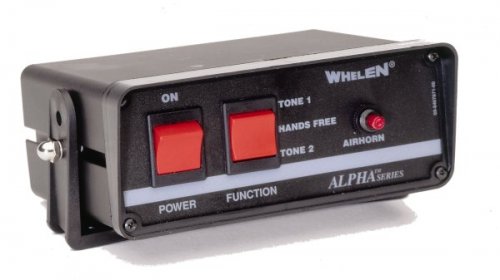
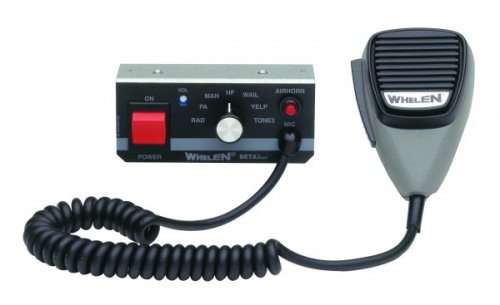
This is a simple audio modification that swaps out the default police tone's with those from a Whelen Alpha siren system. This modification changes the tones for the regular Police vehicles i.e not the FIB Buffalo, Rancher or Bike. I did this on purpose so that the siren does not become the only tones you hear during a pursuit that involves multiple agencies. Video below gives a brief demo of the different tones in action. To install follow this simple tutorial from OpenIV: https://www.youtube.com/watch?v=ymLrNTjGBXA
- 20 comments
- 2 reviews
-
-
- 3
-
-
-
I think I found the fix for this! Will help you guys out after I get off of work tomorrow.
- 29 comments
- 10 reviews
-
-
-
-
NO, thank you! If you had not posted that earlier post I would have sat here wondering why people weren't downloading
- 20 comments
- 3 reviews
-
-
- 1
-
.thumb.jpg.f7d19f85fad406630fb24c5fa819cf86.jpg)