



.jpg.e891f29aa7e4ee9b573d99a5dfa67c58.jpg)
Prophet
Members
-
Joined
Everything posted by Prophet
-
Mapping is like Cancer. btw
-
Only the spotlight can be removed that way. I removed it in Zmodeler to see if the exporter really worked!
-
Working on some stuff as we speak!
-
Yes indeed it is time.
-
It's amazing. I literally played until I got bored for once!
-
Confirmed FPS increase. Overall gaming is a lot smoother! Definitely improved my gaming experience! Even played GTA IV without texture loss at AL! Gamed GTA IV for an entire HOUR without any issues or performance loss.
-
 "Shit" This just looks amazing! Really great work and dedication went into this I can tell!
- 2,346 comments
- 236 reviews
-
-

- 1
-
-
 Very much appreciated!
 -
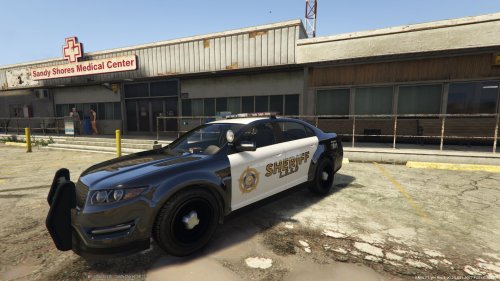
Black and White Sheriff interceptor to go with my B&W Sheriff Stainer found here: http://www.lcpdfr.com/files/file/8060-black-and-white-sheriff-stainer/ Plain in simple. HUGE props to A320FlyBlueJB for allowing me to use his Tir6 Light textures in this texture.. Link to his file: http://www.lcpdfr.com/files/file/7753-gta-v-tir6-led-lights/ Lost my original Vapid badge so I had to release this texture with the Ford badge. This is a reworked version of a private Texture I had made based off of Lundy's. This one although is a lot more reworked and uses none of his original textures unlike the private version. Check out some ideas I have: http://www.lcpdfr.com/gallery/image/50336-very-very-rough/
-
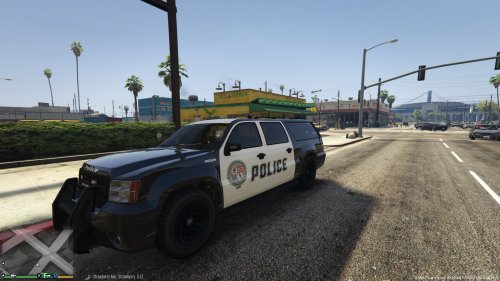 Just a simple skin. Hope you guys enjoy! HUGE props to A320FlyBlueJB for allowing me to use his Tir6 Light textures in this texture. Link to his file: http://www.lcpdfr.com/files/file/7753-gta-v-tir6-led-lights/
- 4 comments
- 1 review
-
-
- 1
-
-
 Obviously made by the one and only.
 -
I'm so moist.
-
Definitely fits perfectly!
-
Just got mine!
-
-
-
 Thank you so much. Keep up the amazing work. I really look forward to more of your stuff!
- 91 comments
- 21 reviews
-
-
- 1
-
-
No worries! Glad to finally see a modification that allows me to roleplay more without a scene completely disappearing before my eyes.
- 91 comments
- 21 reviews
-
-
- 3
-
-
Does seem to cost Vram. Even after leaving an area Vram still seems to be absurdly high in usage. Which is causing frame dips. Still 5/5 Since it is experimental.
- 91 comments
- 21 reviews
-
-
- 2
-
-
-
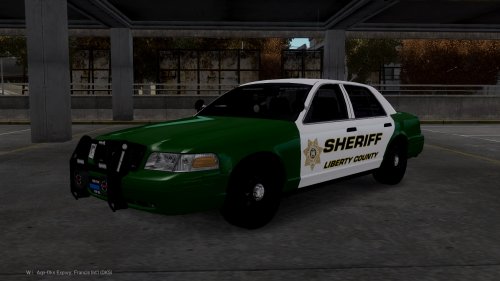 With that many rear facing LED's this thing would serve better as a state unit rather than a sheriff.Either way great job!
- 16 comments
- 4 reviews
-
-
- 1
-
-
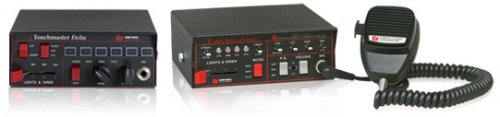 I will eventually just have a couple of things on my plate atm. The reason I don't make two versions is because just getting the first primary sirens changed takes 4 hours of hard editing mixed with trial and error. But i'll try knocking it out by the end of this week.
 -
To install follow this simple tutorial from OpenIV: https://www.youtube.com/watch?v=ymLrNTjGBXA or Use OPENIV to open up the folder titled 64x then open Audio>SFX> Resident.rpf and place the OEC inside resident.rpf.
-
Thanks for the input guys! Fyi: He's much better now thanks for asking. He did better than my previous patrol.
-
https://www.gta5-mods.com/misc/gta-v-fov-v1-11
.thumb.jpg.f7d19f85fad406630fb24c5fa819cf86.jpg)


