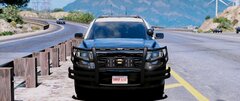
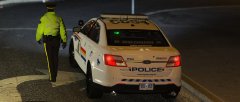
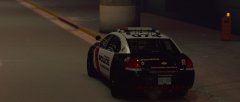
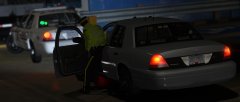
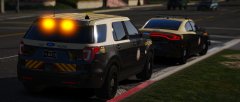
Don't Drink And Drive This Turkey Day Share https://www.lcpdfr.com/gallery/image/92389-dont-drink-and-drive-this-turkey-day/ Share on Facebook Share on X {lang="reddit_text" More sharing options... Followers Little fictional cars I'm working on to go along with my RCMP shit, older cars will feature the FedSig Raydian and new ones will feature a Valor with colored edges.
TaylorSwift Members November 23, 20178 yr Author stats 4 minutes ago, Kallus Rourke said: That light bar looks really good! It was definitely not the first choice on my mind but I really wanted something that was different, yet also had colored ends or glass in general. I think it somehow fit with the liveries!
Reddington Members November 23, 20178 yr Author stats 2 minutes ago, TaylorSwift said: It was definitely not the first choice on my mind but I really wanted something that was different, yet also had colored ends or glass in general. I think it somehow fit with the liveries! Is it ELS? Also, I'm guessing there's no TA, right? It's just the red/blue?
TaylorSwift Members November 23, 20178 yr Author stats 2 minutes ago, Kallus Rourke said: Is it ELS? Also, I'm guessing there's no TA, right? It's just the red/blue? ELS indeed, the real Raydian has a TA optional, I haven't added that on these cruisers. The lightbar is currently set to the SCAN function in the ELS VCF, it looks pretty sweet, got some cool sweep patterns and normal flashing, I'll see if I can make a gif later.
Reddington Members November 23, 20178 yr Author stats 22 minutes ago, TaylorSwift said: ELS indeed, the real Raydian has a TA optional, I haven't added that on these cruisers. The lightbar is currently set to the SCAN function in the ELS VCF, it looks pretty sweet, got some cool sweep patterns and normal flashing, I'll see if I can make a gif later. Awesome! I look forward to it.








Recommended Comments
Join the conversation
You can post now and register later. If you have an account, sign in now to post with your account.