Reddington
Members
-
Joined
Everything posted by Reddington
-
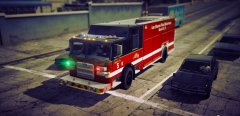 Holy shit. This looks so good!
 -
We generally don't delete posts such as yours, primarily because they can be helpful down the road if someone else has the same problem. Thanks for editing your solution in. :)
-
What exactly are you trying to do? This topic has been moved to the appropriate forum. Please post in the correct location in the future.
-
You're welcome.
-
pranger.yft pranger.ytd pranger_hi.yft
-
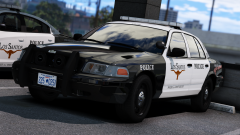 Damn, the unmarked Vic looks amazing.
 -
If they don't put a link listing what mods they are using in the description of their video, there isn't a way for you to find out. Sometimes they will say the name of a mod, in which case then you can Google search the name to find it. This topic has been moved to the appropriate forum. Please post in the correct location in the future.
-
This topic has been moved to the appropriate forum. Please post in the correct location in the future.
-
There isn't an active list, unfortunately. Your best bet is just searching for packs and seeing if they are .oiv.
-
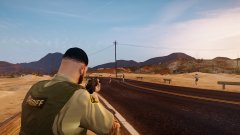
From the album: Red's LSPDFR chaos
-
https://www.gta5-mods.com/misc/a-i-police-pursuits-disabler However, I'm not sure if it's still working since it hasn't been updated in a while. Make sure you back up your files.
-
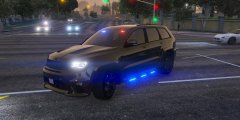 I NEED THIS IN MY LIFE.
 -
You can try 0x0D which is listed as the enter key, maybe it doubles for numpad enter. If not, I think your best bet is just to Google search for it or use one of the numpad keys listed.
-
Check this link - https://msdn.microsoft.com/en-us/library/windows/desktop/dd375731(v=vs.85).aspx
-
-
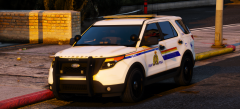 Ohh, lookin' good.
 -
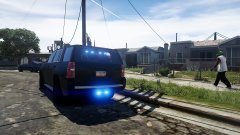 Always is in the hood.
 -
The same exact way you installed them the first time, via the vehicles.rpf.
-
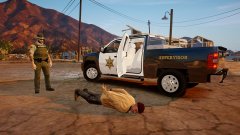 I know, I probably need to do the txd thing in the meta. Probably will eventually.
 -
I rarely ever get rain as well. For the most part, the weather is always the same. Using the trainer isn't playing god, it's catering the game to how you want to play, which is the point of a trainer. :)
-
This topic has been moved to the appropriate forum. Please post in the correct location in the future.
-
From the album: Red's LSPDFR chaos
-
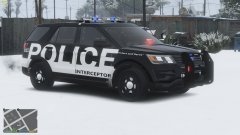 I wouldn't mind of the textures were their own texture pack.
 -
Your topic has been moved to GTA V Support, this is not LSPDFR related. Please post in the correct location in the future.
-
You're welcome.