


Reddington
Members
-
Joined
Everything posted by Reddington
-
Glad we got it sorted. :)
-
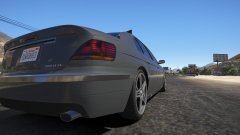
From the album: Off duty shenanigans
-
From the album: Off duty shenanigans
-
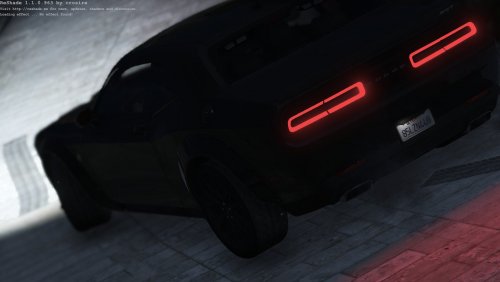 I'm in a bit of a conundrum here. I absolutely love Challengers, and am happy we have an unmarked beast. My issue with the car are the lights, specifically the front LED bar in the roof, and the grill lights. I don't know how to describe it, but they just don't "pop" like the rear lights. I took a video of both night and day to really show my point. The back lights are perfectly fine, it's just the front. I'd also like to clarify, all my other cars have perfect lights. This is a light texture issue. Other than the issue with the lights, this is an amazing car, and one I will using as my detective vehicle!
- 18 comments
- 3 reviews
-
-

- 1
-
-
There is a dlcpack limit, and you've far exceeded that. You need to delete all of those, and only install a few.
-
I have never used controller companion, and honestly don't see what it offers that is so good. I'm using mostly all the default buttons, just changed Smart Radio's function to right button.
-
From the album: Off duty shenanigans
-
From the album: Off duty shenanigans
-
-
Try a different gameconfig, such as the one in my signature.Either a meta or carvariation issue. I'd replace both with that of a working car and see how it goes.Standalone cars - Once you have them installed, go into the backup.xml and add the cars as a new <Vehicle> line.Could be an issue with tint or dirt. a) Go into your trainer, under vehicle mods, and add full tint, then remove it. If still nothing b) Clean the vehicle.Crashes are generally caused by other mods, installation errors, or permission issues with your PC. Stock LSPDFR runs flawlessly otherwise.*Cue dumb & dumber theme song*You're not allowed to redistribute anyone else's mods, period. This isn't just a rule we have, but most mod authors put it in their read me. If they removed their mod, it was for a reason, namely they no longer wanted people to download it. Please respect the mod authors. If you feel this topic has been closed in error, please report this post.That's only something LtCain can answer, and he hasn't been heard from in ages. There's nothing anyone can do except keep on using the current version of ELS and being glad it's working at all.Are you using NVR? If so, NVR comes with a dlcpack called NVR_EMISSIVES, and in this dlc is pranger.ytd, firetruk.ytd, and sheriff.ytd, which overrides other dlcpacks. Go into NVR EMISSIVES and delete these three .ytds. You don't need 'em there. This topic has been moved to the appropriate forum. Please post in the correct location in the future.Carvariations control the color a vehicle spawns. Here's a list of color codes - http://imgur.com/a/F4Ptk This topic has been moved to the appropriate forum. Please post in the correct location in the future.Check my topic, GTA V FAQS at the top of this section. One of the first things I list is changing brightness. Your topic has been moved to GTA V Support, this is not LSPDFR related. Please post in the correct location in the future.
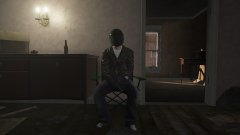 I was looking around for a new house, and it happened the O'neal Ranch was up for sale. Not sure if I'm gonna take it.We aren't inactive simply because it's not done in a timely manner. Further, adding "not trying to call any of you out" while saying "staff are inactive/unsupportive" and that "90% of the staff team haven't been seen" does not make it less of an attack. You are literally saying these things, stop backpeddling. We take down all terrible reviews or abusive 1 star reviews. Your anger is stemming from a 1star review months or so ago that you asked me to remove, and I said it was fine. You're upset at us because we won't remove a review that you simply do not like? Again, we remove all the negative reviews we see or ones that actually do violate our guidelines. I'm sorry that you think some 1 star reviews on your files shouldn't be there, but that doesn't mean you're right and we're wrong. We review each case and handle it as we deem fit. In this context, yes it is. We look at all reports and the individual decides if the reported content is worth handling. We don't just go "yes" and "no", we investigate, and if needed, get a second opinion.You're most welcome! Don't feel bad if you can't understand your log, it's really not an easy thing to decipher. If you ever need help, just post a thread. :)It's fine to say goodbye, but don't attack staff and provide false information. Nothing happens? Would you like a screenshot of every single report that has been dealt with recently? Would you also like to see screenshots of when there have been 0 reports? We handle every report that comes in. It might take a little while for staff to see the report or handle it, but that's because we all have lives of our own. Would be nice if folks were patient and didn't get upset because the report didn't have the outcome they wanted.


